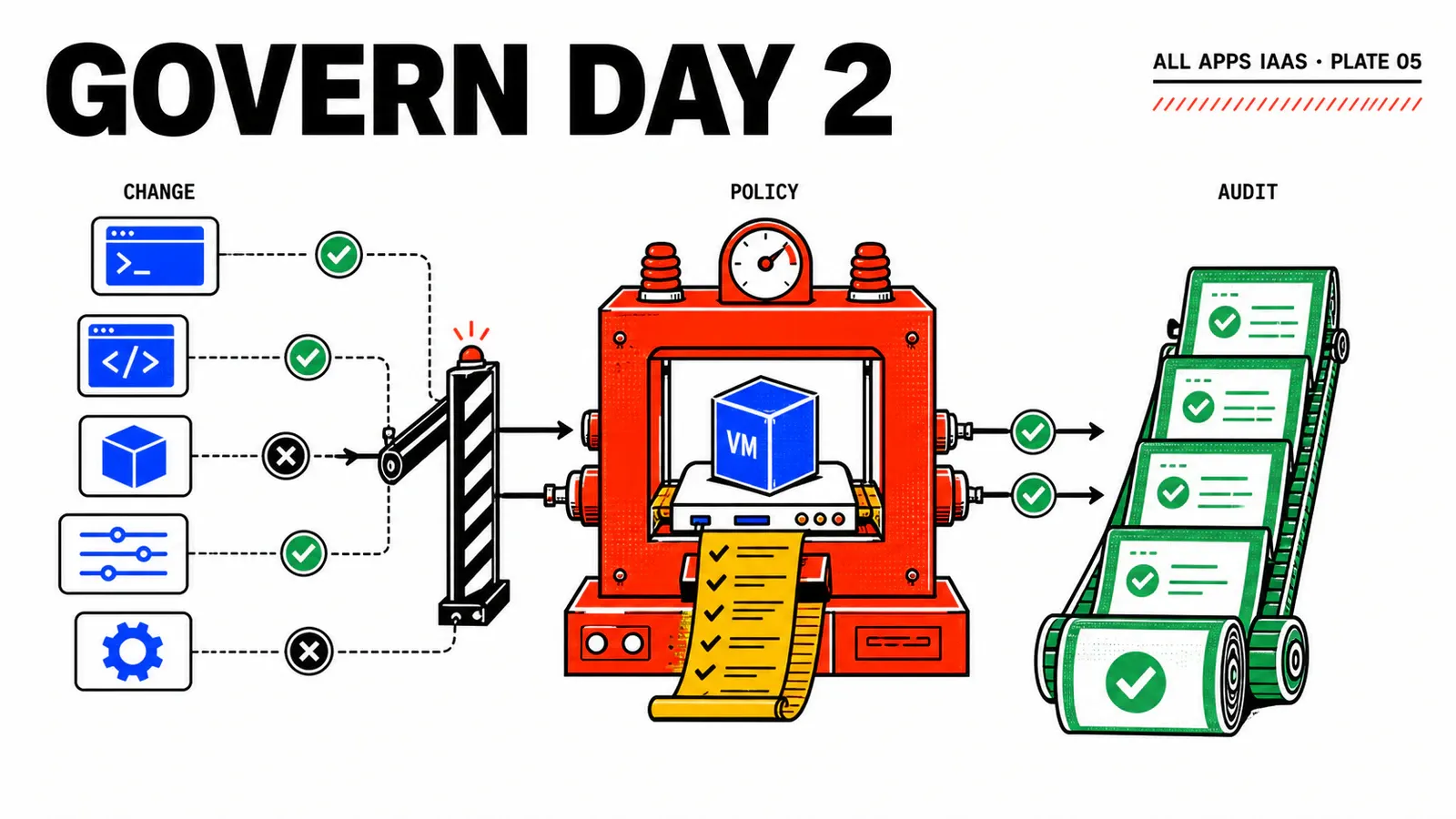
A self-service platform does not become governed merely because it hides dangerous buttons. It becomes governed when every change has the right mechanism, an authorized population, an audit trail, and a recovery path. For WebShop, a user should be able to restart a VM and repair its CMDB CI without gaining the right to resize, delete, or attach disks.
We will build that separation in a VCF Automation 9.1 All Apps organization. The outcome is a deliberately small Day-2 catalog: native operations where the product supplies them, one Orchestrator action for CMDB reconciliation, and inclusion policies for each role.
Construction guide, not a lab report
This journey is a reconstruction based on VCF 9.1 documentation. Action names, bindings, and event fields must be checked on the installed build before production use. The outcomes below are acceptance criteria, not claimed observations.
TL;DR
- A durable state—size, capacity, or topology—belongs in Blueprint inputs; a one-off operation belongs in a Day-2 action.
- As soon as the first Day 2 Action Policy exists, the organization moves to inclusion semantics. Cover every required role before broad activation.
- Resynchronize CMDB converges on an existing CI through a stable identity. It never recreates the external object blindly.
Choose the right mechanism
The first decision happens before opening the UI. If a change must remain true after the Blueprint is applied again, it belongs in the declarative model. A new VM profile, expected disk capacity, or networking option should be expressed as an input and applied through a deployment update. Starting a VM, taking a pre-maintenance snapshot, or replaying synchronization are one-off operations.
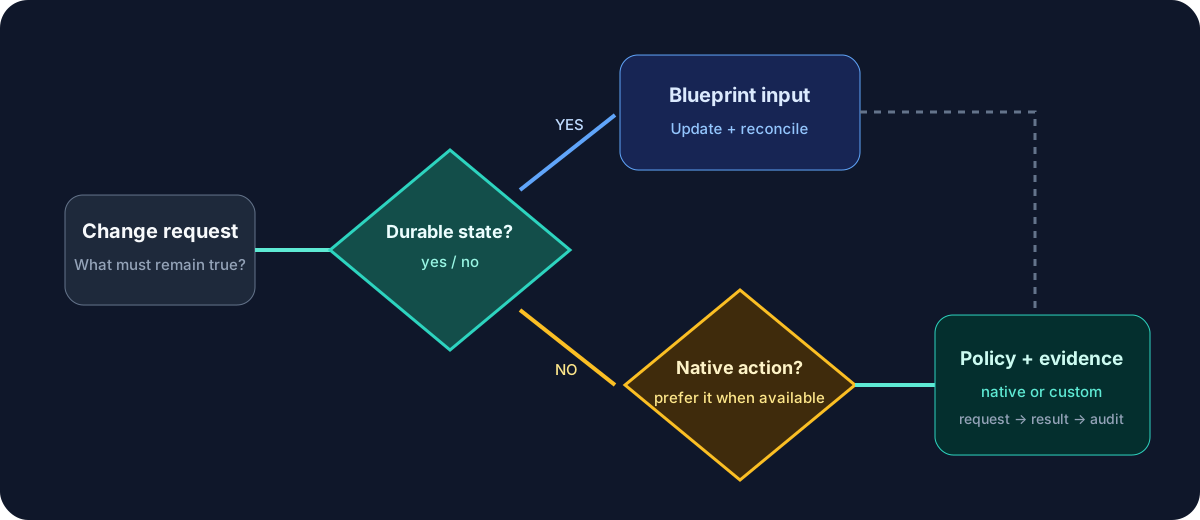
This separation prevents a familiar drift scenario: an operator attaches a disk manually, then reapplies a Blueprint that does not know it exists. Broadcom’s guide to preparing Blueprints for Day-2 warns that an update can reconcile mutable state and remove such a change. A convenient operation today can become data loss during tomorrow’s release.
The team rule is compact: declarative for state, action for operation. Every exception names who owns the drift and how it will be reconciled.
Build the role-to-action matrix
Start from the job to be done, not the full feature list. Broadcom’s official All Apps Day-2 action catalog includes power, consoles, snapshots, disks, delete, and resize for machines. Exact availability still depends on resource type and installed build.
| WebShop role | Proposed actions | Rationale |
|---|---|---|
| Project User | Power On/Off, Remote Console, Resynchronize CMDB | routine operations with limited impact |
| Project Administrator | previous set + snapshots, disks, Resize, Delete | capacity and lifecycle administration |
| Organization Administrator | same acceptance set + policy administration | end-to-end control and recovery |
The Project User receives neither Delete, Resize, nor disk actions. The Project Administrator can delete the deployment and run the complete cleanup scenario. Do not use the organization administrator as a shortcut for every test: keep a dedicated user account to prove the policy is effective.
A visible action is not the whole authorization model
The Orchestrator workflow and CMDB API must validate project, target object, and caller identity again. Hiding an action in VCF Automation does not protect an external endpoint that could be called directly.
Snapshots need an expiry and owner. Disks attached outside the Blueprint need a reintegration plan. Resize requires the VM to be powered off and a compatible VM Class. Put those constraints in the runbook rather than relying on operator memory.
Add “Resynchronize CMDB”
In the previous Event Broker article, the CMDB subscription is non-blocking: an external outage should not prevent VM delivery, but it can leave the CI missing. The custom action provides recovery without redeployment. At this point in the series it targets the VM; in the next article it will target Custom.CMDB.CI, which becomes the sole owner of CMDB lifecycle writes.
The workflow receives an explicitly selected resource, resolves its identity, reads current state, then converges:
inputs: targetResource, reason, optionalChangeNumber
identity = resolveObservedIdentity(targetResource)
desired  = readCurrentVcfaAndProviderState(identity)
ci       = cmdb.findByStableIdentity(identity)

if ci is absent:
  ci = cmdb.create(desired)
else:
  ci = cmdb.updateManagedFields(ci, desired)

return ci.id, result, timestamp, correlationId
The request form adds two safeguards. A dynamic Value restricts selection to resources in the project that the caller may administer. An Orchestrator Validation rejects a target outside the project, an empty reason, or an already retired CI. Broadcom’s VCFA Custom Resources documentation documents Values and Validations.
Automatic bindings are not available for CCI.Supervisor.Resource in the documented scope. Keep resource reselection explicit until the target build proves otherwise. It is less elegant than an assumed binding and much safer.
Activate policies without locking users out
A Day 2 Action Policy is an inclusion list. With no policy, users see applicable actions; after the first one exists, only effective inclusions remain. Policy rollout is therefore a managed change.
policies:
  - id: webshop-developer-actions
    role: Project User
    scope: prj-webshop-dev
    allow: [power-on, power-off, remote-console, resynchronize-cmdb]
  - id: webshop-project-admin-actions
    role: Project Administrator
    scope: prj-webshop-dev
    allow: [power-on, power-off, remote-console, resynchronize-cmdb,
            snapshot-create, snapshot-revert, snapshot-delete,
            add-disk, remove-disk, resize, delete]
  - id: webshop-organization-admin-actions
    role: Organization Administrator
    scope: org-webshop
    allow: [power-on, power-off, remote-console, resynchronize-cmdb,
            snapshot-create, snapshot-revert, snapshot-delete,
            add-disk, remove-disk, resize, delete]
These IDs are the editorial lab contract, not guaranteed product identifiers. Select the actions exposed by your instance. Prepare all three definitions and the recovery plan before activating any of them. In a change window, make the control administrator identity’s policy effective first, verify its recovery path, and then activate the Project User and Project Administrator policies without delay. Test each dedicated identity afterward. This sequence avoids leaving the organization in an intermediate state where only the user population is included. Simulate Soft and Hard overlaps before using Hard priority.
For sensitive operations, the blockable Deployment resource action requested and completed All Apps Event Broker topics can invoke Orchestrator before and after the action. Use the first only for a mandatory check, such as validating a change record before Resize. Prefer post-action processing for audit: an unavailable audit tool should not make the catalog unavailable.
Do not copy a filter from Aria Automation 8.x. Run a disposable action in the project, inspect Event Log, locate the observed field that carries the action and stable resource ID, and create the condition from that 9.1 payload.
Acceptance, failure, and rollback
Acceptance compares both menu and real effect. The Project User opens the console and reconciles the CI but cannot see Resize or Delete. The Project Administrator creates and deletes a snapshot, powers off the VM before Resize, and finishes with Delete. The Organization Administrator retains a known recovery path. Record user, project, deployment, timestamp, Event Log, Orchestrator run, and final state for every action.
Then make the CMDB endpoint unavailable in a test configuration. The action must produce a correlated failure without creating a duplicate. After recovery, the same call must use the same stable key and converge on the same CI. This demonstrates idempotency; a green button alone does not.
Prepare rollback before activation: retain an export or screenshots of currently visible actions, a known minimal policy, and a control administrator account. If users are locked out, reapply the minimal policy. Remove the custom action entitlement, disable control subscriptions, wait for active runs, and process partial resources under a recorded change. Do not simply delete every policy: returning to no-policy behavior changes the access model again.
Sources and next step
The product capabilities and precautions in this article come from Broadcom’s documentation for Day 2 Action Policies, the action catalog, Event Broker topics, and Custom Resources.
Durable state
Keep it in the Blueprint so the next reconciliation does not destroy it.
Minimal action
Use native first; customize only a one-off, idempotent business operation.
Complete evidence
Test visibility, authorization, external effect, and rollback separately for every role.
The next step replaces the transitional CMDB writer with a first-class resource. The CI will have its own Create, Read, and Destroy operations, and the reconciliation action will operate on that object rather than the VM.
Get the next one by email
New articles and series, sent when they are published. No other mail.