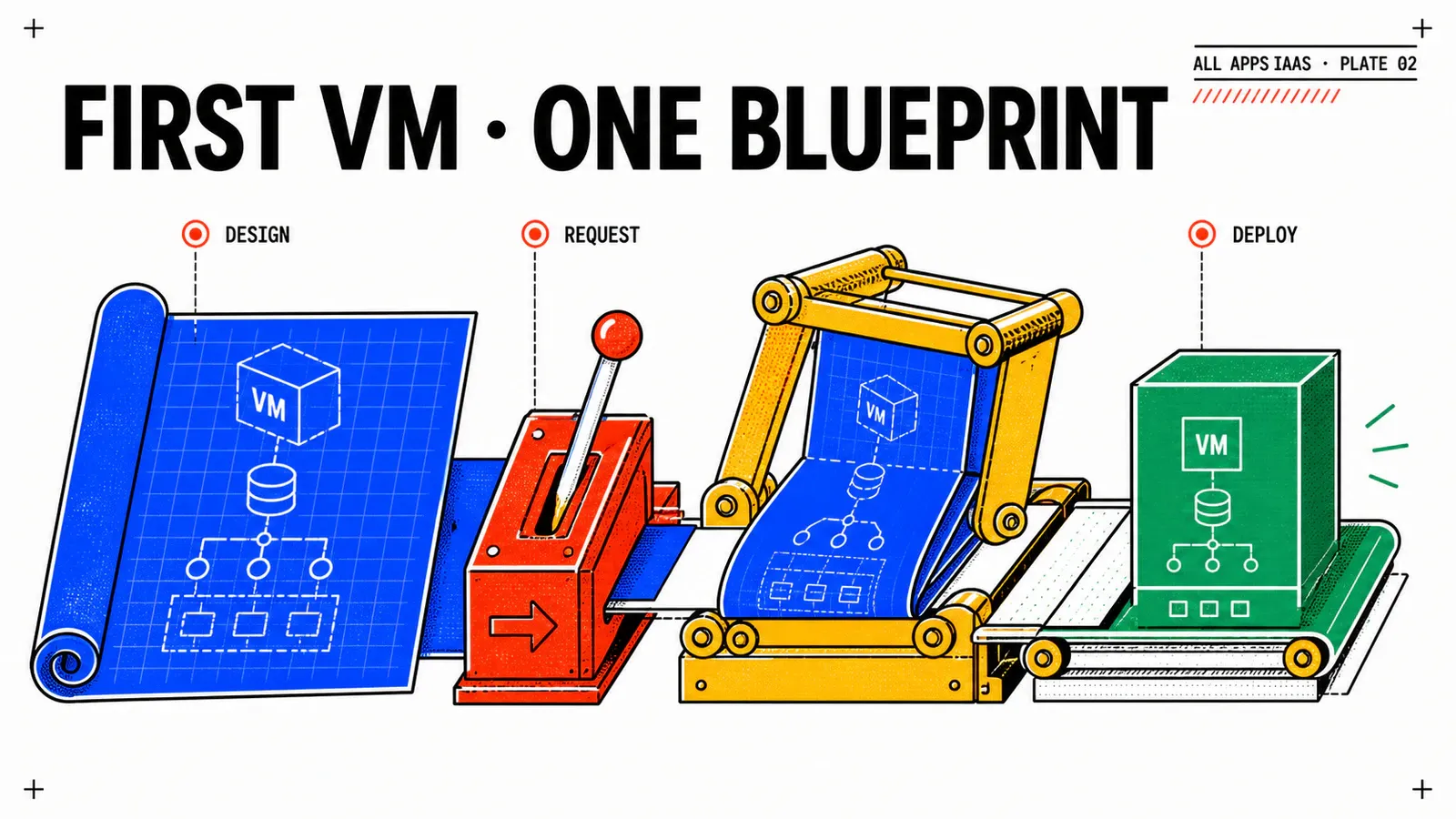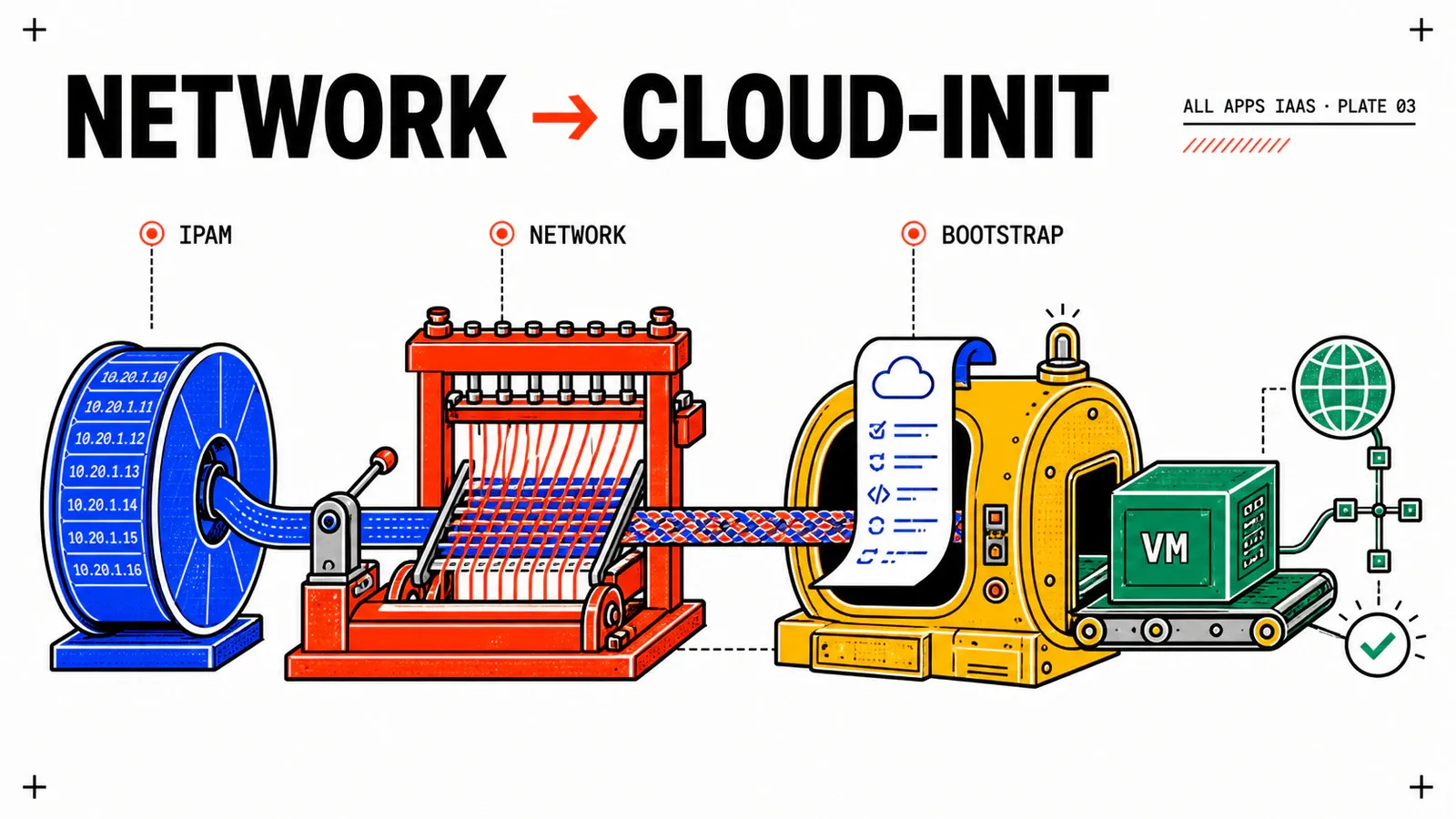
A powered-on VM is not a delivered service. It can exist in vCenter while its interface has no usable address, its default route is wrong, or cloud-init is still waiting for a package repository. In this third WebShop increment, success means that a requester can deploy the VM, the platform can account for its IP address, and an operator can retrieve an unambiguous health response.
We will extend the minimal All Apps Blueprint from the previous article without exposing infrastructure decisions in the request form. The reader chooses a role and supplies a public SSH key; the platform team owns the namespace, image, VM Class, Storage Class, subnet and DNS domain.
A documented design, not a lab result
This article combines Broadcom’s VCF Automation 9.1 Blueprint, VM Service and IP Management documentation into one practical design. It has not been executed on a lab. Every screen value, served VM Operator API version, IP address, DNS record and /healthz response described below is evidence to collect, not evidence already observed.
TL;DR
- Prove the default network path first, then add an explicit
SubnetorSubnetSetreference copied from Services; do not guess the resource kind. - Treat VM creation, IP allocation and guest bootstrap as three separate checkpoints, including address release after deletion.
- Keep cloud-init small, idempotent and secret-free. A dependency on a live package repository is an explicit lab constraint, not a production image strategy.
Start from the manifest generated by Services
The All Apps sample Blueprints show formatVersion: 2, CCI.Supervisor.Namespace, CCI.Supervisor.Resource and a VM Operator manifest. Those samples are the editorial baseline for this series, but the target Supervisor is the runtime authority.
Before editing the Blueprint, open Services, prepare a VM with the image, class, storage and network offered to ns-webshop-dev, and inspect the generated YAML. Record the exact apiVersion, field hierarchy, VM Class, image identifier, Storage Class, network object name and network kind. The published sample may use vmoperator.vmware.com/v1alpha3 while another 9.1 build serves a later version. Changing only the API string is not a migration; if the generated schema differs, adapt the whole manifest.
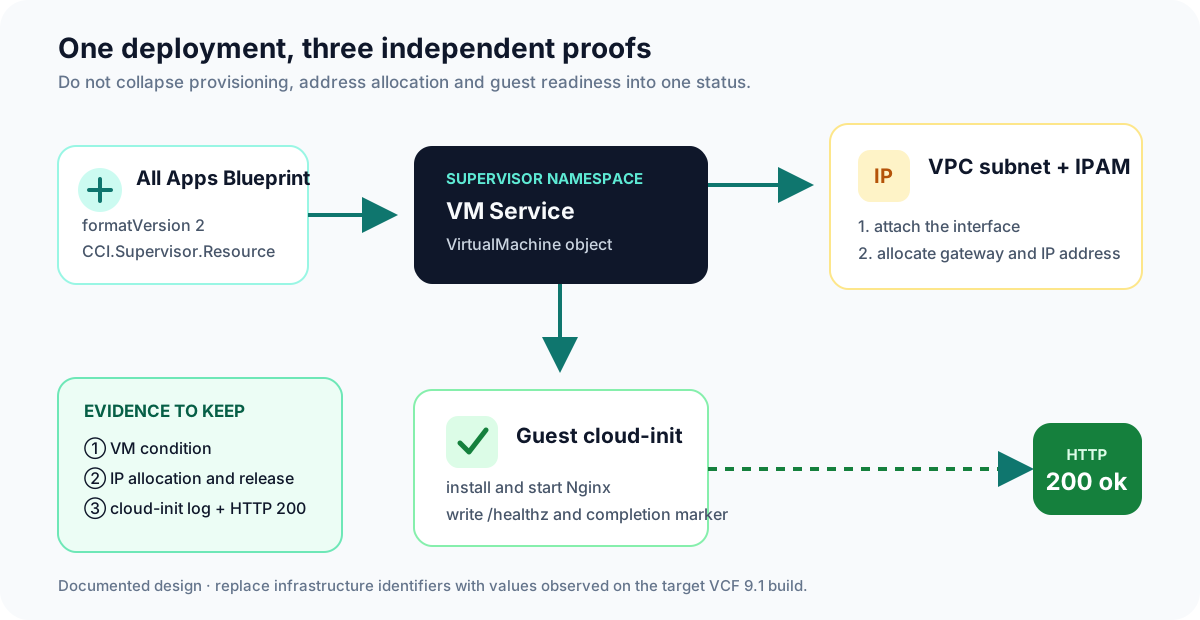
This separation is operationally useful. VCF Automation owns the deployment flow, VM Operator reconciles the VirtualMachine, the VPC network and IPAM supply connectivity, and cloud-init runs inside the guest. An HTTP failure therefore does not prove an IPAM failure, and an allocated address does not prove cloud-init completed.
Keep only two requester inputs:
vmRole, constrained by the naming policy;sshPublicKey, which must be a public key and never a private key.
Put the platform identifiers in Blueprint variables maintained through code review. This prevents a consumer from selecting an ungoverned subnet or typing an image name that the namespace cannot use.
Move from the default network to an explicit subnet
Begin with a diagnostic deployment that omits spec.network.interfaces. VM Operator can attach the interface to the namespace’s default network. This deliberately narrow test answers whether the image, storage, class and bootstrap work before an explicit network reference is introduced.
Once that baseline succeeds, add the network block generated for the target environment. The following fragment is the design used for WebShop; the values in angle brackets must be replaced with observations from Services.
variables:
  subnetName: <OBSERVED_NETWORK_NAME>
  networkKind: <OBSERVED_SUBNET_OR_SUBNETSET>
  dnsDomain: corp.example

resources:
  webVm:
    type: CCI.Supervisor.Resource
    properties:
      context: ${resource.namespace.id}
      manifest:
        apiVersion: vmoperator.vmware.com/v1alpha3
        kind: VirtualMachine
        metadata:
          name: ${variable.vmResourceName}
        spec:
          className: ${variable.vmClassName}
          imageName: ${variable.vmImageName}
          storageClass: ${variable.storageClassName}
          network:
            hostName: ${variable.vmResourceName}
            domainName: ${variable.dnsDomain}
            interfaces:
              - name: eth0
                network:
                  name: ${variable.subnetName}
                  kind: ${variable.networkKind}
Broadcom’s KB 426105 illustrates the explicit VPC network pattern. The decisive detail is that network references an object; it is not a convenient place to invent an IP address. Confirm whether the service exposes a Subnet or SubnetSet and preserve that exact case. If the deployment cannot resolve the reference, return to the generated manifest rather than adding a hard-coded address.
The domain value also deserves care. Supplying domainName to the VM specification does not, by itself, prove that an authoritative DNS record exists. Native IPAM and DNS automation are related services but not interchangeable outcomes. Make DNS registration a separate acceptance criterion when the target platform is configured to provide it.
Make native IPAM measurable
VCF Automation 9.1 exposes IP address blocks, quotas and allocations through IP Management. Before deploying, document which block feeds the VPC, its usable ranges and exclusions, the quota granted to the organization or VPC, and the current available capacity. Avoid copying a sample CIDR into the lab: a VPC-local private range, a Private-TGW range and an external range have different reachability contracts.
Run the allocation test as a before/during/after sequence:
- Capture the relevant block, quota and free capacity before the request.
- Deploy one WebShop VM and wait for the VM resource to expose its primary IPv4.
- Correlate that address with the allocation shown in IP Management and with
ip addressinside the guest. - Check the gateway and route with
ip route; an address alone is not useful connectivity. - Delete the deployment, wait for reconciliation, and prove that the allocation is released.
The fifth step is as important as the second. A lab that repeatedly creates and deletes workloads can look healthy while slowly exhausting a pool with orphaned allocations.
Infoblox is an optional second path
Only add Infoblox after native allocation and release are understood. In the documented VCF Networking 9.1 DDI integration, the provider must configure connectivity, certificates and the relevant blocks, and Infoblox remains the source of truth. If enabled, correlate the same address and expected FQDN in Infoblox. Do not imply that this happens in an environment where the integration is absent.
Broadcom describes the 9.1 DDI capability in Seamless DDI Integration with Infoblox. That article supports the integration concept; a future screenshot must still come from an authorized, anonymized lab.
Keep cloud-init small, idempotent and observable
The bootstrap below is a reconstructed WebShop example, not a Broadcom-published application. It installs Nginx using either apt-get or dnf, discovers the static root actually declared by Nginx, creates a health endpoint, writes a timestamped log and leaves a completion marker. The marker makes an accidental rerun safe, but cloud-init remains a first-boot mechanism. Production images should normally contain common packages already, and ongoing configuration belongs in an appropriate configuration-management process.
bootstrap:
  cloudInit:
    sshAuthorizedKeys:
      - ${input.sshPublicKey}
    cloudConfig:
      write_files:
        - path: /usr/local/sbin/webshop-bootstrap.sh
          owner: root:root
          permissions: '0750'
          content: |
            #!/bin/sh
            set -eu
            state_dir=/var/lib/vcf-webshop
            [ -f "$state_dir/bootstrap.done" ] && exit 0
            mkdir -p "$state_dir"
            if ! command -v nginx >/dev/null 2>&1; then
              if command -v apt-get >/dev/null 2>&1; then
                DEBIAN_FRONTEND=noninteractive apt-get update
                DEBIAN_FRONTEND=noninteractive apt-get install -y nginx
              elif command -v dnf >/dev/null 2>&1; then
                dnf install -y nginx
              else
                echo "No supported package manager found" >&2
                exit 1
              fi
            fi
            web_root="$(nginx -T 2>&1 | awk '/^[[:space:]]*root[[:space:]]+/ {gsub(/;/, "", $2); print $2; exit}')"
            case "$web_root" in
              ""|*\$*) echo "Unable to determine a static Nginx document root" >&2; exit 1 ;;
            esac
            mkdir -p "$web_root"
            printf 'ok\n' > "$web_root/healthz"
            systemctl enable --now nginx
            date -Is > /var/log/vcf-lab-bootstrap.log
            touch "$state_dir/bootstrap.done"
      runcmd:
        - [sh, /usr/local/sbin/webshop-bootstrap.sh]
The bootstrap.cloudInit shape, its keys, and the Secret selector are described in VM Operator’s cloud-init guest customization guide and v1alpha3 API contract. A manifest generated by the target Supervisor remains authoritative when it serves a later version.
This contract assumes an image with cloud-init and VMware Tools, working DNS, correct time, and egress to a package repository. If any assumption is intentionally unavailable, bake Nginx into the image or point the guest at an internal repository. Do not weaken firewalls just to make the demonstration green.
For longer configuration, VM Operator also supports a rawCloudConfig reference to a key in an existing Kubernetes Secret. The reference can keep the large document out of the Blueprint, but base64 is not encryption and the article does not assert that VCF Secret Store automatically creates the exact Secret consumed by VM Operator. Validate that integration on the target platform, apply least privilege and rotation, and never print the resolved content in deployment outputs.
Prove the complete chain
Collect evidence by layer and preserve identifiers that let another operator correlate it later.
| Layer | Evidence to capture | Typical failure to investigate |
|---|---|---|
| Provisioning | Deployment state, VM object and reconciled condition | unavailable class, image or Storage Class |
| Network/IPAM | exact network object, primary IPv4, route, allocation and later release | wrong kind, exhausted quota or unusable range |
| Guest | cloud-init completion and bootstrap log timestamp | unsupported image or repository/DNS failure |
| Service | HTTP request to /healthz returning ok |
Nginx absent, firewall or wrong reachability path |
Inside the guest, use the commands appropriate for the selected distribution. A reasonable Linux sequence is cloud-init status –wait, ip address, ip route, inspection of /var/log/cloud-init-output.log, and curl http://127.0.0.1/healthz. From an authorized client on the correct network path, repeat the HTTP check against the allocated address. The local request proves the service; the remote request additionally proves reachability.
After deletion, capture the absence of the VM object and the returned IP capacity. If DNS automation is enabled, verify the corresponding record is removed according to its policy. These observations turn a visually attractive catalog demo into an operational lifecycle test.
Pitfalls & things to watch
Do not troubleshoot every failure in cloud-init
A VM waiting for creation is more likely blocked by class, image, storage or network policy. A VM with an IP but no endpoint points toward the guest, repository access or service configuration. Start at the first layer without evidence and move forward.
- Do not replace
v1alpha3with a newer string without comparing the full generated schema. - Do not expose subnet, image, class or storage identifiers as unrestricted requester inputs.
- Do not hard-code an address to conceal an unresolved network reference or exhausted quota.
- Do not call an IP allocation a DNS proof; verify the authoritative record separately.
- Do not publish expected screenshots as observed results. Label them as a future lab capture until the event actually occurs.
Conclusion
The WebShop Blueprint now describes more than a VM: it selects a governed network, delegates address choice to IPAM, configures the guest and exposes an observable endpoint. Its reliability comes from keeping those responsibilities separate and requiring evidence for each one.
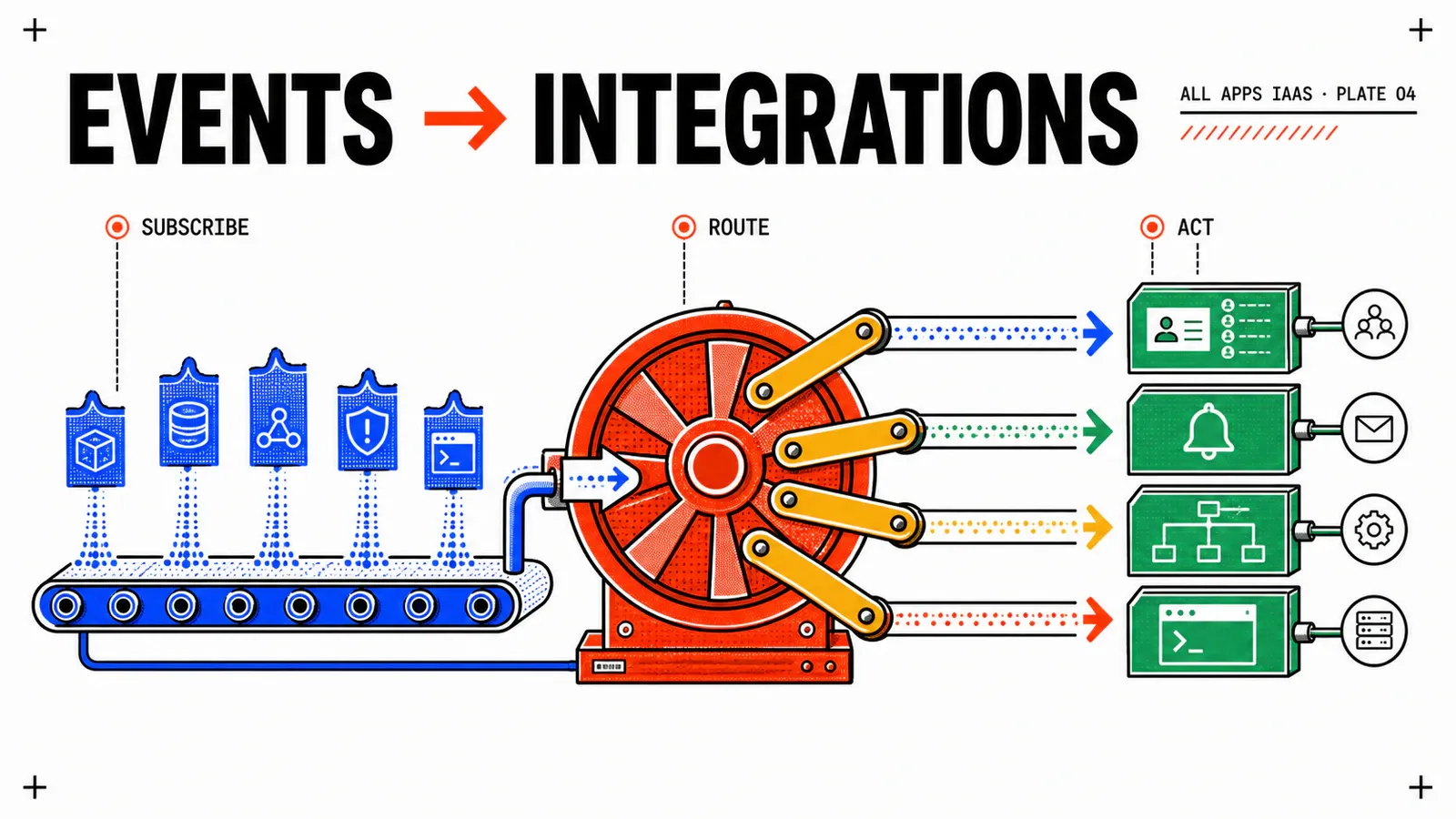
In the next article, that healthy VM will emit lifecycle events toward enterprise systems. Event Broker and VCF Operations Orchestrator will reconcile an Active Directory computer account and a transitional CMDB record without making those external systems part of the blocking provisioning path.
Network
Copy the object name and kind from Services; the Blueprint never invents an address.
IPAM
Prove both allocation and release, with the same IP correlated across platform and guest.
Guest
Keep first-boot logic small, idempotent, secret-free and independently observable.
Get the next one by email
New articles and series, sent when they are published. No other mail.