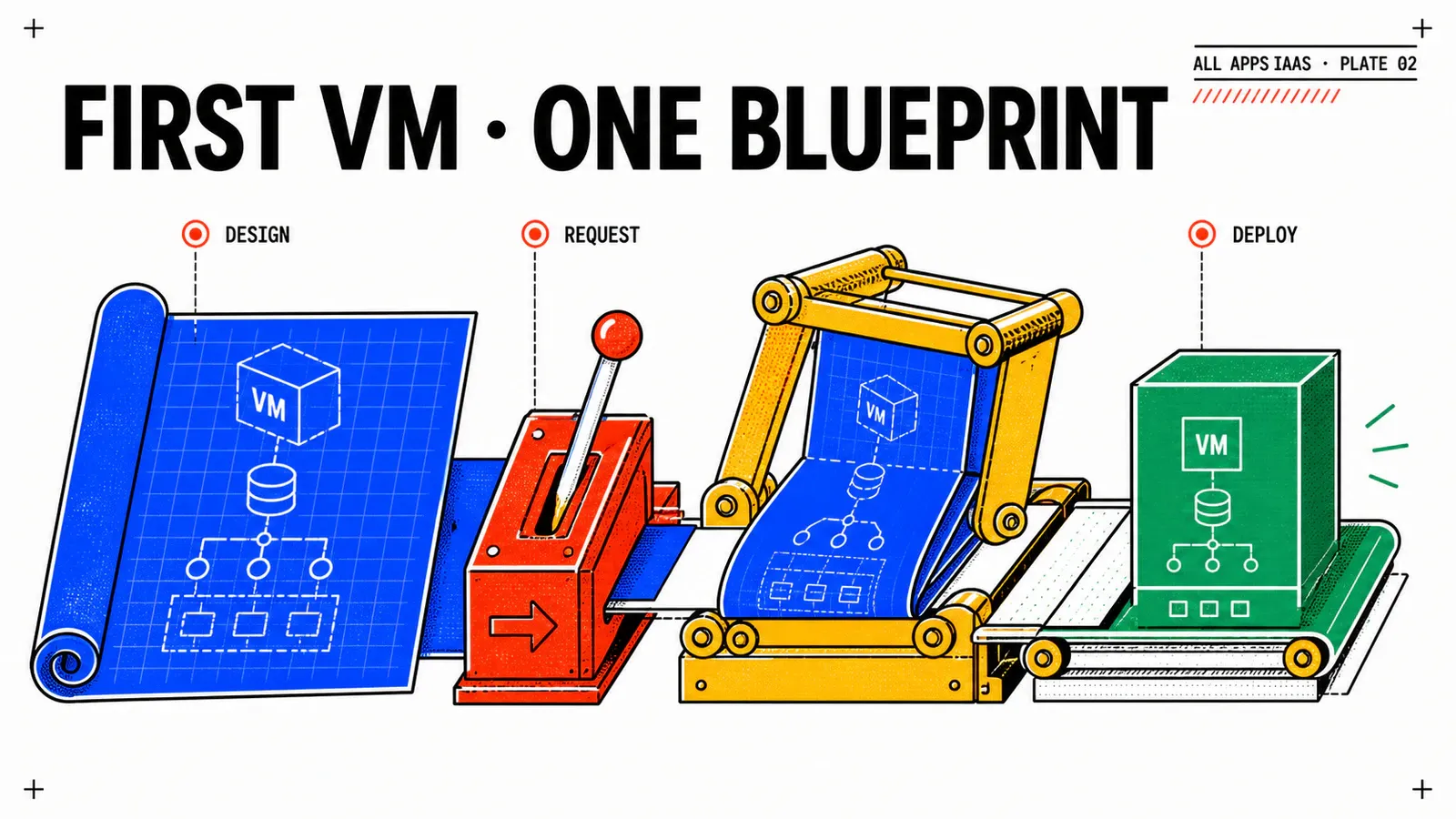
The foundation is now defined, but it still proves nothing about the deployment path. This article deliberately creates the smallest useful increment: one catalog input, one existing namespace and one VM Operator VirtualMachine. No cloud-init, explicit subnet, DNS, Active Directory or CMDB is allowed to hide a failure in the core path.
The target is an All Apps Blueprint using formatVersion: 2 and CCI.Supervisor.* resources. It is not a renamed Aria Automation 8 Cloud Template, and it does not use Cloud.vSphere.Machine.
Expected result, not observed evidence
The Blueprint below follows Broadcom’s VCF Automation 9.1 samples, but this study has not been run on a lab. VM Class, image, Storage Class, the served VM Operator API version, wait condition and UI output must be verified on the exact 9.1 build.
TL;DR
- Keep platform identifiers in Blueprint variables; the requester supplies only the business role of the VM.
- A completed deployment, a created VM object, a
Ready=Truecondition and an IPv4 address are separate checkpoints. - First generate a VM manifest from Services, compare its API and fields with this sample, then change the three environment-specific variables.
Follow the native All Apps path
Broadcom’s Creating Blueprints documentation describes the designer and its Supervisor resources. The All Apps sample Blueprints establish the current pattern: a namespace resource provides context to a generic Supervisor resource containing the Kubernetes manifest.
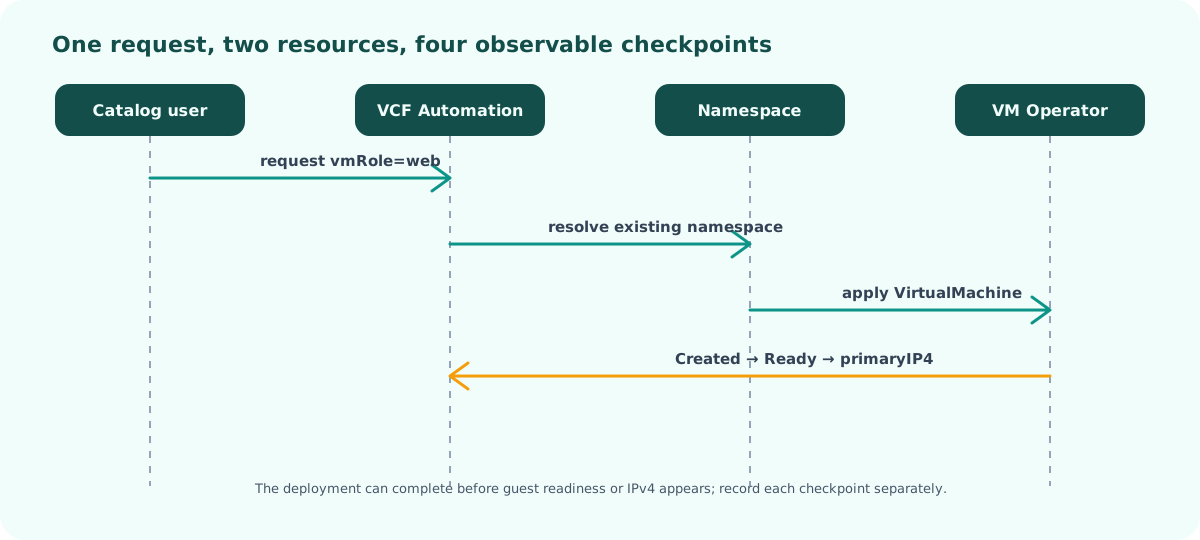
Two different statuses matter. VCF Automation orchestrates the deployment and waits for the configured condition. VM Operator owns the eventual VM lifecycle. The operating system can still be booting after the object is created, and its IPv4 can appear after the deployment view first renders. Treating those moments as one green light creates misleading screenshots and brittle automation.
Create the minimal Blueprint
Open the Blueprint designer in prj-webshop-dev, create webshop-dev-vm-minimal, then replace the class, image and storage values with those observed in the foundation article. The complete reference is kept small enough to review as one artifact.
formatVersion: 2
name: webshop-dev-vm-minimal
description: First WebShop DEV VM on VCF Automation 9.1 All Apps.

metadata:
  deploymentSettings:
    hideDisabledDay2Actions: true

inputs:
  vmRole:
    type: string
    title: VM role
    default: web
    minLength: 2
    maxLength: 20
    pattern: '^[a-z0-9]([-a-z0-9]*[a-z0-9])?$'

variables:
  namespaceName: ns-webshop-dev
  vmResourceName: webshop-${input.vmRole}-dev-${env.shortDeploymentId}
  vmClassName: <OBSERVED_VM_CLASS>
  vmImageName: <OBSERVED_VIRTUAL_MACHINE_IMAGE_NAME>
  storageClassName: <OBSERVED_STORAGE_CLASS>

outputs:
  vmName:
    value: ${resource.virtualMachine.object.metadata.name}
  namespaceName:
    value: ${resource.namespace.name}
  __deploymentOverview:
    value: |
      ## WebShop DEV — minimal VM
      - Namespace: `${resource.namespace.name}`
      - Requested VM: `${variable.vmResourceName}`
      - Observed VM: `{{resource.virtualMachine.object.metadata.name}}`
      - Observed IPv4: `{{resource.virtualMachine.object.status.network.primaryIP4}}`

resources:
  namespace:
    type: CCI.Supervisor.Namespace
    properties:
      name: ${variable.namespaceName}
      existing: true

  virtualMachine:
    type: CCI.Supervisor.Resource
    properties:
      context: ${resource.namespace.id}
      manifest:
        apiVersion: vmoperator.vmware.com/v1alpha3
        kind: VirtualMachine
        metadata:
          name: ${variable.vmResourceName}
          labels:
            app.kubernetes.io/name: webshop
            app.kubernetes.io/component: web
            platform.corp.example/environment: dev
            platform.corp.example/owner: team-platform
            platform.corp.example/cost-center: cc-042
        spec:
          className: ${variable.vmClassName}
          imageName: ${variable.vmImageName}
          storageClass: ${variable.storageClassName}
          powerState: PoweredOn
          powerOffMode: TrySoft
      wait:
        conditions:
          - type: VirtualMachineCreated
            status: 'True'
The angle-bracket values are publishing placeholders, not defaults. Keep them out of the catalog form. If users can type an arbitrary image or Storage Class, a controlled service has become a pass-through API.
The name includes env.shortDeploymentId so two requests with the role web do not collide. The labels establish ownership and cost context for later filtering. They do not replace access control, but they make resources easier to correlate across VCF Automation and the Supervisor.
The namespace uses existing: true. That is an ownership statement: the deployment consumes ns-webshop-dev but does not own its lifecycle. The context binding then places the generic Supervisor resource inside that namespace.
Validate before publishing
Use four separate checks rather than clicking Deploy immediately.
First, run the Blueprint syntax validation. This catches structure and expression errors, but cannot prove that a class or image exists. Second, compare the manifest with one generated by Services on the target platform. The served CRD version and accepted fields win over this article.
Third, publish a numbered Blueprint version. A catalog request without a fixed version cannot later be reproduced. Keep the first form intentionally boring: vmRole should be the only consumer choice. Fourth, request one instance as a Project User rather than as the authoring administrator.
About the deployment overview
Broadcom documents dynamic resource expressions in Blueprint output. The exact moment at which primaryIP4 refreshes in the deployment overview remains a lab check. If it stays empty, inspect the VM object’s status directly instead of manufacturing a successful output.
Prove each layer
A credible result contains four correlated observations:
- the catalog request identifies the project, Blueprint version and deployment ID;
- VCF Automation shows the namespace reference and VM resource without a failed reconciliation;
- the Supervisor contains the expected
VirtualMachineobject; - VM Operator eventually reports readiness and a network status consistent with the namespace.
Do not claim application readiness yet. This VM has no WebShop configuration. It may receive an address from the namespace default network, but article 3 will make the subnet and bootstrap contract explicit.
For troubleshooting, move from the control plane toward the guest. If the namespace cannot be resolved, inspect project scope and the existing name. If admission rejects the manifest, compare API version, class, image and storage with the generated sample. If the object is created but never ready, inspect VM Operator conditions and provider events. If it is ready but has no IPv4, inspect the namespace network and guest integration rather than changing YAML blindly.
Delete and verify ownership
Delete the deployment through VCF Automation. Preserve events if deletion stalls; deleting the VM directly in vCenter would hide the reconciliation defect and leave a false deployment state.
The expected end state is precise but still unverified here: the VirtualMachine is gone, its deployment is gone, and ns-webshop-dev remains. Record all three. A retained namespace alone is not enough if the VM became an orphan, and an absent VM is not enough if VCF Automation still believes it exists.
Pitfalls & things to watch
Created is not Ready
The configured wait condition demonstrates that VM Operator accepted and created the object. It does not prove that the guest booted, obtained the expected network, ran cloud-init or exposed an application. Keep those claims out of this article’s evidence.
Other common traps are copying a display name instead of VirtualMachineImage.metadata.name, removing the unique suffix, exposing infrastructure variables as inputs, or assuming a current documentation sample matches every 9.1 patch. Each shortcut reduces the value of the minimal test.
Conclusion
The minimal Blueprint answers one question only: can the native All Apps declarative path create and remove a VM in the governed namespace? Once that path is isolated, the networking and cloud-init article can add network selection and guest bootstrap without confusing a guest failure with a basic admission or placement problem.
One consumer input
The requester selects intent; the platform retains placement decisions.
Four checkpoints
Deployment, object creation, readiness and IPv4 are captured independently.
Clean ownership
Deleting the deployment removes its VM while preserving the shared namespace.
Get the next one by email
New articles and series, sent when they are published. No other mail.