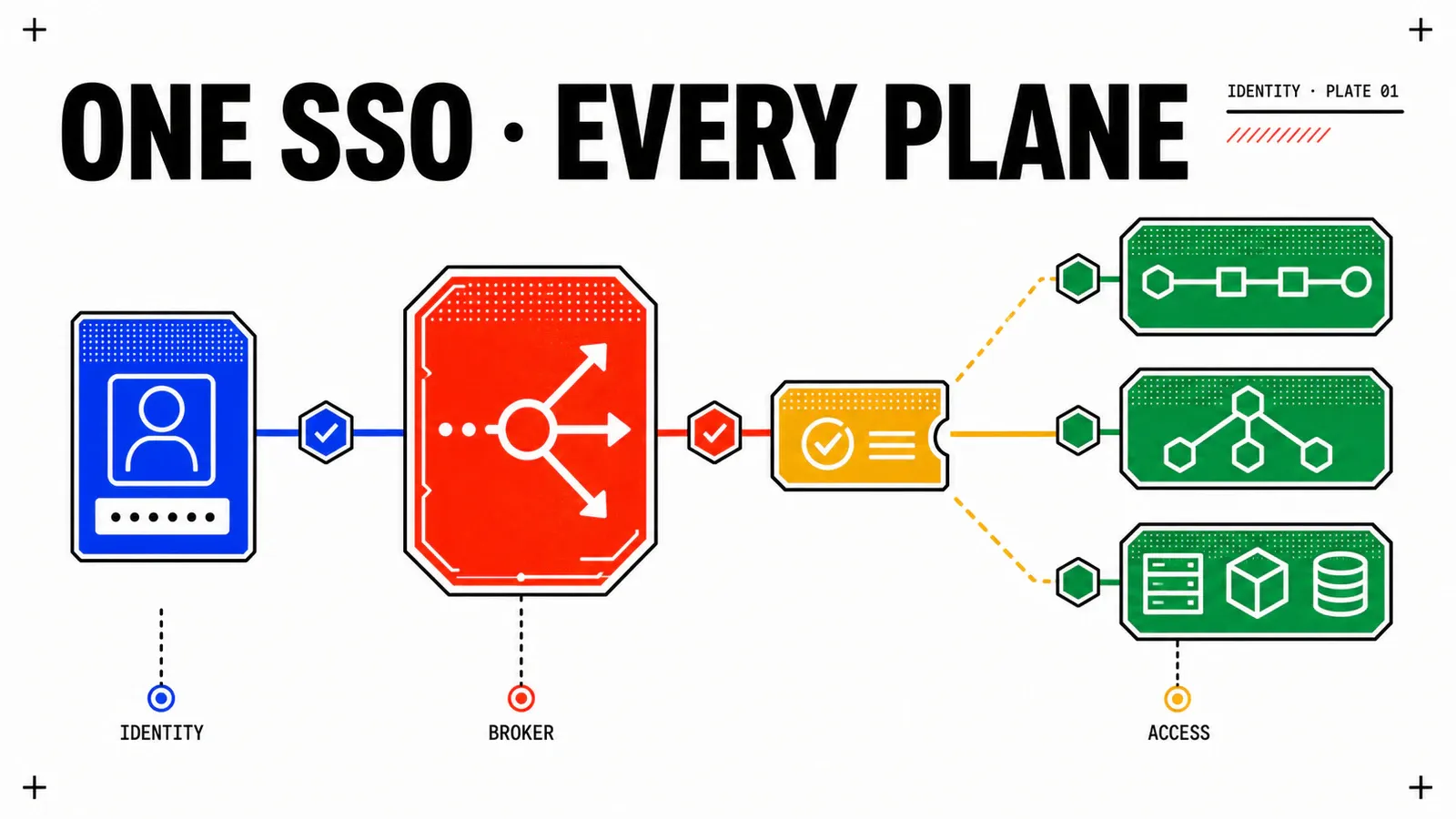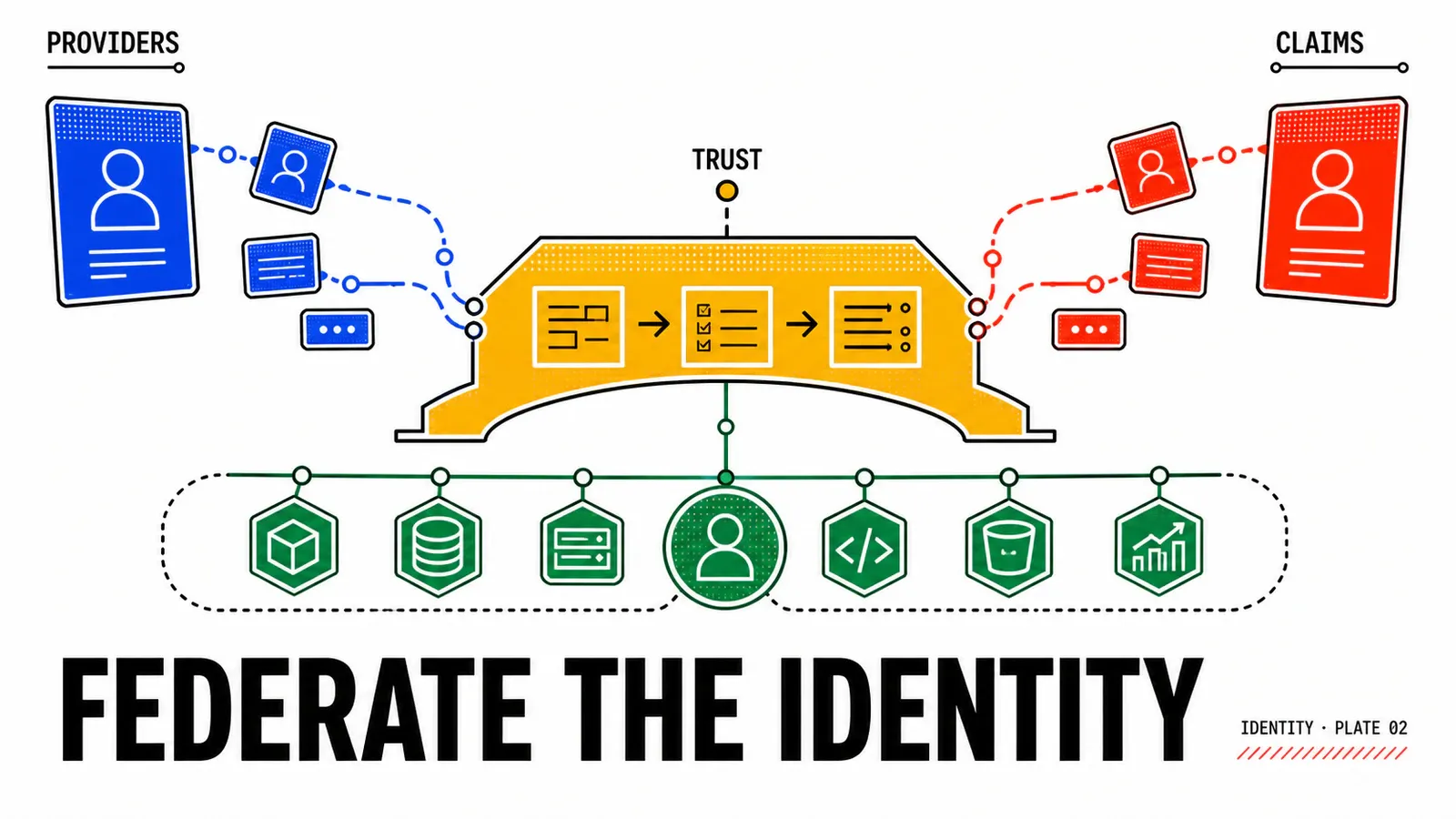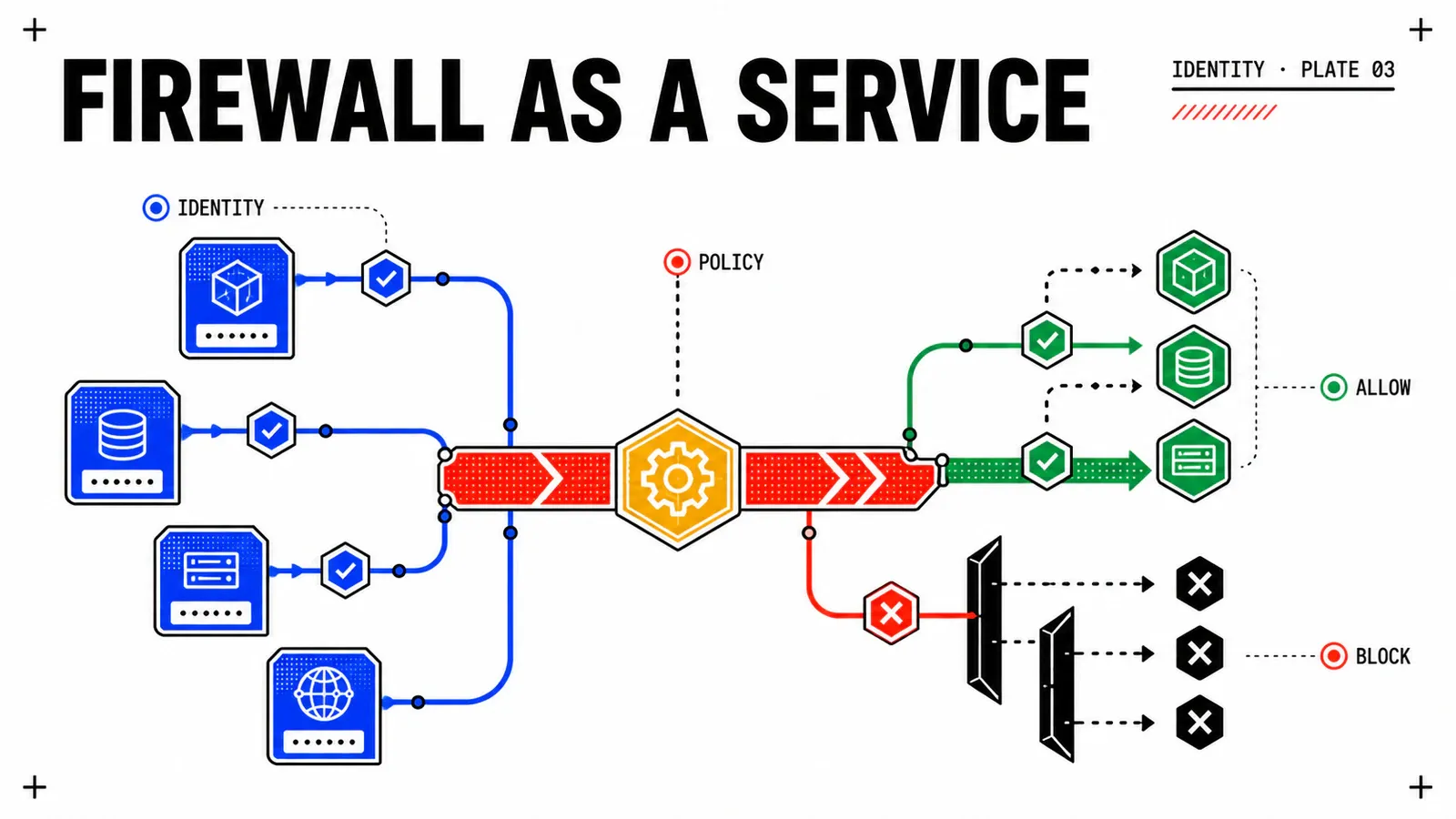
Your consoles finally accept the corporate identity: vc-par-01.corp.example, nsx-par-01.corp.example and ops-par-01.corp.example all redirect to idb-par-01.corp.example, and revoking a leaver happens in one place. So you open NSX to write your first firewall rule scoped to a user group, with the reasonable assumption that this identity follows you everywhere. That assumption is what this article takes apart.
The series started with the real scope of VCF 9.1 single sign-on, then moved to which identity provider is documented and with which protocol. It ends on a negative result: the real names of the VCF 9.x firewall, a four-phase segmentation journey aligned with the product’s own rule categories, and the boundary between the administration plane — federated — and the enforcement plane, which still reads Active Directory. No lab was run: this is a design guide backed by Broadcom pages reloaded on 15 August 2026, every claim attached to its page.
TL;DR
- The decision — build the policy on tags and dynamic groups rather than IP addresses, and roll out the four phases in the same order as the product’s rule categories.
- The trade-off that costs — Identity Firewall knows exactly one identity source, Active Directory. A synchronised AD directory stays a dependency of the network policy, even when every console is federated elsewhere.
- The Monday morning action — check the action of the Distributed Firewall default rule, which sits at
Allowafter host preparation, then start a flow collection before writing a single allow rule.
The real names, and the one that does not exist
“Firewall-as-a-Service”, and its four-letter abbreviation, is not a Broadcom product name on any loaded VCF 9.x page — not on the overview page, not on the 9.0 or 9.1 Distributed Firewall pages, not on the Gateway Firewall page, not in the security chapter of the VCF 9.0 networking documentation. It is a market category inherited from SASE vocabulary. Using it in an architecture document invents a building block and makes the rest unverifiable.
The product is called VMware vDefend Firewall: its overview page describes it as a software-defined Layer 2-7 firewall for virtualised workloads in a private cloud. Two forms of use, one function, one delegation model.
| Catalogue name | Where it runs | Direction | Announced level (and page carrying it) | Identity source |
|---|---|---|---|---|
| vDefend Distributed Firewall (DFW) | kernel of every ESX host, VSIP engine; instantiated on each vNIC | east-west | Layer 2-7 — vDefend Distributed Firewall page | none by default; AD via IDFW |
| vDefend Gateway Firewall (GFW) | NSX Edge, VM or bare metal server | north-south | layer 3-7 on its page; layer 2-7 on the overview page | none by default; AD via IDFW |
| Identity Firewall (IDFW) | a function of DFW and GFW | at the source only | n/a | Active Directory, exclusively |
| Secure VPC / VPC Security Profile | at NSX Project scope | north-south for the Project’s VPCs | n/a | n/a |
The level discrepancy on the Gateway Firewall is real and I am not smoothing it over: two pages loaded on the same day describe it differently. I quote each value with its page and leave the arbitration open — to be checked on your platform.
The mechanism behind all micro-segmentation fits in one sentence: a firewall is instantiated on each virtual network interface, which enforces rules as close to the source as possible. The engine is called VSIP and lives in the kernel of every ESX host — the move from VDS to pod gives you the setting.
Two planes that never meet
The administration plane is genuinely federated: the page Integration with VCF Identity Broker for Single-Sign-On Access, in the VCF 9.1 tree, describes OIDC as an identity layer sitting on top of OAuth 2.0. A verifiable detail — its URL still carries the workspace-one-access-broker segment, the product name having changed faster than the documentation tree.
The enforcement plane does not consume that token. The Identity Firewall page, reloaded in 9.0 and in 9.1, cites exactly one identity source: membership in an Active Directory group. Neither page names Entra ID, Okta, OIDC or any non-AD provider.
The precision matters: this is not an observed incompatibility, it is an acknowledged documentation gap. No loaded page connects the OIDC identity issued by the VCF Identity Broker to a DFW or GFW rule object. Nothing rules out in theory a mechanism that exists without being published; in practice, “your Entra ID groups become DFW rule objects” is unsourced today, and I will not write it. Only a survey on a real 9.1 instance can settle it.
The six published limits of Identity Firewall, to pin down before any design — none of them depends on the provider chosen in articles 1 and 2.
| Published limit | Design consequence |
|---|---|
| identity source = Active Directory, exclusively | the AD directory stays necessary even when consoles are federated elsewhere |
| identity resolved at the source only | no rule can point “towards” a user group |
| identity group forbidden as a destination | a flow matrix that puts them in destination is unusable |
| detection through Guest Introspection or Event Log Scraping | dependency on VMware Tools or on domain controller logs |
| both the user OU and the group OU synchronised | one missed organisational unit produces a silently inert rule |
| membership change effective on reconnection | plan a forced logout in the revocation procedure |
That last line deserves a second read from anyone who started an identity project to revoke a leaver in under 24 hours. On the console side, revocation is immediate at the IdP; on the network side, an AD membership change does not take effect for an already open session. Two planes, two latencies.
Naming a workload without writing an IP address
An NSX group is built from static or dynamic criteria: VM name, tags, segment, segment port, IP addresses, other attributes. The Generic type accepts criteria, manual members, IP or MAC addresses and Active Directory groups. The IP Addresses Only type accepts IP, Geo IP and Malicious IP — but those groups are not supported in the Applied To field of a DFW rule. The limit is discovered late and costs a rewrite.
The VMware Validated Solutions library for VCF 9.0.x settles the question. Decision SEC-WLD-CFG-007 recommends tags to carry VM and NSX object metadata: attribute-based grouping, and decoupling of policy membership from network topology. Decision SEC-WLD-CFG-001 conversely describes IP-based groups as not resilient to network architecture changes. An IP address says where a workload sits; a tag says what it is.
The grammar is published: scope acts as a key, tag name as a value. Dynamic criteria cover VM Name, VM Tag, VM OS Name and VM Computer Name. A tag name accepts 256 characters, a scope 128, and a tag with no virtual machine assigned is deleted automatically after five days. Picking the criterion then comes down to three questions.
- Stable, governed attribute — a tag applied by the pipeline, a normalised name? Dynamic criterion
VM TagorVM Name. - Attribute coming from the Kubernetes platform? A port or segment tag, with the grammar specific to the network mode, detailed below.
- Object outside the NSX perimeter — a partner, an external service? An
IP Addresses Onlygroup, knowing it will be rejected inApplied To.
If no answer comes, the gap is in the CMDB, not in the firewall.
The four-phase journey
Zero trust vocabulary is not a marketing import: the Distributed Firewall TechDocs page publishes a model presented as a Security Journey, a staged approach that lets an organisation progressively adopt a zero trust posture, and names four stages in 9.0 as in 9.1. The labels differ slightly on the VCF design page — Security Segmentation Assessment, Infrastructure Services Protection, Environment Segmentation, Application Segmentation: I use the product page set and flag the other. The “category” column, by contrast, is a mapping of my own, published as such on no loaded page.
| Phase | Name on the product page | Rule category | What gets published |
|---|---|---|---|
| 1 | Stage 1: Security Assessment | none | nothing — you collect and you read |
| 2 | Stage 2: Infrastructure Services Protection | Infrastructure |
DNS, NTP, LDAP, backup, monitoring |
| 3 | Stage 3: Environment-level Protection | Environment |
production / non-production separation |
| 4 | Stage 4: Application-level Isolation | Application |
ring-fencing then per-tier micro-segmentation |
Phase 1 produces a score. The VMware Validated Solutions page describes a maximum 95-point scoring system computed on 30 days of traffic data, in which a default rule set to Drop or Reject counts. The deployment guide publishes its generation thresholds: at least one hour of traffic and more than 1,000 unique flows to produce a report, one week of flow collection recommended in production.
These thresholds are not a project plan
One hour of traffic, a thousand flows, one week recommended: those are conditions for generating a report, not an implementation duration. The “few weeks” figure that circulates comes from an editorial post by Kausum Kumar published on 24 November 2025 on the VMware security blog — an attributed quote, not an estimate I adopt as my own.
Closing down without breaking production
Categories are ordered from left to right: Ethernet, Emergency, Infrastructure, Environment, Application. Inside a category, evaluation runs top down and first match wins: as soon as a rule matches, it is enforced and evaluation stops.
Then comes the most reassuring fact for anyone afraid of cutting production off: after host preparation, the default rule is set to Allow. The product’s starting point is permissive; closing it is an explicit, dated decision, not a side effect. Logging is disabled by default and packet logs live in /var/log/dfwpktlogs.log on the ESX host — enabled selectively on the rules you want to watch, then disabled after collection.
No discovery mode is documented
The reloaded page for adding a DFW policy describes neither a monitor mode nor a simulation mode. What the product offers is different, and naming it correctly avoids promising a feature that does not exist: a permissive default rule at installation, logging enabled rule by rule, an assessment report in phase 1. The substitute plays that part, it does not carry the name.
The cutover sequence is published by the VMware Validated Solutions design page, and its order is explicit: while applications are migrated into the workload domain, the default Layer 3 rule stays at ANY/ANY/ANY/ALLOW; once migration is complete, it is switched to deny following a least-privilege model. Publish the allow rules first, close the default afterwards.
Placement matters as much as content: the broad inter-zone deny policy belongs near the bottom of the table, exceptions at the top, created there and documented for compliance. The decisions worth carrying into an architecture document are SEC-WLD-CFG-012 (inter-zone exceptions), 013 (inter-zone blocking), 014 (application ring-fencing), 015 (per-application micro-segmentation) and 020 (L7 service paired with its context profile).
Three writing reflexes to finish. The actions are Allow, Drop — a silent discard — and Reject, which returns an unreachable message. The Applied To field defines a policy’s scope of enforcement, and the published best practice is to narrow it rather than apply a rule to the whole DFW. Changes are worked on as a draft, saved as a working configuration, before Publish.
Delegating, and reaching down to containers
NSX VPCs create self-contained private cloud networks inside an NSX Project. The VPC Security Profile manages Gateway Firewall policies across every VPC in a Project; a VPC group defines the compute members that policies apply to. This model extends the one in VCF 9.1 Kubernetes self-service.
| Level | Who writes | Scope | Precedence |
|---|---|---|---|
| Default space | platform team — system-scoped NSX roles | the whole NSX system | highest |
| NSX Project | Project Admin, or project-scoped security roles | VMs on the Project’s segments | intermediate |
| NSX VPC | VPC Admin — application owner | compute members of the VPC | lowest |
When a Project is realised, five default DFW rules are created, identifiers 1003 to 1007: IPv6 ICMP, DHCPv4, DHCPv6, communication between the Project’s VMs, then a reject for the rest. The default Gateway Firewall rule is stateful and lets everything through.
The licensing link is a commissioning trap: without a vDefend Firewall licence, the Project’s default rules exist but stay inactive; with the VCF licence alone, only stateless Gateway Firewall rules can be configured. The mapping to commercial editions remains a gap — the summary page names the editions sold and withdrawn from sale without saying which function belongs to which. That is the REPLACE_WITH_VDEFEND_LICENSE field in my end state, and it stays empty.
NSX ships fifteen built-in roles. The Network Admin, Network Operator, Security Admin and Security Operator roles defined in a project hold permissions only within that project, not across the whole system; the Project Admin has full access to the Project’s configurations. The vDefend 9.0 release notes add delegation to application owners through the VPC Admin role. For Nordwind Logistics that draws prj-webshop, vpc-webshop-prod, the grp-webshop-web|app|db groups and delegation to grp-app-webshop-owners — a design hypothesis of mine, not a Broadcom prescription. The webshop application is the one from the blue-green migration to VM Apps and All Apps.
The DFW explicitly covers containers and bare metal, and a design library exists for vSphere Supervisor and VKS, targeting VCF 9.0 and vDefend 9.0. The mechanism relies on two adapters of the Antrea CNI plugin: the Management Plane Adapter reports the Kubernetes inventory to NSX Manager, the Central Control Plane Adapter receives DFW rules and groups, translates them into Antrea policies and creates the matching CRDs. NSX policy therefore reaches the container by translation, not by instantiation on a vNIC.
One detail sinks policies copied between environments: isolating a vSphere Namespace relies on a tag whose grammar depends on the network mode — a port tag nsx-op/vm_namespace under VCF Networking with VPC, a segment tag kubernetes.io/metadata.name under classic NSX. The pod-level isolation page separately describes Antrea ClusterNetworkPolicy objects on Pod Tag criteria, without restating the translation from the DFW: the two pages do not contradict each other but do not join up explicitly either, so I am not claiming that a DFW rule always produces an equivalent Antrea policy end to end. To be checked on your platform. What happens inside the clusters belongs to another series.
Pitfalls
The trap that ruins an entire flow matrix
An identity-based group cannot be the destination of a rule: Identity Firewall resolves identity at the source only. A segmentation matrix that puts user groups in a “destination” column is unusable as written, and the symptom is silent — the rule exists, it simply never applies.
| Symptom | Cause to check | Decision |
|---|---|---|
| an identity-based rule never applies | identity group placed in destination | rewrite with identity as the source |
| a user removed from an AD group keeps network access | membership only changes on reconnection | force a logout |
| identity is never resolved on a VM | neither Guest Introspection nor Event Log Scraping active, or an unsynchronised OU | check the user OU and the group OU |
| time drift between VM and directory | Windows time service inactive | fix it before drawing conclusions |
| the Project’s default rules do nothing | vDefend Firewall licence missing | check the entitlement |
a group rejected in Applied To |
IP Addresses Only group |
rebuild it as a Generic group |
| a policy applies here and not there | different tag grammar between VPC and classic NSX | compare nsx-op/vm_namespace and kubernetes.io/metadata.name |
| no traffic visible before closing | logging disabled by default | enable selectively, collect, disable |
Two rollback reflexes. Setting the default rule back to Allow is not a workaround: it is the documented state after host preparation. Going back to the draft before Publish unpublishes a policy without leaving a trace in production. Deleting a tag “to clean up” does break the membership of every dynamic group referencing it — and it is pointless, an orphan tag disappearing on its own after five days. Maintenance windows and NSX upgrades belong to a different workstream; VCF 9.1 security and resilience gives that frame.
Conclusion
The series ends on a boundary, not on a neatly closed promise. Federated identity drives console access; it does not drive whether a flow belongs to a firewall rule. As long as Identity Firewall reads Active Directory, the AD directory stays a dependency of the network policy, even on a platform whose consoles are all federated elsewhere. This is not an assumed product defect: it is a declared documentation gap, and only a survey on a 9.1 instance can close it.
What I do not have and will not fabricate: NSX version, vDefend licence edition, flow collection window, segmentation score and cutover date all remain REPLACE_WITH_* in my notes.
Name it correctly
vDefend Distributed Firewall for east-west per vNIC, vDefend Gateway Firewall for north-south on Edge, Identity Firewall as a function. A market category never replaces a catalogue name.
Close in the right order
Default rule at Allow on install, explicit allow rules first, selective logging, switch to deny decided and dated at the end.
Keep the directory
Keep a synchronised Active Directory as long as Identity Firewall depends on it, and plan the forced logout into your revocation procedure.
Get the next one by email
New articles and series, sent when they are published. No other mail.