Eight consoles, eight local accounts, one password spreadsheet shared by the on-call team. Then an audit lands: every leaver must be revoked across the whole estate in under twenty-four hours. That trigger — not an appetite for modernity — is what puts VCF Single Sign-On on the design table.
This article is not a “how to plug in an SSO” walkthrough. It answers one question, the one that gets decided badly up front and paid for later in operations: once VCF Single Sign-On is configured, which consoles stop asking for a local account, and which ones keep asking? We read the component list exactly as Broadcom publishes it, name the exclusions exactly as they are written, and put a number on the exit cost of the deployment mode. No lab was run: what follows is documentation reading across VCF 9.0 and 9.1, with its gaps stated out loud.
TL;DR
- The decision: settle embedded versus appliance before anything else, because changing mode later forces a full Reset SSO — identity provider configuration, provisioned users and groups, component configuration, all deleted and all to be redone.
- The trade-off that costs: appliance mode brings a three-node cluster and up to five VCF instances attached, but it forces you to generate a new OAuth client for PowerCLI and to redo the identity provider configuration instead of carrying it over.
- The Monday-morning action: write out the access paths that stay outside SSO — SDDC Manager UI, ESX, VKS clusters, the local admin account of every component — and name, for each one, the break-glass account and who holds it.
Component or configuration: two names, two planes
VCF Identity Broker is the component you deploy. It is the name carried by the TechDocs page titles: Deploying VCF Identity Broker, Deployment Modes of the VCF Identity Broker, Upgrade to Identity Broker 9.1. VCF Single Sign-On is the configuration you build with it — Configuring VCF Single Sign-On, Configure a New VCF Single Sign-On for a VCF Instance. A sentence like “deploy VCF SSO” mixes the two planes at the first word.
The abbreviation “vIDB” circulates widely in the field. An official VCF post dated 18 February 2026 states that the Identity Broker “was previously known as VIDB”. No TechDocs page that was loaded uses it as a normative name: treat it as corridor shorthand, not as a catalogue name.
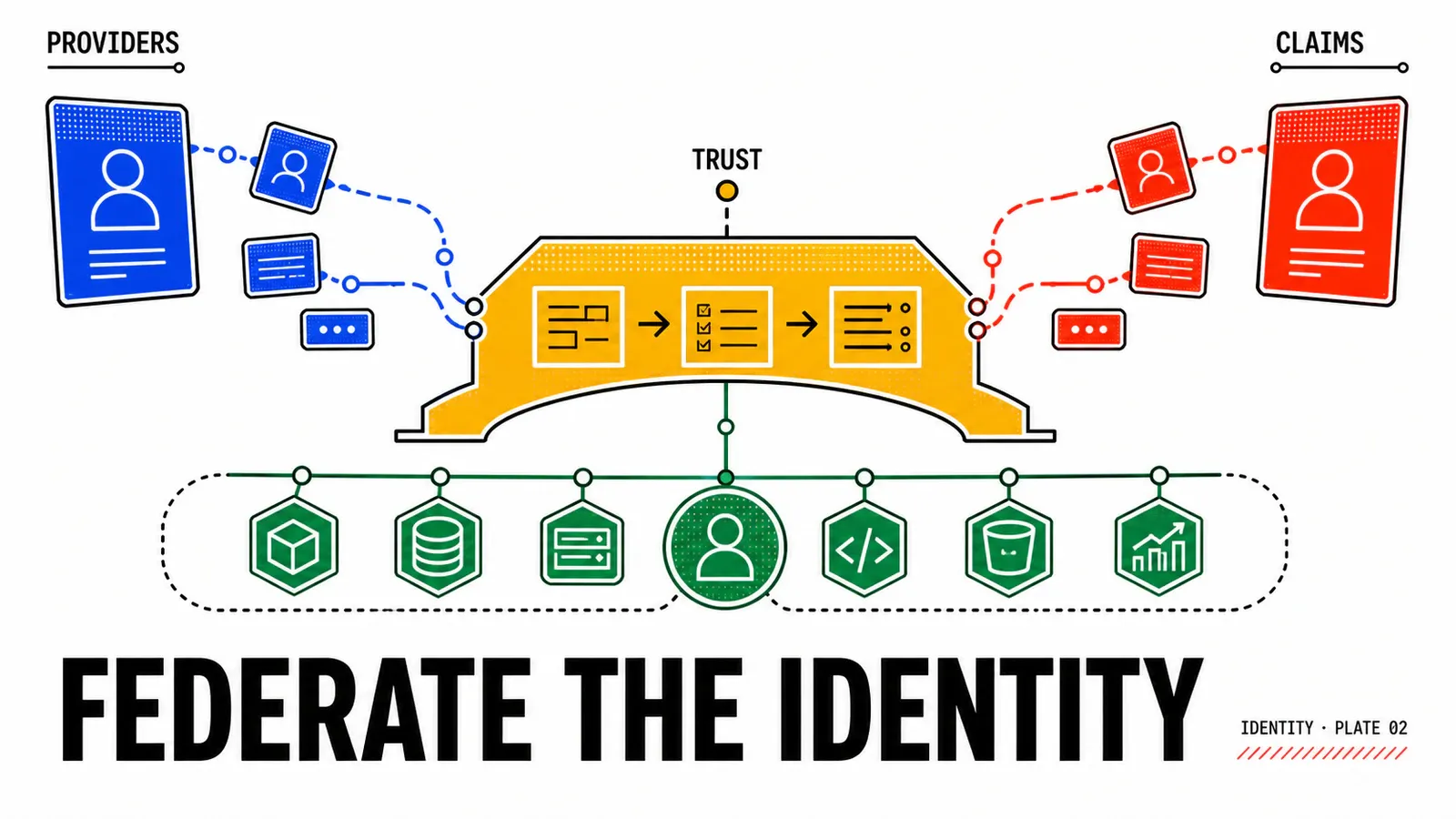
The next trap costs more. In VCF 9.1, the NSX Authentication and Authorization index lists thirteen subsections, including, side by side, Integration with VMware Workspace ONE Access and Integration with VCF Identity Broker for Single-Sign-On Access. Both identity integrations coexist in the 9.1 documentation, with no announced hierarchy between them.
What the documentation does not say
No loaded page carries a deprecation notice for Workspace ONE Access, names VCF Identity Broker as its successor, or provides migration guidance. Third-party content asserts that deprecation; it was not found on a Broadcom page. That point is settled on the version deployed in your estate, not from a blog post.
One rename artefact is perfectly verifiable, though: the NSX page is titled Integration with VCF Identity Broker for Single-Sign-On Access yet still lives at an address whose segment reads workspace-one-access-broker. The product name changed faster than the documentation tree. It is an anecdote, and it is also the best reason to check a name before writing it into an architecture document.
The three circles of coverage — and the two boundaries
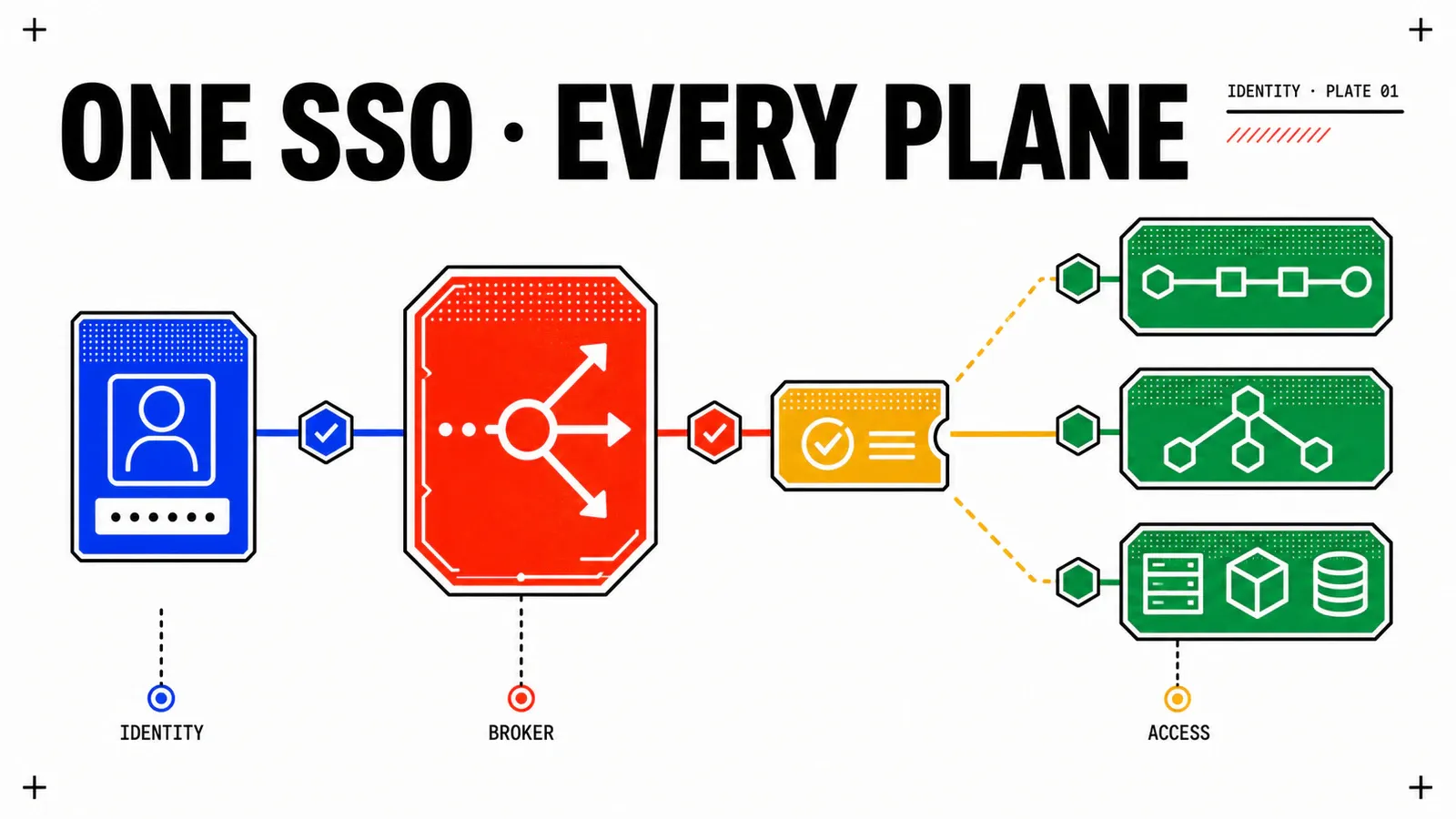
The Configuring VCF Single Sign-On page enumerates the components in scope: vCenter, VCF Operations, VCF Automation, VCF Operations for logs, VCF Operations for networks, VCF Operations orchestrator, VCF Operations HCX and NSX. The 9.1 wording is unambiguous: “across all VCF components except SDDC Manager and ESX”. That is not an editorial oversight, it is a product boundary.
Inside that list, integration depth is not the same everywhere. The split below is published as such on no page: it is an assembly of several official pages, and it is worth what a reading is worth, not what an observation would be worth.
Circle 1 — one screen, two components. vCenter and NSX are configured together from VCF Operations, under Fleet Management → Identity & Access. In 9.1 the path runs through the Start button facing Enable SSO for vCenter and NSX, then component selection in the grid and Configure. The step page is literally called Configure VCF Single Sign-On for NSX and vCenter.
Circle 2 — a dedicated step, now optional. VCF Operations and VCF Automation have their own step in the sequence. In 9.1 it is explicitly marked (Optional).
Circle 3 — an OIDC client wired component by component. The Configure VCF Single Sign-On for other VCF Components step is a navigation hub: it points to a per-component procedure rather than describing one. And those procedures do not look alike.
| Component | Where configuration happens | What you must supply |
|---|---|---|
| VCF Operations for logs | inside the logs appliance (Configuration → Authentication → VCF SSO card) and on the fleet side (Identity & Access → VCF Other Components) | super admin privileges on the appliance, VCF licence |
| VCF Operations for networks | local login to the component, then Configure → Identity and Access Management → VCF SSO | identity broker issuer address, REPLACE_WITH_CLIENT_ID, REPLACE_WITH_SHARED_SECRET, then Test Connection |
| VCF Operations HCX | inside HCX Manager, on its own administration port, Configuration menu | an OAuth application created beforehand, then a mandatory role mapping |
| PowerCLI | OAuth client generated on the fleet side (Identity & Access → VCF Other Components → Add → Generate OIDC Client) | Client ID and secret; the OAuth context is exchanged for a SAML context to reach vCenter |
| VCF Operations orchestrator | configuration page not loaded during this research | unknown — to be established on your own platform |
The “orchestrator” row is an acknowledged gap: the component is named by the hub and by the role matrix, but its configuration page could not be loaded. Describing its path would amount to inventing it.
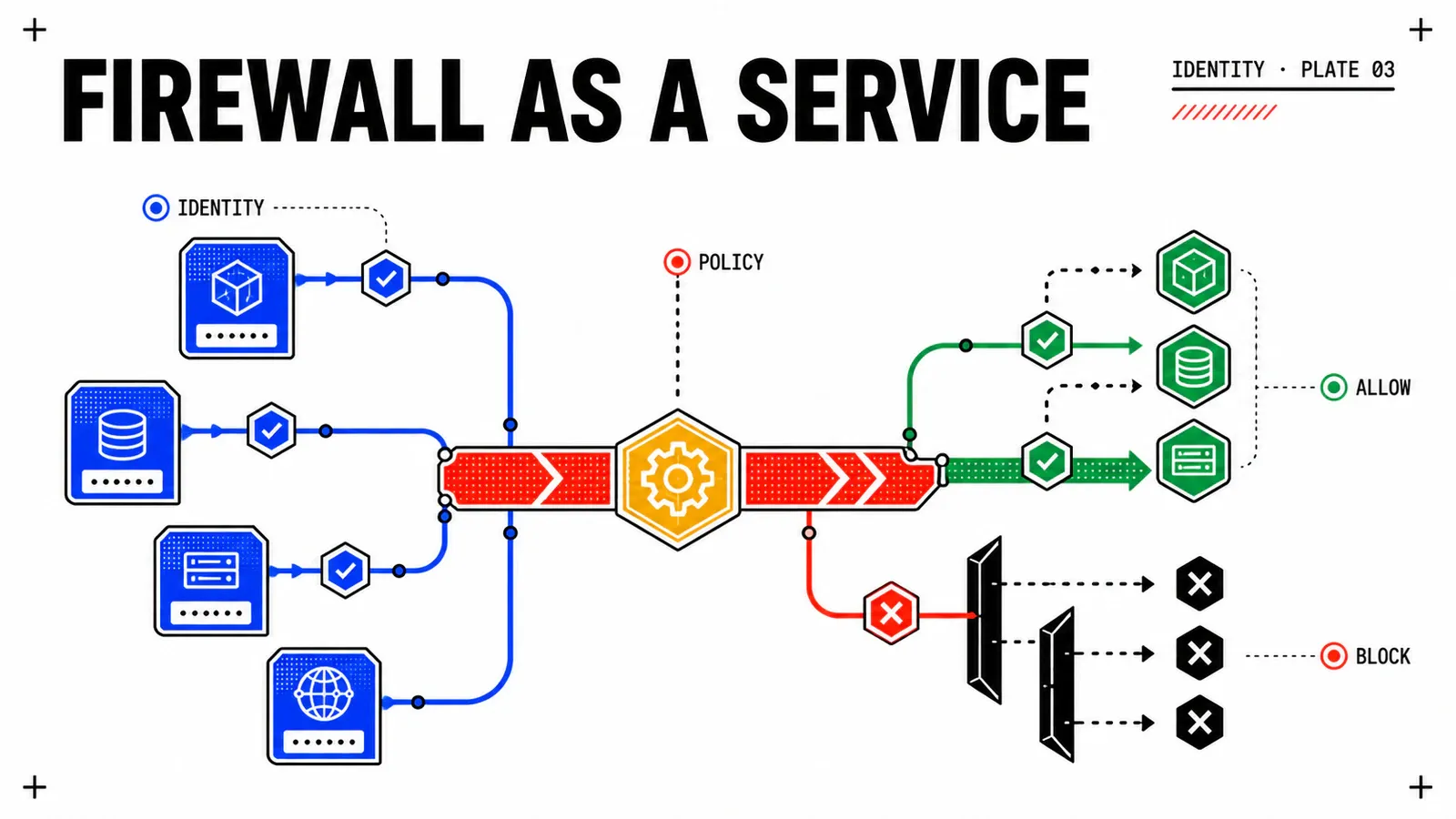
First boundary: SDDC Manager and ESX. The Points to Consider page spells out the real behaviour: “SDDC Manager UI will support logins only with local admin accounts such as @vsphere.local users”, while “SDDC Manager APIs will support logins with VCF Single Sign-On users”. The interface is excluded, the API is not. An official VCF post dated 19 June 2025, by Eric Gray, states the same limit in practical terms.
Second boundary: VKS. The Configuring Identity and Access for VKS Clusters page knows only two methods — vCenter Single Sign-On by default, or an OIDC-compliant external identity provider. VCF Identity Broker is named nowhere on it, and neither VKS nor vSphere Supervisor appears in the list of covered components. The only description of wiring the Identity Broker to vSphere Supervisor is a personal post by William Lam, published on 8 June 2026, presented by its author for “lab or PoC” purposes — and carrying his own decisive caveat: once VCF Automation is deployed with the Supervisor, VCFA becomes the IdP interface and the Identity Broker is out of the loop. That is not product documentation, and it grounds no support status: for readers building clusters, standing up a first VKS cluster remains a separate identity workstream.
What “SSO” does not cover
The word promises four things. Two hold, two do not — and the documentation says so itself.
| What the reader hears | What the documentation establishes |
|---|---|
| one login | yes, for the components on the published list |
| one directory | yes, a single authentication source configured from VCF Operations |
| one logout | no — “VCF Single Sign-On supports a single component logout mechanism. When you log out, the session ends exclusively for that particular VCF component within the designated browser.” |
| one role model | no — “VCF roles do not aim to replace the individual components roles or their Authorization model” |
Six built-in VCF roles exist: VCF Administrator, VCF Viewer, SDDC Administrator, SDDC Viewer, Migration Admin, Migration Appliance Admin. Their published mapping leaves cells empty, and that is the most useful part of the table.
| VCF role | vCenter | NSX | VCF Operations | VCF Automation |
|---|---|---|---|---|
| VCF Administrator | Admin | enterprise_admin |
Administrator | System Administrator |
| VCF Viewer | ReadOnly | auditor |
ReadOnly | — |
| SDDC Administrator | Admin | enterprise_admin |
— | — |
| SDDC Viewer | ReadOnly | auditor |
— | — |
The Managing VCF Roles page adds the sentence that kills the shortcut: “If a user has VCF roles and component roles assigned, then the overall access is a combination of both, and not the replacement of one over the other.” And the step page, in 9.0 as in 9.1, warns that after the initial setup you must log in with each component’s local admin account to assign roles to the provisioned users and groups.
Operational translation for our demonstration estate: grp-vcf-admins maps to VCF Administrator, grp-vcf-viewers to VCF Viewer, but grp-nsx-secops finds no suitable built-in VCF role. Writing NSX security policy goes through one of the fifteen built-in NSX roles, assigned locally. Authentication is centralised; authorisation is not.
The direct consequence for the opening SLA: an SSO is not a revocation. Cutting the user upstream closes the opening of new sessions, but you still have to rule on sessions already open and on roles assigned locally inside each component.
Embedded or appliance: exit price before entry price
Two modes exist, and only two. Embedded mode is configured in the management domain vCenter: a single-node service, protected by vSphere HA and by vCenter backup and restore, with the published recommendation of one Identity Broker per VCF instance. Appliance mode is deployed from VCF Operations as a three-node cluster, tolerates the failure of one node, and accepts at most five VCF instances attached to a single Identity Broker.
The published selection criteria for the appliance are explicit: several VCF instances to connect, a management domain vCenter unreachable by some components, or a need to survive a node failure. The design library rules the same way: the embedded model “fits new VMware Cloud Foundation platforms, or deployments that have lower requirements for availability”, while the appliance model targets “critical up-time requirements” and “multi-instance multi-site” platforms. It formalises two numbered requirements, VCF-SSO-REQD-EXT-001 — deploy the appliance in the first vCenter of the management domain, with the published implication of additional operational overhead — and VCF-SSO-REQD-EXT-002, connect the appliance to the enterprise identity provider.
What quick comparisons leave out is the exit price. Changing mode after the fact is not a setting: the Change the Deployment Mode in VCF Single Sign-On page imposes a Reset SSO, described as the deletion of every SSO-related configuration, “including the identity provider configuration, the provisioned users and groups, and the component configuration”. Second cost, counter-intuitive: the documentation announces continuity for PowerCLI automation only if the identity provider is configured in the management domain vCenter in embedded mode — in appliance mode, or on an alternate management vCenter, a new OAuth client must be generated. Third: when reusing an existing identity provider configuration, it is retained only in embedded mode, and “Users and groups are not migrated” in every case.
For our demonstration platform, appliance mode is the choice — idb-par-01.corp.example, nodes idb-par-01a through idb-par-01c — because a second instance vcf-lyo-01 is planned and the failure of the management vCenter must not take authentication down with it. That is a design hypothesis, not a Broadcom recommendation, and its price is accepted in writing: reworking the PowerCLI automation estate, and reconfiguring the identity provider from scratch instead of carrying it over.
A trade-off with no design page behind it
The design page describing a “fleet-wide” model does not load — it returns 404. So the “SSO per instance or fleet-wide SSO” trade-off cannot claim an architecture page: it is handled through the published limit of five VCF instances attached to one Identity Broker, and through the per-instance models, which are documented.
Network placement, finally, is an architecture decision and not an installation detail. The Upgrade to Identity Broker 9.1 page publishes the component’s most expensive constraint: when VCF Operations is already on 9.1, an Identity Broker 9.0.x appliance sitting on an NSX overlay segment, or on a network and datastore different from those of the VCF management services, makes the upgrade fail. The guidance is to deploy it on the VCF management network, and to ensure it can reach the identity provider during the transition. An identity component placed “wherever there was room” is paid for at the first upgrade, not at deployment.
The 9.1 sequence, and the prerequisite that costs a maintenance window
The configuration sequence changed shape between 9.0 and 9.1. Quoting a step number without quoting its version misleads.
| VCF 9.0 — seven steps | VCF 9.1 — six steps | |
|---|---|---|
| 1 | Select a VCF Instance | Choose the Deployment Mode |
| 2 | Choose the Deployment Mode | Configure an Identity Provider |
| 3 | Configure an Identity Provider | Configure VCF Single Sign-On for NSX and vCenter |
| 4 | Configure VCF Single Sign-On for NSX and vCenter | (Optional) Assign a VCF Role |
| 5 | Configure VCF SSO for VCF Operations and VCF Automation | (Optional) Configure VCF SSO for VCF Operations and VCF Automation |
| 6 | (Optional) Configure VCF SSO for other VCF Components | (Optional) Configure VCF SSO for other VCF Components |
| 7 | Assigning Roles and Permissions | — |
Three differences are worth commenting on. Instance selection disappears from the 9.1 sequence. Role assignment becomes a numbered and optional step instead of a closing one. And connecting VCF Operations and VCF Automation becomes explicitly optional.
Before the first step, a structural prerequisite is waiting for the project: Enhanced Linked Mode must be deactivated. The dedicated page is categorical — “VCF Single Sign-On is not compatible with the vCenter Enhanced Linked Mode (ELM)” — and mandates the cmsso-util break-elm utility, which requires every vCenter instance in the topology to be operational and on version 9.0. The published effect is not trivial: “Any shared configurations, like tags, roles, permissions and so on that are in ELM, will remain local to individual vCenter Instances after you deactivate ELM.” The page recommends offline snapshots of all vCenter instances — therefore an outage, despite the “without downtime” in its own title.
Two other points on the same page change the cutover plan. After configuring VCF Single Sign-On from VCF Operations, you can no longer configure identity sources in the vCenter instances, and pre-existing vCenter identity provider configurations are overwritten, with users and groups to be re-provisioned. And the account performing the configuration needs the All Objects scope in VCF Operations, assigned through Administration → Control Panel → Access Control. The components themselves must be on version 9.0 or later, licensed, and outside any ELM ring.
On the NSX side, the integration page states the scope — NSX Managers, Local Managers and Global Managers — and points, for Global Managers and standalone NSX Managers, to Broadcom knowledge base article number 3875053. That article is cited by number and not by an address: the corresponding URL does not load, and a neighbouring article numbered 387503 covers a different NSX version. Do not substitute one for the other.
A published contradiction, to be read as one
That same NSX page writes: “To configure this capability, it is recommended to use the VMware Cloud Foundation SDDC Manager.” Yet SDDC Manager is named as excluded from the VCF Single Sign-On perimeter, and the 9.1 sequence runs through VCF Operations. The most likely reading is leftover copy inherited from an earlier generation — consistent with the URL still carrying workspace-one-access-broker — but the documentation does not confirm it. Settle it on your own platform, not here.
What stays local after the cutover — and the break-glass account
Non-interactive access is managed from Fleet Management → Identity & Access → VCF SSO Overview, API Access tab. The published durations are an API token of thirty days by default and an access token of thirty minutes by default, both capped by the API Token Expiry and Access Token Expiry settings under Fleet Settings → IAM Setting. The effective value on your platform is still to be established: REPLACE_WITH_TOKEN_TTL.
The break-glass account does have a documented place. The emergency access client is described for “break-glass scenarios that provide high-privilege and long-lived access tokens to critical systems when standard methods fail”. Its published characteristics: the highest role and the widest scope, not modifiable; a default validity of one hundred and eighty days; a single emergency access token at a time; regeneration and deletion available.
The security consequence is not published — it is inferred
A token with the highest privilege, valid for one hundred and eighty days by default, whose role cannot be reduced, is an asset that deserves the custody of a vault key. It does not open everything either: it grants API access, not the SDDC Manager interface. So it does not replace the components’ local break-glass accounts, and the absence of a hardening chapter on this point in the documentation is not permission to ignore it.
An honest on-call procedure names the access paths that survive centralisation:
- the local admin account of every component, needed for role assignment after the cutover;
- the local admin account of SDDC Manager, whose interface only accepts accounts such as
@vsphere.local; - access to ESX, out of scope by the documentation itself;
- access to VKS clusters, which follows vCenter Single Sign-On or an OIDC identity provider declared on the Supervisor;
- the emergency access client, if one was created, together with where its token is kept.
One gap remains, and it deserves saying rather than filling: no loaded page describes component behaviour during an outage of the upstream identity provider — how long open sessions stay valid, whether it fails open or closed, what tolerance exists. Claiming that “open sessions survive” or that “everything drops” would be invented in either direction. That question belongs to the identity provider and is settled in a lab, not in an article.
Pitfalls
The five mistakes that cost a full redo
1. Announcing “SSO across the whole platform”: SDDC Manager and ESX are excluded by the documentation, VKS is not on the list. 2. Picking the deployment mode casually: changing it forces a Reset SSO and role reassignment inside every component. 3. Placing the appliance on an NSX overlay segment: the 9.0.x to 9.1 upgrade fails. 4. Leaving ELM out of the plan: deactivating it is a separate act, with recommended backups and permanent effects on shared tags, roles and permissions. 5. Confusing authentication with authorisation: VCF roles add to component roles, they do not replace them.
Two more reflexes belong in the architecture review. First: the rollback is not symmetric. Reset SSO deletes the configuration, but no loaded page describes restoring ELM, nor restoring the local vCenter identity sources overwritten at cutover. Presenting the operation as “reversible as a block” is false as long as that path is undocumented.
Second: the VCF Operations 9.1 interface labels — Identity & Access, VCF SSO Overview, API Access, Emergency Access — are the ones recorded in the documentation, and they can move from one patch level to the next. A runbook quoting them without stating the version goes stale silently. For the general fleet / instance / domain frame all of this sits in, the new VCF 9 architecture sets the vocabulary, and the security and resilience side of VCF 9.1 gives the hardening context.
Conclusion
This article stops deliberately at step 2 of the 9.1 sequence, Configure an Identity Provider: that is the entire subject of the next one, Federating VCF identity: Okta, Entra ID, and the generic path, which publishes the real identity provider matrix, protocol by protocol. The third instalment, vDefend Distributed Firewall: zero trust at the workload level, will go looking for what this identity lets you write — or not — into a firewall rule. The answer there is less comfortable than it looks from here.
The perimeter is a list
Eight named components, SDDC Manager and ESX excluded, VKS absent. Copying the list into the architecture document beats summarising it as “the whole platform”.
The mode is chosen once
Embedded or appliance: changing it goes through a full Reset SSO. Decide knowing the exit price — PowerCLI, identity provider reuse, role reassignment.
Local accounts do not vanish
One admin account per component, the SDDC Manager UI, ESX, VKS, and the break-glass path. Name them and govern them, rather than pretending they were removed.
Get the next one by email
New articles and series, sent when they are published. No other mail.