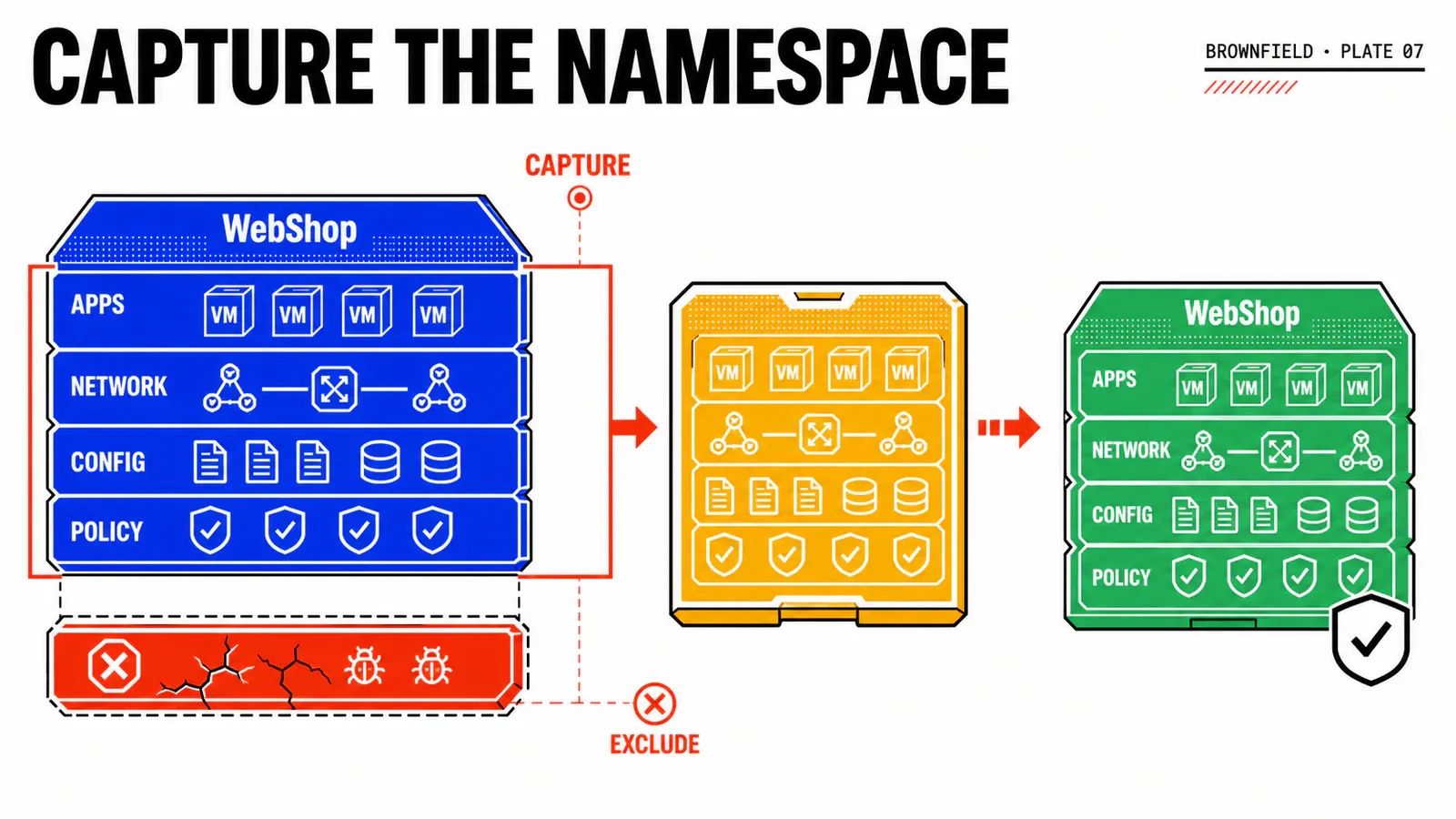
A Blueprint is often where an automation tutorial begins. In a real private cloud, it is almost the last piece to become useful. A perfectly valid manifest still fails when its project cannot see the region, its namespace does not expose the selected VM Class, or its image is known by a friendly title instead of the identifier served by the API.
This first part therefore builds no VM. It establishes the governed foundation for the WebShop DEV thread: organization, project, roles, namespace, VPC, subnet, capacity classes, image and storage. The deliverable is an inventory contract that the next article can consume without guessing.
Reconstructed procedure
This article was assembled from Broadcom documentation available on 10 August 2026. It has not been executed on a VCF Automation 9.1 environment. Product behavior is labelled separately from proposed WebShop values, and every screen, identifier and result must be captured on the target build before publication as a validated lab.
TL;DR
- Treat the Namespace Class and the existing namespace as a service contract, not as setup trivia hidden behind the Blueprint.
- The expensive failure is not YAML syntax: it is exposing the wrong capacity, network, image or role to a project and discovering it after catalog publication.
- On Monday morning, create one inventory sheet and replace every environment-specific value with an identifier observed in Services or the relevant administration view.
The foundation has two owners
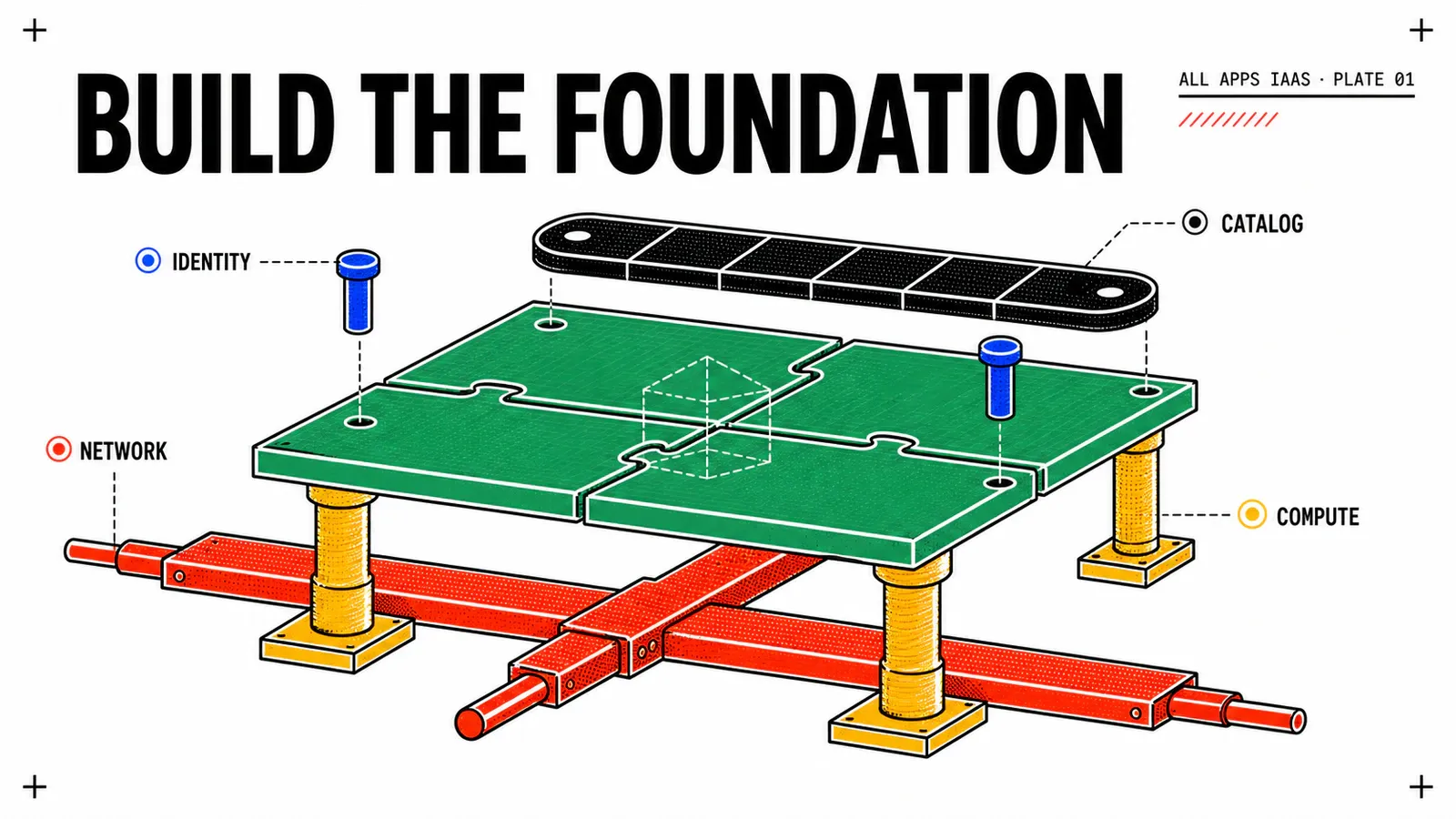
The provider and the organization administrator do not control the same boundary. The provider allocates a region and its underlying capacity to the All Apps organization. The organization administrator then creates projects, assigns groups, selects the allowed services and prepares the namespace-level contract. A project user should consume that contract; they should not choose arbitrary infrastructure.
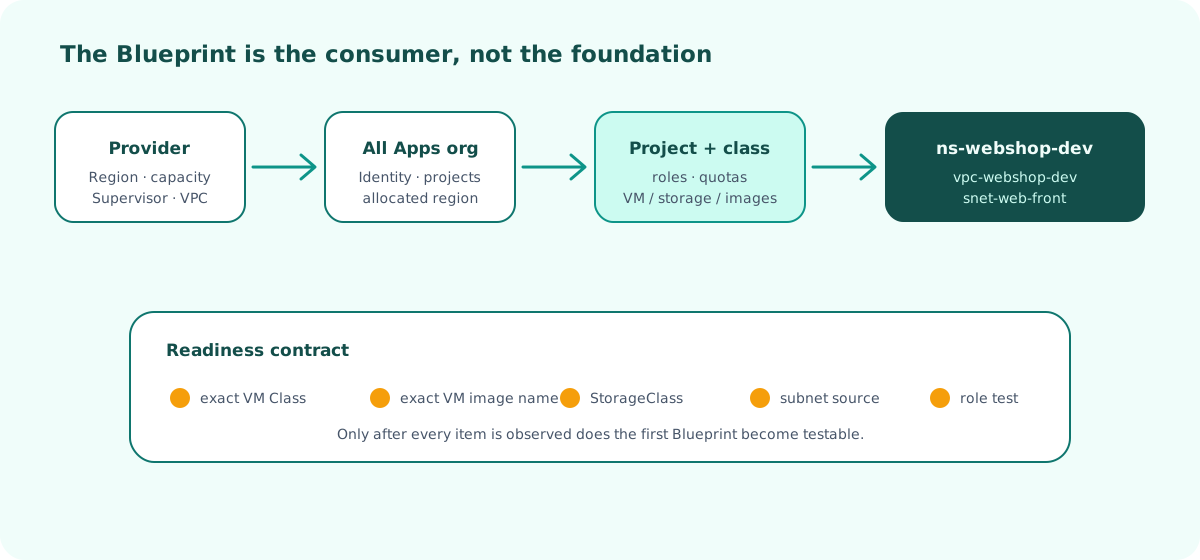
The model below is intentionally narrow. It keeps the series understandable while preserving the real separation of duties.
| Persona | Owns in this lab | Must not be delegated accidentally |
|---|---|---|
| Provider administrator | Region, provider capacity, Supervisor and VPC availability | Global infrastructure deletion or unrestricted allocation |
| Organization administrator | Project, groups, Namespace Class, content and policies | Provider fabric configuration |
| Project administrator | Day-to-day project and namespace consumption | Organization-wide policy changes |
| Project user | Request and operate the WebShop service | Image, storage or network bypass |
Broadcom documents the All Apps organization and its administration model in Organization Management for VCF 9.1. Menu wording can change with locale or patch level, so the organization type and assigned capabilities are more reliable than a screenshot label.
Build the boundaries in the right order
Start by confirming that acme-all-apps is an All Apps organization and that region-paris is allocated to it. The organization should expose projects, namespaces and the content needed by VM Service. If any of those capabilities is absent, stop at the provider boundary instead of compensating inside a Blueprint.
Create prj-webshop-dev and assign groups rather than individual long-lived users. A minimal model uses one consumer group and one administrator group. Test with a member of each group later; an administrator looking at their own screen is not proof that a project user received the intended experience.
The Namespace Class is the central guardrail. It combines quotas with the VM Classes, Storage Classes and content that a namespace may consume. Broadcom describes its construction in Create a Namespace Class. For this study, begin with one economical VM Class, one Storage Class and one approved image. Adding choice before the first working request increases the number of failure combinations without proving more value.
Proposed values such as 10 GHz of CPU, 10 GB of memory or 100 GiB of storage are design examples, not VCF defaults and not sizing advice. Replace them with limits derived from the actual image, WebShop workload and project capacity. The useful question is whether the limits can be observed and enforced, not whether they match this article.
Create or retain ns-webshop-dev as a shared namespace. The next Blueprint will reference it with existing: true; deleting a WebShop deployment must therefore not imply deleting the namespace. This ownership decision is important because a shared namespace can also contain objects that belong to another catalog item.
Make network and content selectable before coding
Associate the namespace with vpc-webshop-dev and make snet-web-front visible to the project. Record the subnet CIDR, its address source and who owns DNS. Do not reserve a hard-coded IP to get through an early test. Article 3 will validate both allocation and release through the selected IPAM path.
The VCF Automation VPC documentation is the source for the supported VPC and subnet workflow. The name displayed in a UI is not sufficient: later manifests may require a resource name and kind such as Subnet or SubnetSet. Record what the target Services view actually generates.
For the image, use a Linux release that is explicitly prepared for VM Service, includes the required guest integration and can run cloud-init. If Canonical content is available in the organization, Broadcom documents the subscription workflow in Subscribe to a Canonical Content Library. Availability, synchronization state and image identifiers remain build- and environment-specific.
Do not copy the marketing title “Ubuntu 24.04” into the Blueprint. Open Services, generate or inspect the VM manifest, and record the exact VirtualMachineImage.metadata.name. Apply the same discipline to the VM Class and Storage Class.
Freeze a non-secret lab contract
Keep the observed values in a small local contract. It is documentation, not a credential file, and it should contain no password, private SSH key or service-account token.
organization: acme-all-apps
project: prj-webshop-dev
region: region-paris
namespace: ns-webshop-dev
vpc: vpc-webshop-dev
subnet: snet-web-front
dnsDomain: corp.example

vmClass: <OBSERVED_VM_CLASS>
guaranteedVmClass: <OBSERVED_GUARANTEED_VM_CLASS>
vmImage: <OBSERVED_VIRTUAL_MACHINE_IMAGE_NAME>
storageClass: <OBSERVED_STORAGE_CLASS>

application: webshop
environment: dev
owner: team-platform
costCenter: cc-042
The angle brackets are deliberate publication placeholders. They must never be presented as values that worked in a lab. When the platform is available, replace them locally, validate the request, and publish only anonymized identifiers if the real names reveal internal topology.
Use a readiness gate, not intuition
The foundation is ready for article 2 only when all of the following are true:
- the organization type and exact VCF Automation build are recorded;
- the project user can enter
prj-webshop-dev; ns-webshop-devexists and exposes VM Service;- the VPC and expected subnet are visible from that namespace;
- the chosen VM Class, image and Storage Class are selectable;
- the image contract includes cloud-init support to be tested later;
- no secret appears in the inventory or future Blueprint variables.
Capture one screen or API response per item. A single green deployment page would not prove that identity, capacity and deletion ownership were configured correctly.
Pitfalls & things to watch
Do not turn platform decisions into catalog inputs
Letting a requester type an image ID, Storage Class or subnet makes the first demo easier but moves governance to the least controlled layer. Keep infrastructure references as platform-owned variables and expose only business intent such as the VM role.
Also avoid confusing the organization’s LDAP identity provider with machine domain membership. The former authenticates people. A computer account and an operating-system domain join are separate lifecycle operations, addressed later in the series.
Finally, do not destroy provider resources during rollback. Remove the project or namespace association only after checking ownership. Region, VPC and shared content may serve other tenants; their exact detach and deletion behavior must be verified on the target environment.
Conclusion
The first useful artifact in this series is not a VM. It is a short, reviewable contract showing what the platform allows WebShop to consume and who owns each boundary. Once every identifier comes from the running service rather than an article, the first Blueprint becomes a controlled experiment instead of a syntax gamble.
Govern first
Project, namespace and class define the service envelope before YAML enters the picture.
Observe names
Class, image, storage and network identifiers come from the target build, never from a copied example.
Prove readiness
Seven explicit checks provide the entry gate for the minimal VM deployment in article 2.
Get the next one by email
New articles and series, sent when they are published. No other mail.