The dashboard is green after the upgrade, but WebShop still depends on catalogs, identities, and workflows created under Aria Automation. Starting the All Apps build immediately would turn the first incident into an impossible investigation: is it an upgrade regression, historical debt, or a migration error? Without a reliable initial state, those three causes collapse into one another.
The objective must therefore go beyond a superficial health check. You need to demonstrate that the VM Apps organization produced by the upgrade remains an operational safety net, using real users, integrations, and a complete lifecycle. That baseline becomes the reference against which every All Apps wave is measured.
Unexecuted study
The checks below form a method reconstructed from Broadcom 9.1 TechDocs and knowledge-base articles. They do not report an observed lab or customer environment. Verify the exact build, interface labels, statuses, identity results, and restoration procedures before turning this study into a runbook.
TL;DR
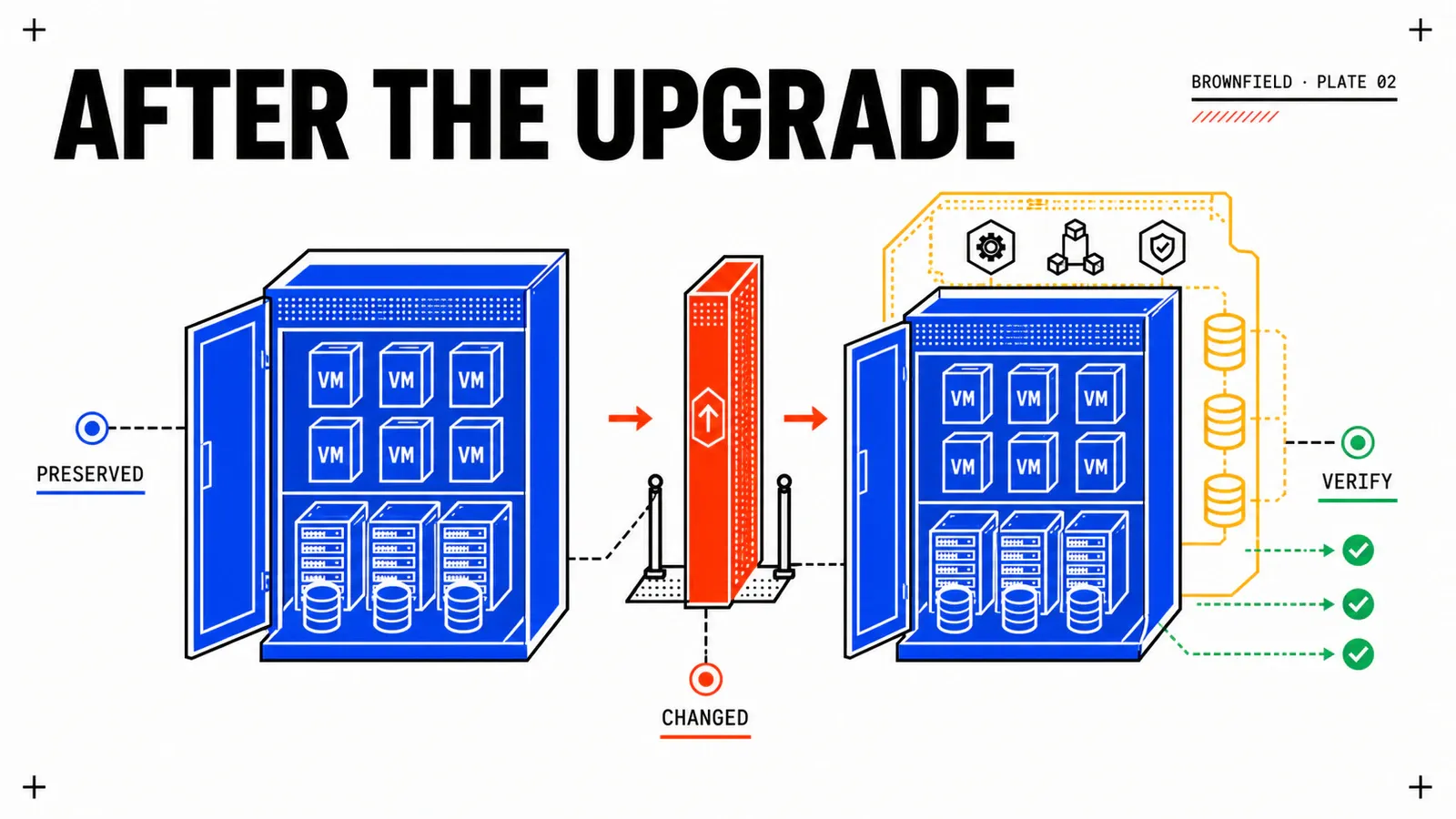
- The upgrade turns the Aria Automation legacy estate into one or more VM Apps organizations. It preserves continuity of the historical model; it does not create an All Apps Region, Namespace, or VPC.
- A source is stable only when non-admin accounts, Embedded Orchestrator, cloud accounts, catalogs, Day-2 actions, and external dependencies work—not merely when services appear green.
- Open two work queues:
UPG-*for gaps introduced by the upgrade andMIG-*for All Apps reconstruction. No wave starts while an upgrade incident remains unqualified.
Understand what the upgrade preserves—and what it does not
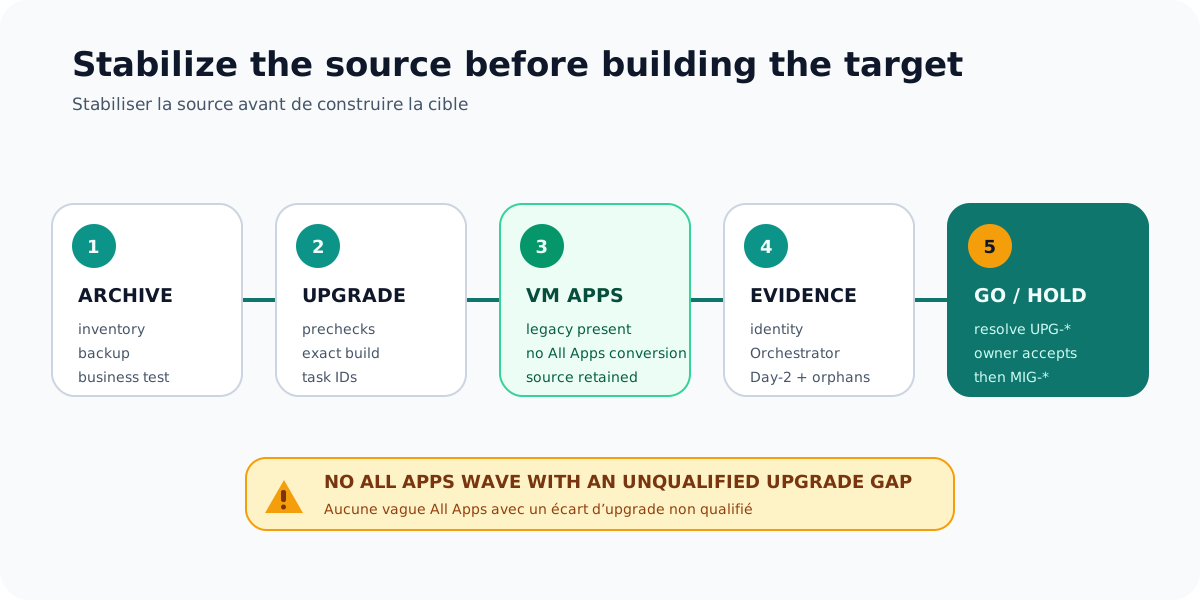
Broadcom’s path imports a compatible Aria Automation instance into VCF Operations and upgrades it to VCF Automation. The running example starts from 8.18.1 or later, but the actually supported build pair must be confirmed in VCF Upgrade Planner and current documentation. A family version is not permission to run the same procedure on every patch level.
At the end of the path, historical tenants become VM Apps organizations. Historical Cloud Templates, projects, and deployments remain associated with that model. Where multiple tenants exist, the documentation describes multiple VM Apps organizations; creating additional organizations also follows different constraints in the interface and API.
What the upgrade does not do is equally important. It does not create the All Apps landing zone, turn cloud zones into Regions or Region Quotas, place existing VMs into Namespaces, convert historical networks into VPCs, or replace Cloud.* types with All Apps resource types. The resulting compatibility is a starting point, not a completed application migration.
Archive the before state to explain the after state
The strongest baseline starts before the upgrade. Inventory tenants, projects, users, groups, cloud accounts, integrations, Cloud Templates, versions, Custom Forms, catalog items, entitlements, deployments, owners, leases, policies, subscriptions, Orchestrator workflows, ABX actions, and Custom Resources. Include expected certificates and endpoints, a backup reference, and a business-level WebShop test.
That archive is not a return button. It answers a more basic question: “What existed, under which identifier, and with which owner?” Without it, a difference in quantity or behavior can be accepted as normal simply because nobody owns the previous measurement.
post_upgrade_baseline:
  evidence_status: expected_result
  exact_vcfa_build: evidence_required
  source_aria_build: evidence_required
  vm_apps_organizations: evidence_required
  webshop_deployment_health: evidence_required
  cloud_accounts_collection: evidence_required
  embedded_orchestrator_health: evidence_required
  identity_login_matrix: evidence_required
  create_day2_delete_cycle: evidence_required
  backup_and_restore_reference: evidence_required
  open_upgrade_incidents: []
  migration_ready: false
migration_ready becomes true only after every gap has been resolved or formally accepted with an owner and evidence. Never derive it from a global platform status.
Reconstruct the VM Apps inventory
In Provider Management, record each organization’s name, URL identifier, type, state, and administrators. Correlate that information with the archived source. For WebShop, acme-vmapps-legacy should still contain project prj-webshop-legacy and deployment webshop-prod-042.
Avoid cosmetic changes during this phase. Renaming the display label or changing associations too early makes correlation with logs, exports, and support cases harder. The URL identifier also has its own constraints and must not be treated as an ordinary editable label.
For every cloud account and integration, verify status, supported collection, object count, endpoint, certificate, and chain of trust. KB 425489 documents a case relevant to an 8.18.1-to-9.1.x path: certificates implicitly trusted in the source may be absent from the migrated database and cause a precheck failure. Disabling TLS to make progress would hide the cause and weaken security; repair trust using the procedure applicable to the build.
Verify Orchestrator and extensions with controlled effects
Embedded Orchestrator deserves a separate check. KB 443720 describes an issue after some 8.18.x-to-9.x upgrades where the integration may retain an old endpoint instead of https://embedded.orchestrator:443. An integration status alone is then insufficient; catalog items, subscriptions, and workflows can fail later.
A cautious check combines the integration view, Embedded state, expected endpoint, and execution of a side-effect-free workflow. A non-blocking subscription can then be triggered within an isolated scope, retaining its correlation ID and logs. The KB workaround is conditional, especially when an external Orchestrator also exists: no improvised database change should replace the procedure and backup Broadcom requires.
Extensions also need classification. An action that fails now belongs in UPG-* when it worked in the baseline and was expected to remain available in VM Apps. Its later rewrite for All Apps events or resources belongs in MIG-*. Rewriting it immediately on the target would conceal a source regression even though the source is supposed to remain the return path.
Test identity with real personas
Organization Admin is a poor sample: broad privileges can hide a broken group, entitlement, or policy. Include at least Organization Admin, Project Admin, catalog consumer, and service/API account in the matrix. For each persona, verify login, catalog visibility, access to the WebShop deployment, and authorized Day-2 operations.
| Persona | Login | Catalog | WebShop | Expected Day-2 |
|---|---|---|---|---|
| Organization Admin | evidence required | evidence required | read/administer | according to policy |
| Project Admin | evidence required | project scope | read/administer | according to policy |
| catalog consumer | evidence required | entitled items | owner or read access | delegated actions |
| service/API account | token and org context | according to contract | least privilege | automated operations |
Broadcom documents SSO continuity for VM Apps and a migration to VCF Identity Broker/VCF SSO. That compatibility is transitional. The future All Apps organization has its own identity-provider association, and KB 440245 states that vIDM is not a supported IdP for All Apps. Retire vIDM only after proving the new path for every relevant group, user, and automation client.
Prove a lifecycle without touching production
An isolated test item should pass through request, provisioning, a non-destructive Day-2 action, an optional custom action, deletion, and an orphan check across DNS, IPAM, AD, and CMDB. This sequence demonstrates that VM Apps can still carry normal operations during transition. It does not validate All Apps, which requires a separate test plan.
WebShop should remain unchanged while the test runs. Capture resolution of webshop.corp.example, responses from /healthz and /readyz, one representative business transaction, database access, load-balancer state, metrics, logs, backup state, and associated external records. Keep secrets and personal data out of the evidence pack.
upgrade_gap:
  id: UPG-001
  area: orchestration
  source_baseline: embedded_endpoint_healthy
  observed_after_upgrade: workflow_test_failed
  business_impact: catalog_action_unavailable
  owner: platform_operations
  resolution_or_acceptance: evidence_required
  migration_blocker: true
The register also prevents rushed diagnoses. KB 445482 describes an organization counter showing zero in the precise scope of a 9.0.2-to-9.1 upgrade, while structural access may be recoverable. It illustrates possible UI/inventory divergence; it is not evidence that the same symptom directly affects an Aria Automation 8.18.1 source.
Incidents and diagnosis
| Symptom | Check first | Safe decision |
|---|---|---|
| organization missing | database migration, roles, inventory source of truth | retain bundles and task IDs; escalate |
| unhealthy cloud account | certificate, endpoint, account, collection | apply the matching precheck procedure |
Orchestrator not Embedded |
endpoint and external integrations | follow KB 443720; never improvise SQL |
| only admin can log in | IdP, groups, effective roles | block migration until persona tests pass |
| Day-2 action fails | policy, subscription, workflow, credential | capture correlation ID and classify as UPG or MIG |
| interface and inventory disagree | API, migrated database, exact-build KB | never delete based on the interface alone |
Global green is not business evidence
A healthy console can coexist with a broken workflow, a rejected non-admin user, or a failed CMDB write. The baseline must combine technical state, a functional test, and absence of orphans. Timestamp every piece of evidence and associate it with the exact build.
Upgrade rollback: do not invent one
Returning from the upgrade and returning an application are separate subjects. The reviewed sources do not describe a generic mechanism where old nodes can simply be powered back on after a failed migration. A snapshot may participate in a supported procedure; by itself, it is not a rollback procedure.
If the post-upgrade platform is unstable, stop All Apps work, preserve backups, authorized snapshots, bundles, and task IDs, then apply the official procedure matching the failure point. Open a GSS case when the situation is not covered. Declare the source stable only after functional and identity tests, not merely when a global status turns green again.
Official Broadcom sources
- Phase 3: Import and Upgrade Aria Automation 8 to VCF Automation 9
- KB 440630 — Upgrade Sequence and Related Issues
- Create a VCF Automation Organization for VM Applications
- Migrate VCF Automation SSO to VCF Identity Broker
- KB 425489 — 8.x Endpoint Certificates Upgrade Pre-check
- KB 443720 — Embedded Orchestrator after Upgrade
- KB 440245 — vIDM and All Apps
Conclusion
A preserved VM Apps organization is not yet a VM Apps organization demonstrated as stable. The difference is the evidence pack: correlated inventory, tested integrations, identity validated beyond admin, a complete lifecycle, unchanged WebShop behavior, and no unqualified upgrade incident. Once those gates pass, the next step can design a Mixed Tenancy or dedicated bridge without moving the starting line during the project.
Preserve is not convert
VM Apps maintains the historical contract; All Apps remains a separate target to build.
Test real roles
Admin, consumer, API, and integrations must each produce usable evidence.
Separate the debts
Resolve an upgrade gap before treating it as an All Apps reconstruction task.
Get the next one by email
New articles and series, sent when they are published. No other mail.