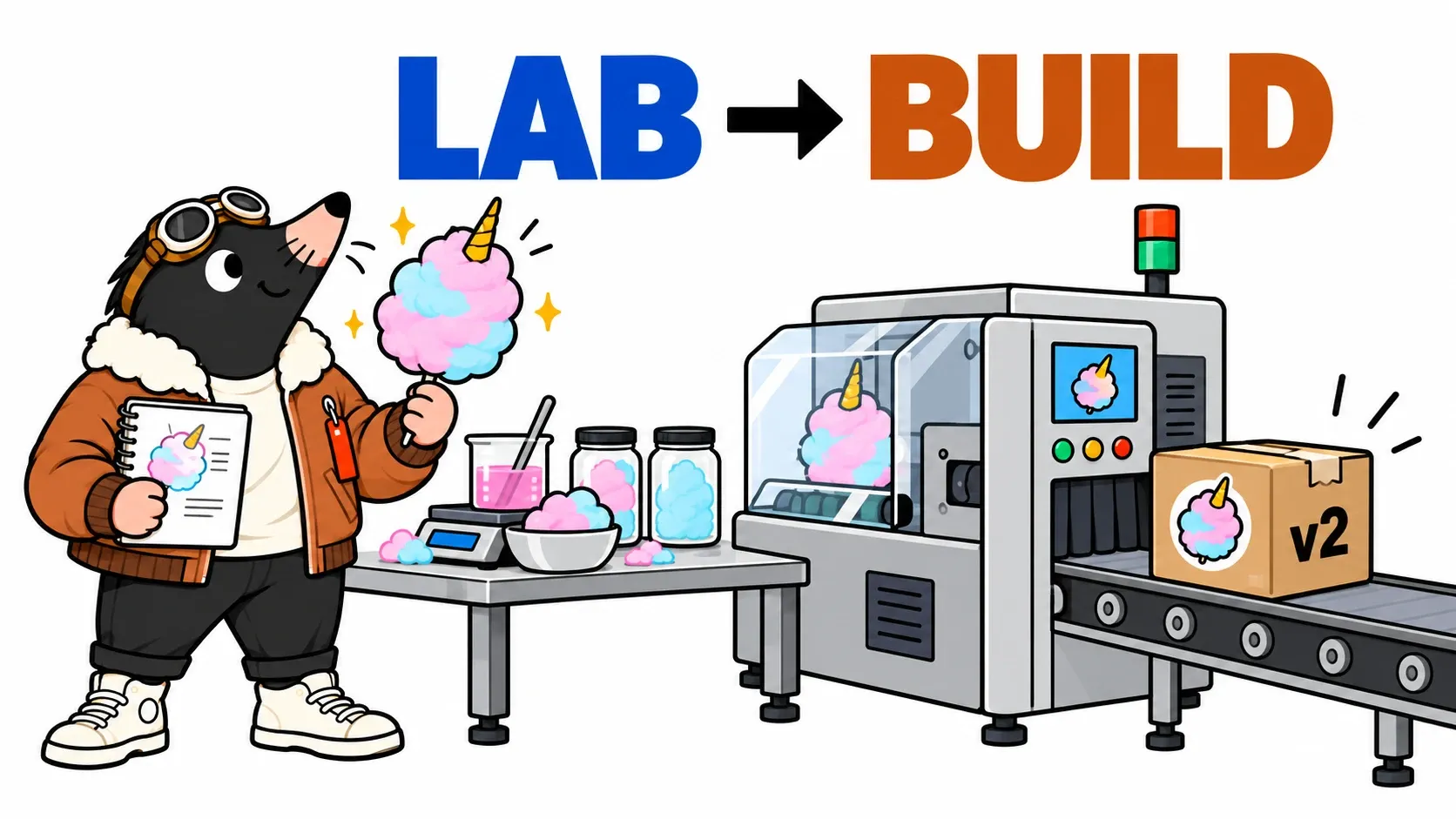
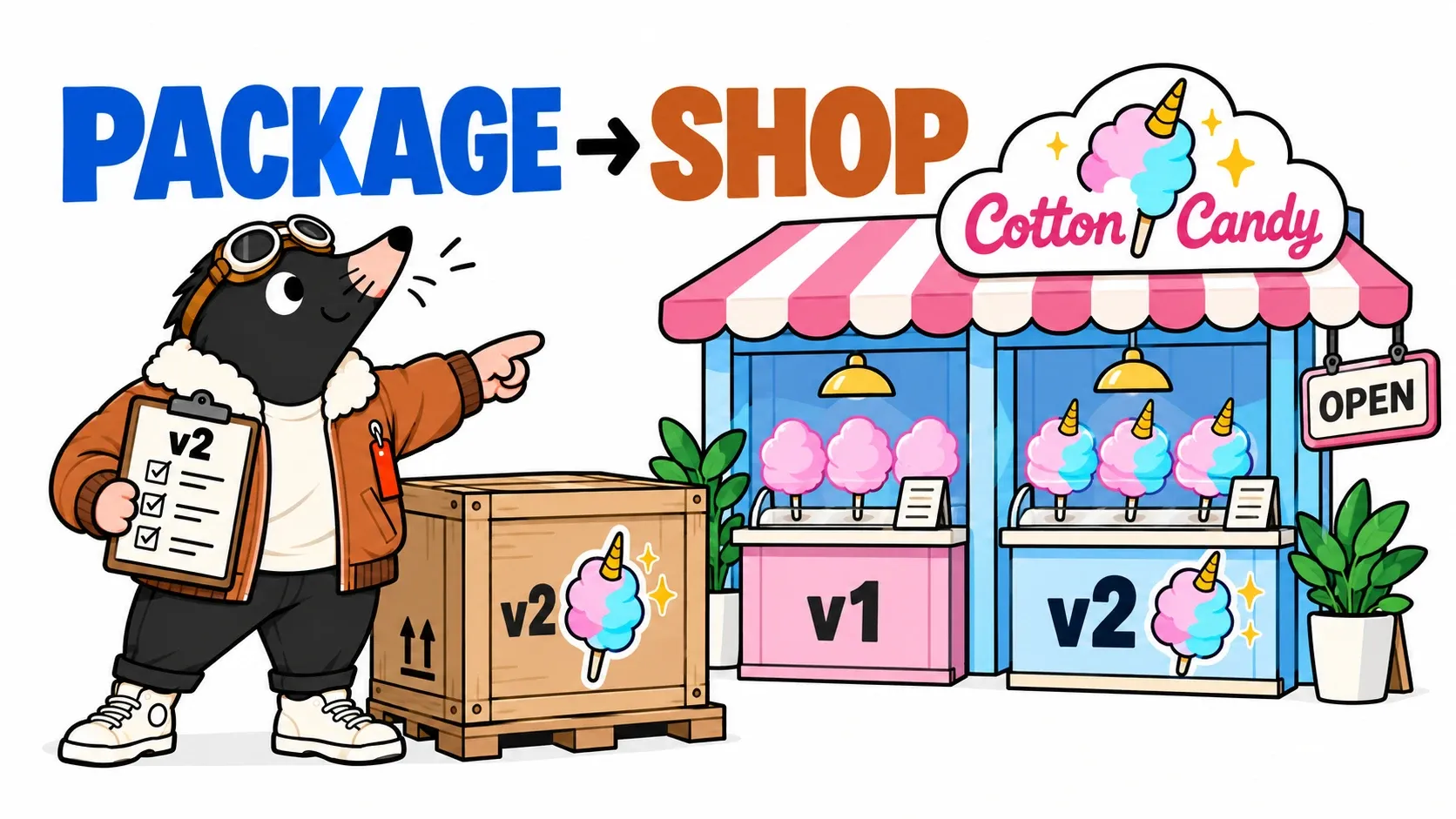
TOP pushes open the shop door, as proud as a mole who has just invented a unicorn. The recipe is approved. The horn fits through the factory. The v2 crate is waiting in the warehouse.
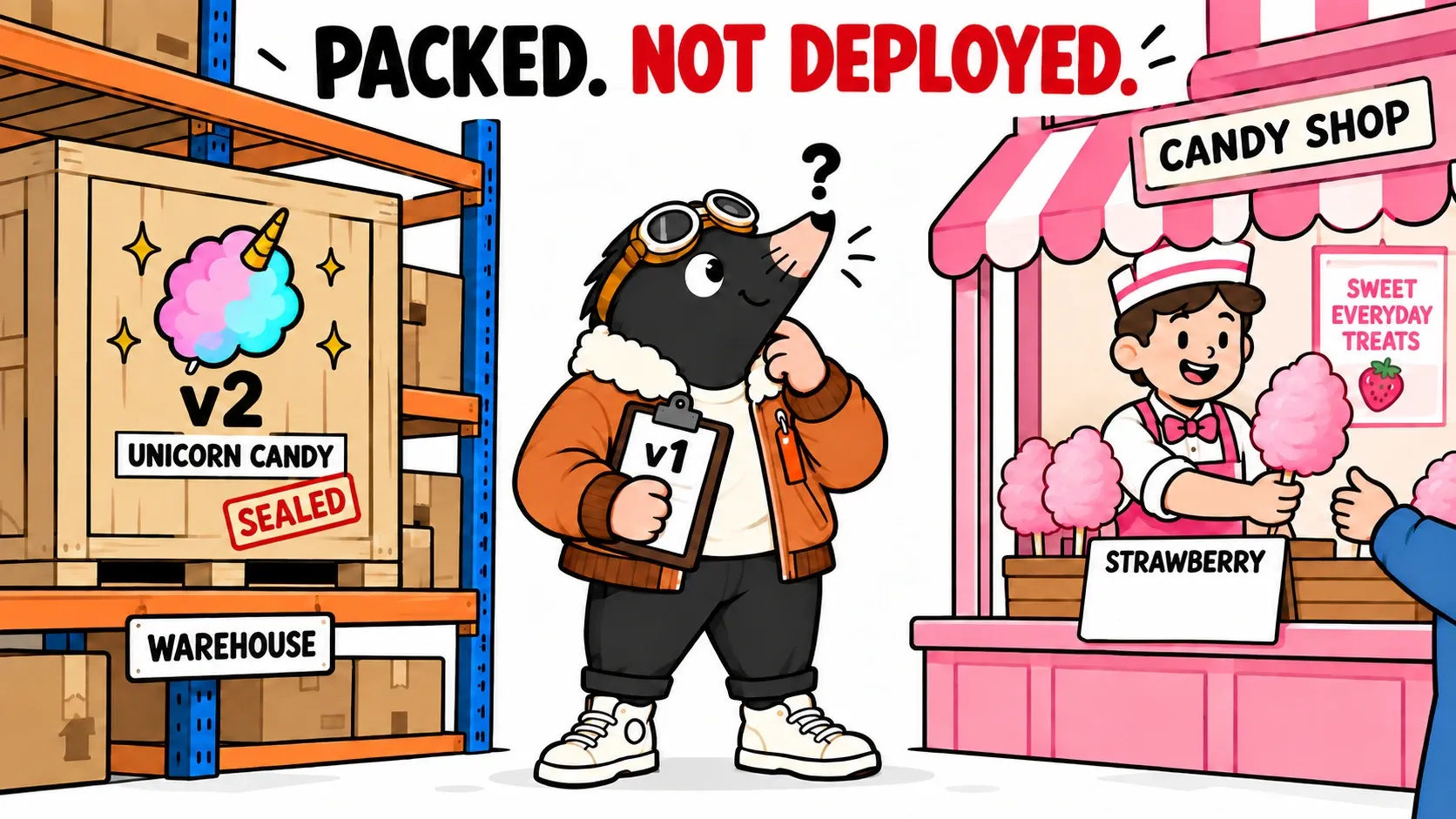
He orders Magical Unicorn. The counter replies: “We have strawberry.”
In episode one, GitHub Actions built and published our application image. Publishing that image did not change the running service. An instruction is missing: which version should run, where, and with what configuration?
We will write that instruction in Git, follow Argo CD to a VKS cluster and progressively replace the application instances. There will be a detour: TOP will try to open a counter whose lights are on but which is not ready to serve.
The right crate at the right address
- The warehouseChoose the image already built and identified.
- The delivery planDescribe in Git what the shop should run.
- The countersReplace instances without retiring the old ones too early.
- The orderCheck the result from the customer’s point of view.
Our shop remains an analogy. The lab application returns a menu and calculates a quote in JSON. A counter represents one instance of the server, not a physical machine or a whole cluster. Several counters can know the same menu.
The registry holds the image. The source repository holds the code. A separate deployment repository holds our delivery plan. That separation makes a request easy to read: “in this environment, replace image D1 with image D2”. Here, D1 and D2 are short names for the actual digests recorded at the end of episode one.
The same package can be exercised in a validation environment and then used in production with appropriate configuration. Rebuilding it for each destination would complicate the evidence: would it still contain what we checked? We therefore keep the image and explicitly change the configuration around it.
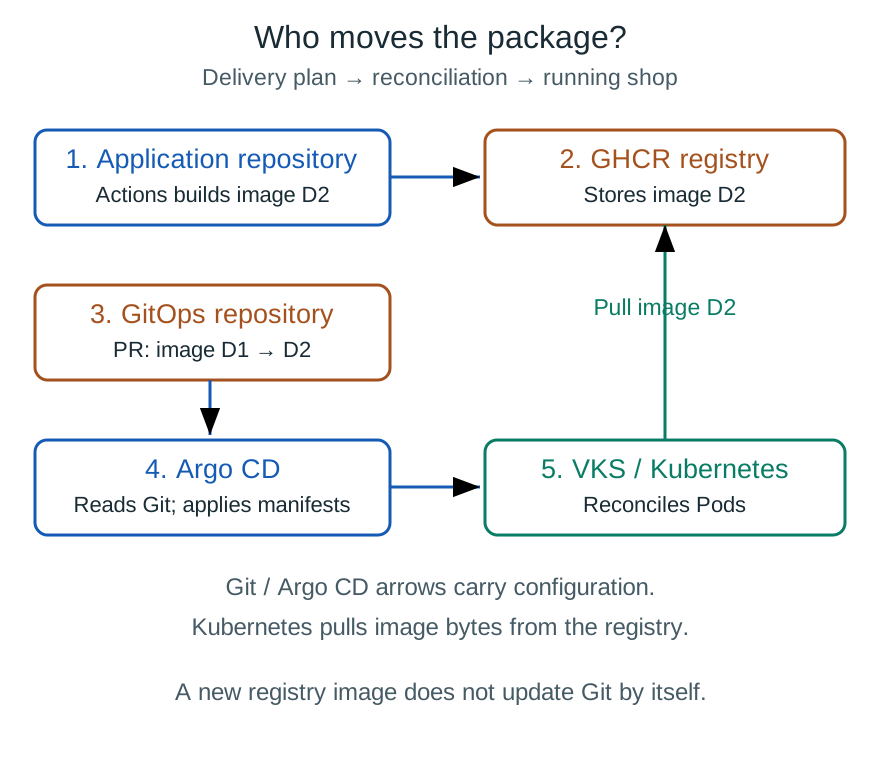
The technical package journey: Actions builds, GHCR stores, Git declares, Argo CD syncs and Kubernetes pulls the image.
The delivery notebook becomes desired state
Follow the plan and the package separately
Track two different objects in the preceding diagram. The plan is a small YAML file: Argo CD carries its configuration from Git to the Kubernetes API. The package is the image: when a Pod needs to start, its Kubernetes node pulls that image from GHCR. Argo CD does not copy the application files into the Pods.
TOP could send a picture of the crate to the shop. That would deliver neither the crate nor instructions to open it. Each technical step also has its own contract: read access to Git for the plan, permissions on the cluster to apply it, and registry access to pull the image.
This distinction helps diagnose failures. Git is unreachable? Argo CD cannot read the plan. The image reference is wrong or access is refused? The Pod cannot prepare its container. The container starts but rejects orders? That is another stage again. A single arrow labelled “deploy” would hide all three problems.
TOP writes: “Three counters, application v2.” In Kubernetes, we use a Deployment to describe those instances and their replacement. Its Pod template specifies the image and parameters. A Pod is the unit hosting our application container.
The lab repository also contains a Service: a stable address selecting the application’s Pods. Pods can be recreated with different addresses while clients continue to target the Service. Kubernetes Services.
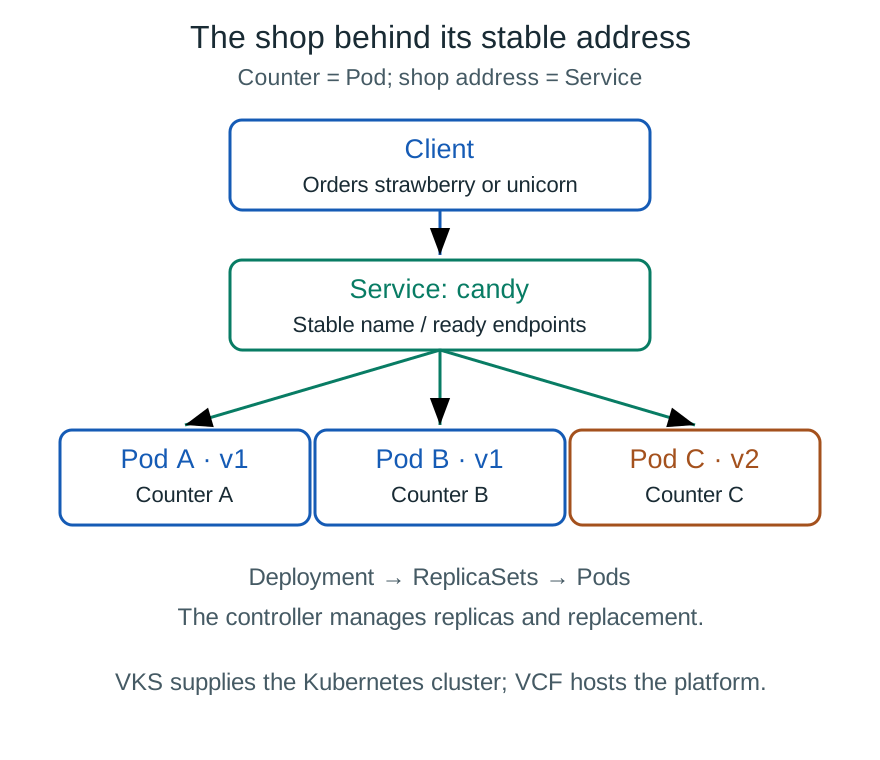
A counter is a Pod. The Service supplies a stable address; the Deployment manages the replicas.
To propose v2, TOP opens a PR changing the image reference:
Before: ghcr.io/my-team/la-barbe-a-top@sha256:D1
After:  ghcr.io/my-team/la-barbe-a-top@sha256:D2
These lines explain the change; D1 and D2 are not valid digests to copy. Replace the marker in the lab files with the complete reference actually published by your workflow. The registry name must also be yours, not an assumed public image.
The PR makes the destination and package visible. Non-sensitive configuration can live beside it; secret values belong in a dedicated mechanism. A password encoded as base64 in Git is still an exposed password. Kubernetes Secret practices.
TOP has now written the desired state. The shop still uses v1: that is the actual state. The difference becomes something we can observe and discuss before changing the running service.
Argo CD reads the plan; Kubernetes runs the shop
To connect the diagram to the manifest: replicas: 3 requests three instances, image: selects their package, and labels let the Service select the right Pods. The Deployment manages ReplicaSets, which maintain these instances. Updating the Pod template creates a ReplicaSet for the new version. The Service may therefore select Pods from both versions during the transition. How Deployments work.
Argo CD watches its configured repository and compares manifests with the target cluster. A difference appears as OutOfSync. Synchronisation applies the configuration, manually or automatically. The lab template enables automation and selfHeal, which can also correct changes introduced in the cluster. Automatic resource deletion is left disabled. Argo CD automatic synchronisation.
The responsibilities fit into one sentence:
GitHub Actions builds; the registry stores; Git describes the destination; Argo CD synchronises; Kubernetes runs.
This is our first experience of GitOps: expected configuration is declared, versioned and reconciled with the environment. Argo CD does not compile the recipe inside the cluster. It requests execution of the image already produced. OpenGitOps principles.
Open the new counter before closing the old one
Imagine TOP removes a counter while the plan still asks for three. The Kubernetes controller works to restore the requested count. If TOP directly changes configuration managed by Argo CD, selfHeal can restore what Git declares. Reconciliation means repeatedly comparing and correcting the difference, rather than delivering once and forgetting the shop.
On VKS, these remain Kubernetes mechanisms. VCF supplies the infrastructure context, VKS supplies the cluster, and Argo CD targets that cluster. Our application does not call VCF for every cotton candy order. A VKS cluster separate from Argo CD’s own cluster must be registered as a destination and permitted by its Argo CD project.
TOP refuses to close the whole shop just to hang up a menu. We have three counters. He prepares a fourth, waits until it can serve, then gradually retires the old ones.
That is the idea behind a rolling update: old and new releases temporarily coexist during replacement. Progress through the rollout should not be confused with a guaranteed percentage of traffic reaching each version. Kubernetes rolling updates.
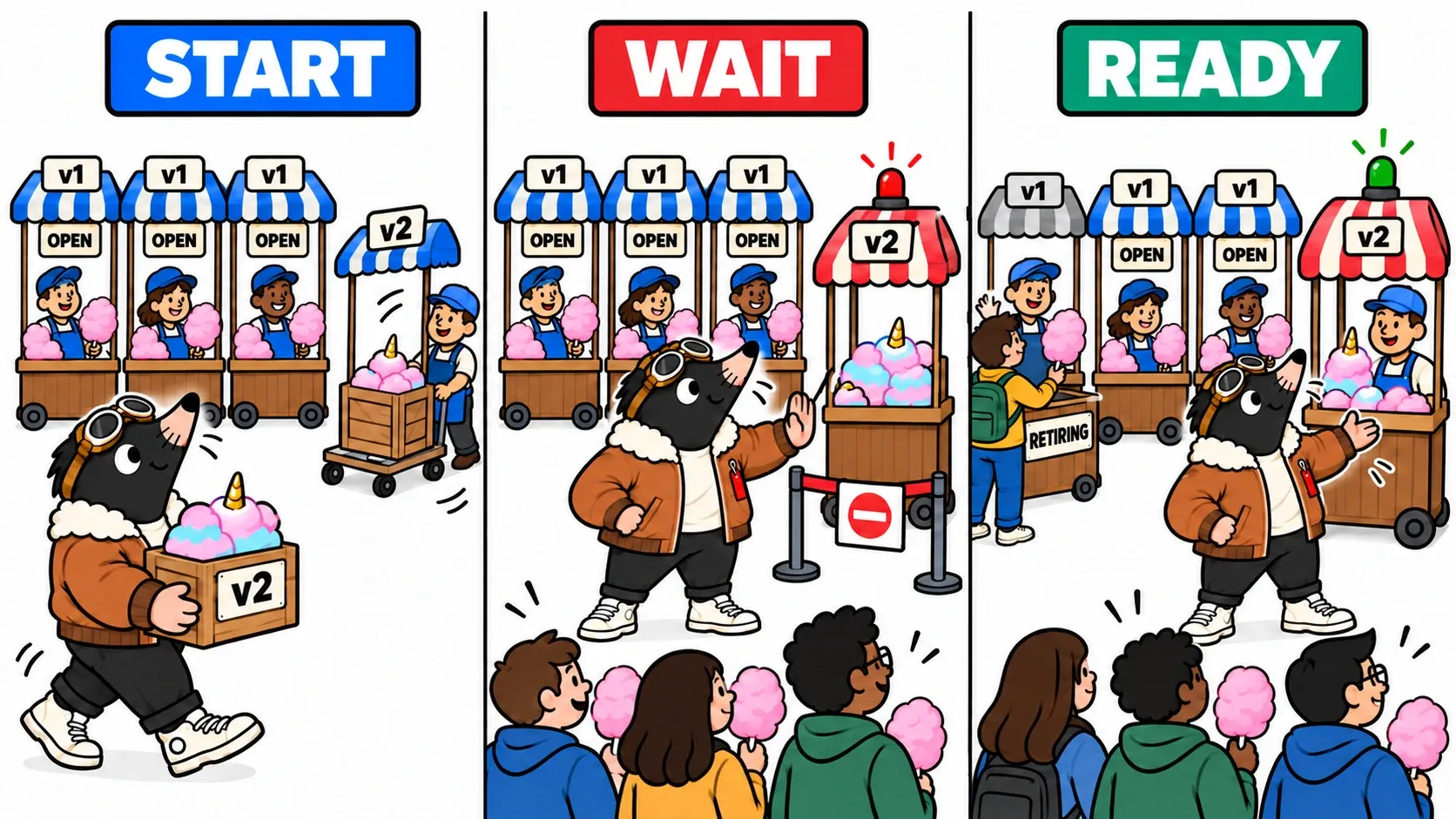
Our Deployment uses these values:
replicas: 3
minReadySeconds: 5
progressDeadlineSeconds: 120
strategy:
  type: RollingUpdate
  rollingUpdate:
    maxSurge: 1
    maxUnavailable: 0
maxSurge: 1 allows an extra instance during progression. maxUnavailable: 0 requests preservation of the available replica count. minReadySeconds: 5 requires brief stability before counting a new Pod as available. Terminating Pods can still consume resources: “three plus one” is not an absolute limit on instantaneous resource consumption. Deployment parameters.
These are lab values. If the cluster cannot accommodate the extra Pod, deployment can wait. Our small shop really needs room for its additional counter. An unrelated failure can also make old instances unavailable. Configuration cannot create capacity or eliminate independent faults.
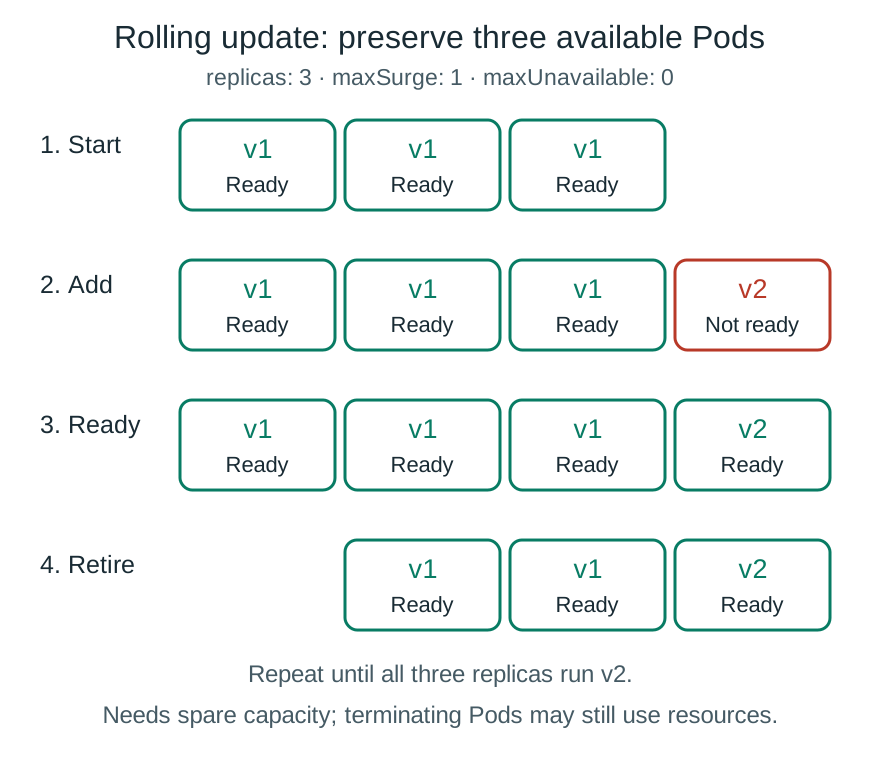
Keep three available Pods: add v2, wait for readiness, then retire v1. Repeat.
The lights are on. Is the counter ready?
TOP sees a running process and is about to send customers over. The counter does not yet have its bags.
A readiness probe tests the application’s declared ability to receive traffic. Kubernetes calls /readyz in our lab. Failure removes the Pod from the Service’s ready destinations; it does not, by itself, mean “restart this container”. Liveness and startup probes address other needs. Kubernetes probes.
We introduce the mistake by adding FORCE_NOT_READY=1 in Git. The server runs and its main page responds, but readiness returns HTTP 503. The new counter remains closed and the rollout stops progressing.
progressDeadlineSeconds can report that lack of progress. A Deployment does not automatically roll back when that deadline expires. TOP needs to understand the problem and correct the plan. Here, a PR reverts the added variable. The lab README describes the expected behaviour and observation commands.
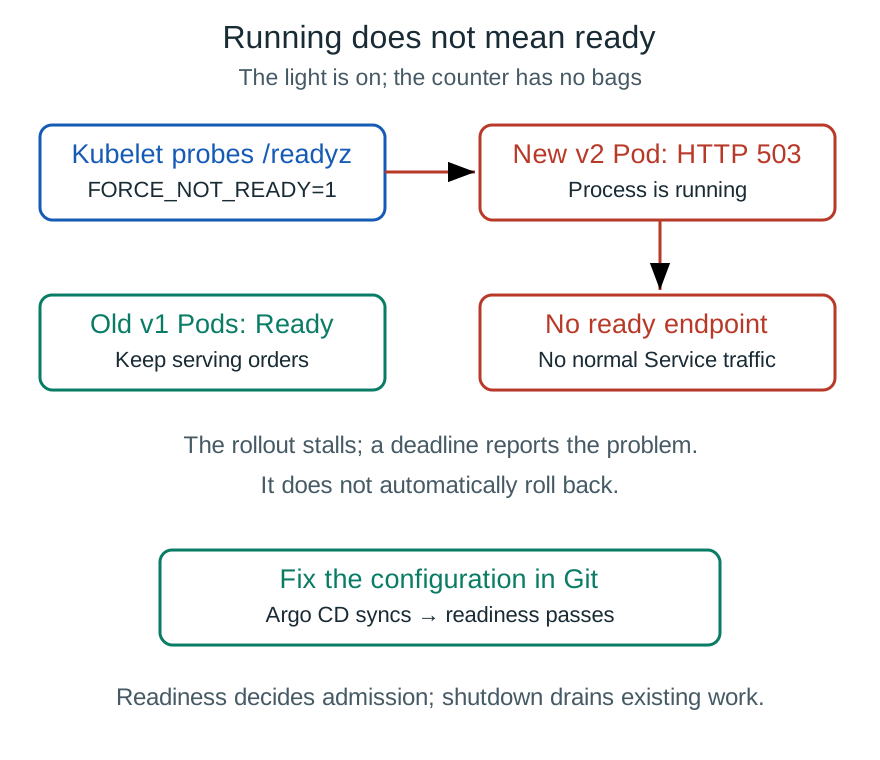
The v2 Pod starts but fails readiness: old Pods serve while the rollout awaits a Git correction.
Let the last customer finish
The readiness diagram shows the entrance. Graceful shutdown handles the exit: stop accepting new orders, then let existing ones finish. These are different moments. A Pod removed from ready destinations may still have an active connection or request.
The new instance is ready. Can we abruptly unplug the old one? TOP looks at a half-wrapped cotton candy. Clearly not.
During termination, routing needs time to change and the application must finish in-flight requests. Our server receives SIGTERM, reports that it is no longer ready, waits five seconds and closes its listener while allowing connections to finish. The Pod has a thirty-second grace period; beyond it, shutdown can be forced. These demonstration values need measurement for a real application. Pod termination.
Long requests, downloads and persistent connections deserve their own exercise. The counter analogy explains the intention. It does not guarantee identical behaviour across all protocols or all traffic paths.
The menu trap during coexistence
TOP announces Magical Unicorn to everybody immediately. One order reaches v2 and succeeds. The next reaches v1: unknown flavour.
Both servers are available. The problem is functional compatibility while they coexist. A customer may have read the new menu from v2 before submitting an order to v1. A successful health probe cannot resolve that disagreement.
A real service can first deploy support for a new format, then enable its presentation once every server is compatible. That separates deploying code from enabling a feature. A database needs similar care: for example, adding a compatible field before removing an older one.
Our stateless lab exposes the problem without a migration. It does not demonstrate durable order storage or database rollback. Customer transparency depends on these contracts as well as Kubernetes settings. A deployment that preserves HTTP availability can still surprise users if the application versions disagree.
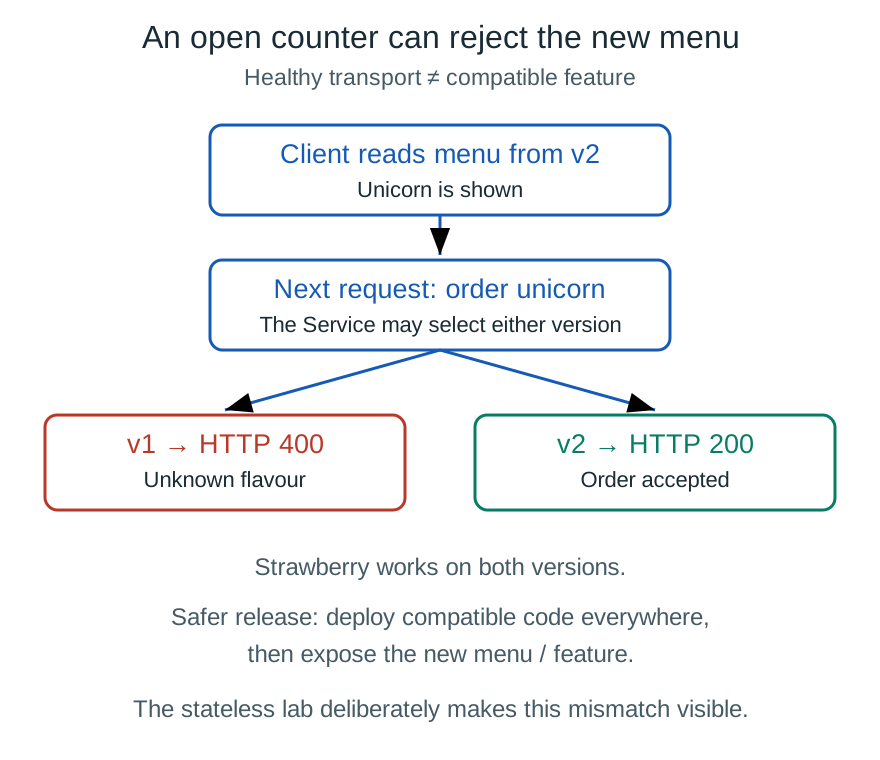
Reading the menu from v2 and ordering from v1 can fail. Available does not mean compatible with the new feature.
Three pieces of evidence, and a lab to observe them
TOP carries three receipts instead of one green stamp:
| Question | Evidence to look for |
|---|---|
| Was the plan applied? | Argo CD synchronisation status |
| Do the resources appear to work? | Resource health and ready Pods |
| Does the customer receive the service? | A real request, its version and its result |
Argo CD separates synchronisation from health. A Healthy status is based on resource assessments; it does not replace business checks. Argo CD resource health.
The lab on GitHub provides the application; the GitOps repository contains the Deployment, Service and Argo CD Application. The full journey requires a lab cluster, installed Argo CD, Git and registry access, and a network path to the service. We start with an existing VKS cluster. VKS manages Kubernetes clusters within VCF; provisioning the platform is outside this exercise. VKS overview.
First publish v1 and v2 using the scenarios from episode one. Fork and clone the GitOps repository to work on your own delivery plan. Set the real digests and Git URL. The template targets Argo CD’s own cluster; for a remote VKS cluster, adapt the registered destination and authorised project.
git clone https://github.com/doudidas/la-barbe-a-top-gitops.git
cd la-barbe-a-top-gitops
This command reads the upstream repository. To push your experiments, replace doudidas with your account after creating a fork, and point repoURL in application.yaml at that fork.
After installing v1, open a PR replacing D1 with D2. Observe:
kubectl -n candy-lab get pods -w
kubectl -n candy-lab rollout status deployment/candy --timeout=180s
To watch requests during the transition, use the endpoint actually served through the Service, via your Ingress/Gateway, or a client inside the cluster. kubectl port-forward service/candy selects one Pod. That is useful for inspection but does not demonstrate load balancing or continuity through a rolling update. Port-forward behaviour.
The observe.mjs script repeatedly places orders and reports release, instance and status. To examine continuity between v1 and v2, use the common strawberry flavour as described in the README. Then try Magical Unicorn and explain the v1 rejections. Finish by causing a readiness failure, then reverting its responsible commit in Git.
The same principle applies when returning to a previous image: correct the desired reference in Git. An isolated manual change in the cluster can itself be corrected by reconciliation. We want the plan to agree with the restored service, rather than keeping two competing descriptions of the shop.
TOP finally enjoys his Magical Unicorn. He looks at the horn, then at the jar beside it.
“What if we added intergalactic glitter?”
In episode three, the tests will pass and the counters will open. Some orders will still fail. We will learn to expose a change gradually, observe real use and stop before making the problem bigger.
Get the next one by email
New articles and series, sent when they are published. No other mail.