An auditor asks one simple question about your production cluster: who can grant themselves more rights than they hold, and by which path? You open the Git repository, you reread the ClusterRole objects, everything looks clean. That is not where the problem lives. It lives in a field the control plane rewrites with no error and no event, in a verb whose name does not suggest what it grants, and — on VKS — in a permission ticked inside vCenter by someone who has never written a line of YAML.
This article is not selling a secret. The six pitfalls it covers are all published: five of them by the upstream Kubernetes documentation, the sixth by the Broadcom TechDocs. What is missing is the ordering — they live in six different places and no single page collects them. They are collected here, each with the mechanism that produces it and the published sentence that attests to it, on a Kubernetes 1.35 floor, anchored to VKS on VCF 9. No lab was run: what follows is documentation read and put in order, not a platform reading.
TL;DR
- The decision — get out of the shared
cluster-admin, enumerate resources and verbs instead of reaching for a wildcard, and never write into therulesfield of an aggregatedClusterRole: the control plane overwrites it. - The tradeoff that costs — auditing costs exactly the right you are auditing.
kubectl auth can-i --as=…requires theimpersonateverb, and the upstream documentation publishes that it scopes to neither namespace nor resource: “It either grants full impersonation or none at all.” - Monday morning — five read-only
kubectlqueries for the cluster-side inventory, and the vSphere Namespace permission matrix for the platform-side inventory. On VKS, one without the other is structurally wrong.
The version contract
This series pins an explicit floor because an API claim without a version number is not verifiable. Floor: Kubernetes 1.35. Target: Kubernetes 1.36. Reading taken on 16 August 2026 from kubernetes.io/releases.
| Minor version | Latest patch | Date | End of life |
|---|---|---|---|
| 1.36 | 1.36.2 | 2026-06-09 | 2027-06-28 |
| 1.35 | 1.35.6 | 2026-06-09 | 2027-02-28 |
| 1.34 | 1.34.9 | 2026-06-09 | 2026-10-27 |
The support rule is published word for word: “The Kubernetes project maintains release branches for the most recent three minor releases (1.36, 1.35, 1.34). Kubernetes 1.19 and newer receive approximately 1 year of patch support.” 1.34 falls out of support on 27 October 2026, thirteen days before this article goes out. That, and nothing else, is what sets the floor at 1.35. A 1.37 release is announced on the same page, in an Upcoming Release section, with no published release date and outside any version table — so it moves neither the floor nor the target.
On the platform side, the VKr releases published at the time of writing are v1.36.1+vmware.4-vkr.5 (Kubernetes 1.36.1, 18 June 2026), v1.35.5+vmware.1-vkr.1 and v1.34.8+vmware.1-vkr.1. VKr 1.36.1 ships Antrea 2.6.1, Calico 3.31.5, etcd 3.6.11, containerd 2.3.1 and CoreDNS 1.14.3. Your cluster’s actual version stays REPLACE_WITH_VKR_VERSION until it is read off the instance — the floor question itself belongs to the lifecycle side, covered in VKS Day-2 Ops: lifecycle and upgrades.
What this article will not describe, because it is gone
PodSecurityPolicy was deprecated in Kubernetes v1.21 and removed from Kubernetes in v1.25. The upstream page carries a banner titled Removed feature and the sentence: “PodSecurityPolicy was deprecated in Kubernetes v1.21, and removed from Kubernetes in v1.25.” This series’ floor sits ten minor versions after that removal: the mechanism is named here in the past tense, and the article comes back to it exactly once, to teach a way of reading vendor documentation.
The same page names the replacement, and there are two of them, not one: Pod Security Admission, or a third-party admission plugin you deploy and configure yourself. It also points to a migration guide from PodSecurityPolicy — I did not open it, so I quote none of its steps.
The rule applied throughout what follows: every API claim carries the version where it holds and the state of the mechanism, among alpha, beta, stable, deprecated, removed.
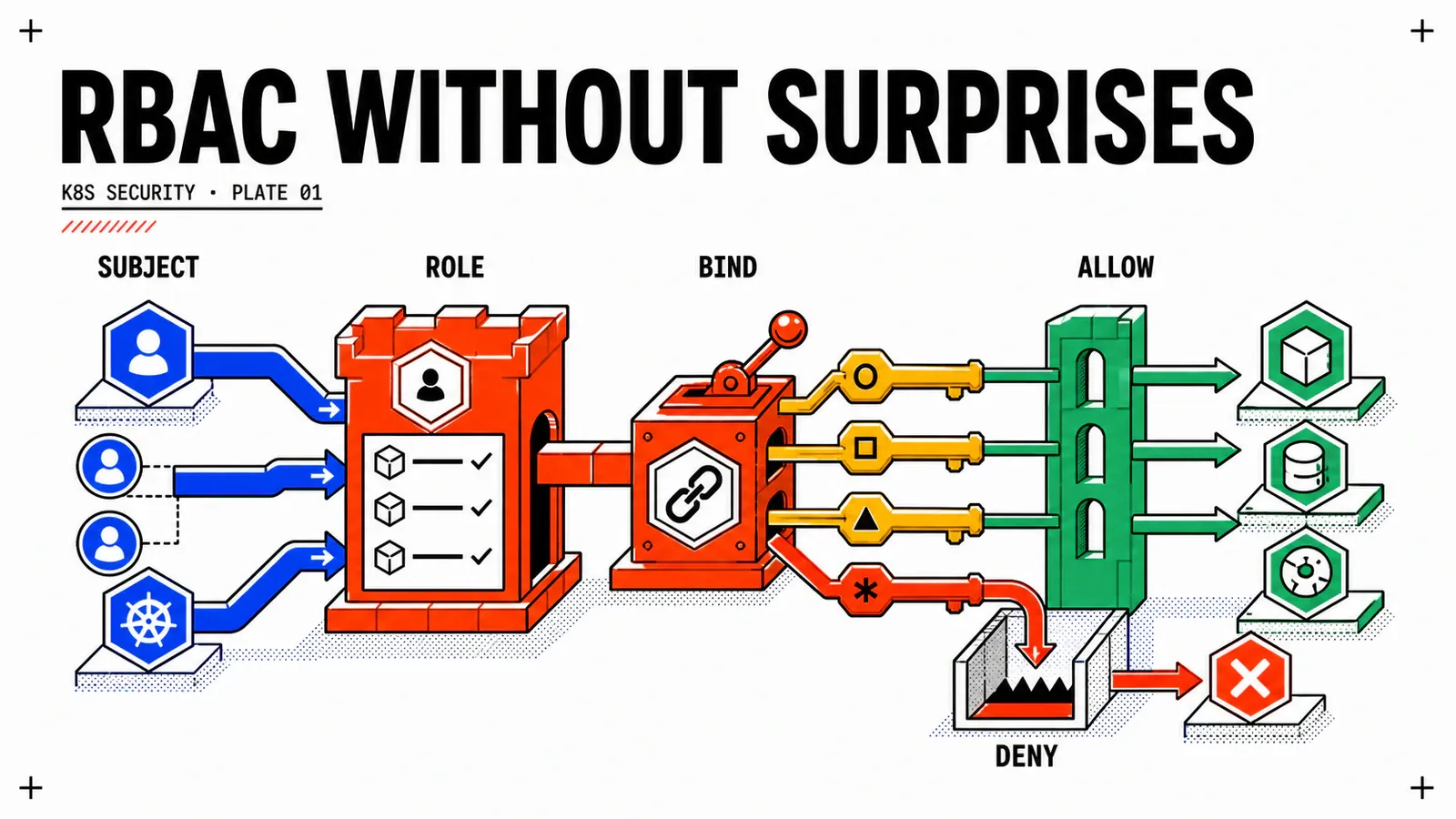
Four objects, and it is the binding that fixes the scope
The API group is rbac.authorization.k8s.io, at apiVersion: rbac.authorization.k8s.io/v1, stable — the reference page carries no FEATURE STATE banner.
| Object | Carries what | Scope | Reading trap |
|---|---|---|---|
Role |
rules (apiGroups, resources, verbs, resourceNames) |
one namespace | none — the only object whose name does not lie |
ClusterRole |
the same rules, plus nonResourceURLs |
cluster or namespace, depending on the binding | its name says “cluster”, its effective scope is decided elsewhere |
RoleBinding |
a roleRef plus subjects |
one namespace | can reference a ClusterRole |
ClusterRoleBinding |
a roleRef plus subjects |
the whole cluster | the only object that actually grants cluster scope |
The fourth column rests on a published sentence: “A RoleBinding may reference any Role in the same namespace. Alternatively, a RoleBinding can reference a ClusterRole and bind that ClusterRole to the namespace of the RoleBinding.” Operational consequence: reading the kind of a roleRef is not enough to know a scope, you have to read the kind of the binding. A ClusterRole: admin bound by a RoleBinding is a namespace role; bound by a ClusterRoleBinding, it is a cluster role. Same object, two worlds.
apiVersion: rbac.authorization.k8s.io/v1
kind: Role
metadata:
  namespace: webshop-db
  name: webshop-db-reader
rules:
  - apiGroups: [""]
    resources: ["pods", "pods/log"]
    verbs: ["get", "list", "watch"]
The pods/log syntax is not a writing convention: it is the published subresource mechanism, the slash separating the resource from its subresource. And resourceNames, which looks like the obvious way to narrow things down, carries a note that has to be read in full: you cannot restrict deletecollection by name, nor a top-level create — but that limit on create does not hold for a subresource such as pods/exec; and restricting list or watch by name forces the client to send a metadata.name field selector, otherwise the request is refused. A Role narrowed by resourceNames that “doesn’t work” is almost always that last case, not an authorization defect.
The six pitfalls that survive an audit
Each one is a mechanism, plus the published sentence that attests to it, plus a concrete consequence. None is an opinion. None is new — and that is precisely the point.
| # | Mechanism | Where it is published |
|---|---|---|
| 1 | wildcard on resources or verbs |
RBAC Authorization page, Caution admonition |
| 2 | rules field of an aggregated ClusterRole, rewritten by the control plane |
RBAC Authorization page, aggregation section |
| 3 | eleven escalation paths through verbs and subresources | Role Based Access Control Good Practices page |
| 4 | Secrets clause of the edit role; the system:masters group |
RBAC Authorization page; Certificate Signing Requests page |
| 5 | ServiceAccount tokens and their version drift | Service Accounts and Managing Service Accounts pages |
| 6 | vSphere Namespace Can edit permission → cluster-admin |
Broadcom TechDocs, Configuring Identity and Access for VKS Clusters |
1 — The wildcard that grows on its own
The published admonition is explicit: “Using wildcards in resource and verb entries could result in overly permissive access being granted to sensitive resources. For instance, if a new resource type is added, or a new subresource is added, or a new custom verb is checked, the wildcard entry automatically grants access, which may be undesirable.” The Good Practices page drives it home: wildcard access grants rights “not just to all object types that currently exist in the cluster, but also to all object types which are created in the future”.
A ClusterRole with resources: ["*"] written and reviewed in 2024 covers, in 2026, every CRD a third-party operator has installed since. The manifest has not changed; its reach has. That is why the wildcard survives reviews: the review rereads the manifest, not the API catalogue.
2 — The rules field of an aggregated role, which rewrites itself
A ClusterRole carrying an aggregationRule has its rules field filled in by the control plane from the ClusterRole objects picked by the label selector. The decisive sentence: “The control plane overwrites any values that you manually specify in the rules field of an aggregate ClusterRole. If you want to change or add rules, do so in the ClusterRole objects that are selected by the aggregationRule.”
apiVersion: rbac.authorization.k8s.io/v1
kind: ClusterRole
metadata:
  name: webshop-platform-monitoring
aggregationRule:
  clusterRoleSelectors:
    - matchLabels:
        nordwind.corp.example/aggregate-to-monitoring: "true"
# do not write `rules:` here — the control plane fills it in and overwrites anything you set
A security fix hand-placed in the rules field of an aggregated role disappears with no error, no event, no application log. kubectl apply answers configured, the Git diff is clean, and only a kubectl get clusterrole <name> -o yaml after the fact shows the overwrite. In theory, this is the quietest pitfall on the list, because it is invisible from the delivery chain — see GitOps on VKS: multi-tenant Argo CD bootstrap.
The other face of the same mechanism: the built-in admin, edit and view roles are themselves aggregated, through the rbac.authorization.k8s.io/aggregate-to-admin, -edit and -view labels. Setting aggregate-to-view: "true" on a ClusterRole shipped by a third-party operator therefore extends the cluster-wide view role without a single binding being touched. The documentation publishes the mechanism; that consequence is my own reasoning, not a sentence from the page — but it follows directly from the published mechanism, and it is invisible in a binding inventory, which is exactly what an RBAC audit looks at first.
A neighbouring mechanism worth knowing: auto-reconciliation. “At each start-up, the API server updates default cluster roles with any missing permissions, and updates default cluster role bindings with any missing subjects.” A permission hand-stripped from a built-in role therefore comes back when the control plane restarts — which, on VKS, means at the next upgrade. The rbac.authorization.kubernetes.io/autoupdate: "false" annotation disables reconciliation, with the published warning that comes with it: “missing default permissions and subjects can result in non-functional clusters”.
3 — The verbs that grant more than their name suggests
The Role Based Access Control Good Practices page publishes a whole section — Kubernetes RBAC - privilege escalation risks — with eleven named subsections. The most expensive ones:
| Verb / resource | What the page publishes | Consequence |
|---|---|---|
escalate on roles/clusterroles |
“users with this right can effectively escalate their privileges” | bypasses RBAC’s central protection |
bind on a role |
“allowing users to create bindings to roles with rights they do not already have” | without resourceNames, allows binding cluster-admin |
impersonate |
“This verb allows users to impersonate and gain the rights of other users in the cluster.” | cannot be scoped — see below |
list/watch on secrets |
“list and watch access also effectively allow for users to reveal the Secret contents” |
list without get is not a protection |
create on workloads |
“granting permission to create workloads also implicitly grants the API access levels of any service account in that namespace” | runs as any ServiceAccount in the namespace |
get on nodes/proxy |
“get permission on nodes/proxy is not a read-only permission” and “This access bypasses audit logging and admission control” |
a get that executes, and escapes the audit log |
create on serviceaccounts/token |
“can create TokenRequests to issue tokens for existing service accounts” | mints a token for any existing ServiceAccount |
create on certificatesigningrequests + update on …/approval |
issues client certificates “with arbitrary names including duplicates of Kubernetes system components” | manufactures an identity, including a namesake of a system component |
The impersonate case deserves its own sentence, because its limit lives on a dedicated page, User Impersonation: “With the impersonate verb, impersonation cannot be limited or scoped. It either grants full impersonation or none at all. Once granted permission to impersonate a user, you can perform any action that user can perform across all resources and namespaces.” The same page states that impersonation is not namespace-scoped and therefore requires a ClusterRole and a ClusterRoleBinding, never a Role. impersonate has no dosage. Give it to an audit tool and you have given it the cluster.
To delegate the right to delegate without granting escalate, the published mechanism is the bind verb together with resourceNames:
apiVersion: rbac.authorization.k8s.io/v1
kind: ClusterRole
metadata:
  name: nordwind-role-grantor
rules:
  - apiGroups: ["rbac.authorization.k8s.io"]
    resources: ["rolebindings"]
    verbs: ["create"]
  - apiGroups: ["rbac.authorization.k8s.io"]
    resources: ["clusterroles"]
    verbs: ["bind"]
    # comment from the upstream documentation: "omit resourceNames to allow binding any ClusterRole"
    resourceNames: ["edit", "view"]
4 — edit is not a developer role, and system:masters is not a group like the others
The published description of the edit role names the consequence in the same sentence as the role: “this role allows accessing Secrets and running Pods as any ServiceAccount in the namespace, so it can be used to gain the API access levels of any ServiceAccount in the namespace.” Granting edit to grp-webshop-devs on webshop-app therefore hands them the namespace Secrets and the right to run as sa-webshop-app. Conversely, view carries the opposite exclusion, published too: “This role does not allow viewing Secrets, since reading the contents of Secrets enables access to ServiceAccount credentials in the namespace”. view is the only built-in role whose exclusion is written down — which is what makes it the right choice for a read-only group such as grp-secops.
Two clauses that often get lost, and are purely version-dependent: admin and edit do not grant write access to EndpointSlices “in clusters created using Kubernetes v1.22+”, as a mitigation for CVE-2021-25740, and “Existing clusters that have been upgraded to Kubernetes v1.22 will not be subject to this change”. The published criterion is the version the cluster was created with, not its current version. No Broadcom page I consulted publishes that per cluster: the creation version of vks-fret-01 stays REPLACE_WITH_CLUSTER_CREATION_VERSION, to be read off the instance.
On system:masters: it is the default ClusterRoleBinding for cluster-admin. The Certificates and Certificate Signing Requests page publishes the caveat that matters: “The CertificateSubjectRestriction admission plugin is enabled by default to restrict system:masters, but it is often not the only cluster-admin subject in a cluster.” That plugin does appear in the list of admission controllers enabled by default in 1.36. The holder of a client certificate carrying O=system:masters, however, appears in no cluster object at all — more on that in the vigilance section.
5 — The ServiceAccount token, and what actually changed
A domain with heavy version drift: every line carries its own.
| Published fact | Version | State |
|---|---|---|
short-lived, auto-rotated token via the TokenRequest API, mounted as a projected volume — “Starting from v1.22 onwards” |
v1.22 | default behaviour |
| before that, “Kubernetes provides a long-lived, static token to the Pod as a Secret” | < v1.22 | historical |
default lifetime of a TokenRequest token: 1 hour, refreshed by the kubelet before expiry |
— | published behaviour |
LegacyServiceAccountTokenNoAutoGeneration gate enabled by default |
v1.24 → v1.26 | gate |
| “The feature gate is removed in v1.27, because it was elevated to GA status; you can still create indefinite service account tokens manually” | v1.27 | stable, gate removed |
kubernetes.io/enforce-mountable-secrets annotation |
v1.32 | deprecated |
The belief that “since 1.24 permanent tokens no longer exist” is false. What changed is that they are no longer created automatically: hand-creating a Secret of type kubernetes.io/service-account-token remains a published path, and produces a token with no expiry. So the audit has to hunt for Secrets of that type, rather than trust the cluster’s version number. The authentication page adds the consequence in one sentence: “any user with write access to Secrets can request a token, and any user with read access to those Secrets can authenticate as the service account.”
The reduction lever is published on both sides — the Service Accounts page and the Good Practices page: automountServiceAccountToken: false, set on the ServiceAccount, on the pod, or on both.
apiVersion: v1
kind: ServiceAccount
metadata:
  name: sa-webshop-app
  namespace: webshop-app
automountServiceAccountToken: false
---
apiVersion: apps/v1
kind: Deployment
metadata:
  name: webshop-app
  namespace: webshop-app
spec:
  replicas: 3
  selector:
    matchLabels:
      app: webshop-app
  template:
    metadata:
      labels:
        app: webshop-app
    spec:
      serviceAccountName: sa-webshop-app
      automountServiceAccountToken: false
      containers:
        - name: app
          image: "REPLACE_WITH_IMAGE_REFERENCE"
Automatic injection only happens “provided that neither the ServiceAccount’s automountServiceAccountToken field nor the Pod’s automountServiceAccountToken field is set to false” — setting both is therefore redundant, and explicit.
6 — On VKS, a vSphere permission grants Kubernetes cluster-admin
This is the only pitfall on the list that is not upstream, and the most expensive one in a VCF context. The Configuring Identity and Access for VKS Clusters page opens with a sentence worth the read on its own: “There are two types of role based access control (RBAC) systems for VKS clusters: vSphere Namespace permissions and Kubernetes RBAC authorization.” Two systems, and one feeds the other in a single direction.
| vSphere Namespace permission | What it grants on the vSphere side | Effect inside the Kubernetes clusters |
|---|---|---|
| Can edit | create, read, update and delete VKS clusters | the system creates a ClusterRoleBinding on every cluster in the vSphere Namespace and binds it to the ClusterRole named cluster-admin |
| Can view | read-only access to VKS cluster objects | no privilege granted inside the clusters |
| Owner | administers the clusters, can create and delete vSphere Namespaces through kubectl |
reserved for vCenter SSO — “You cannot use the owner role with a user/group from an external identity provider.” |
A vSphere administrator who grants Can edit on the vSphere Namespace of vks-fret-01, simply so a team can create a cluster, grants them by the same action cluster-admin on every cluster in that namespace. No RBAC manifest was written, no code review saw it, and the binding’s origin is outside the cluster — therefore outside the Git repository. The delegation model that produces this situation is detailed in VCF 9.1: self-service Kubernetes.
An honesty caveat about this source: the page was consulted, but its rendering reached me partially reworded by the loading tool. So I paraphrase the cluster-admin binding mechanism while naming the page, rather than quoting it — the exact quotation needs a reconfirmation I do not have. Another boundary worth knowing: the equivalent of that page in the 9.1 documentation tree answers 404 at the address built by analogy; the platform RBAC anchor is therefore cited from the 9.0 tree, and I would rather say so.
What profile a pod starts under: Pod Security Admission
RBAC answers “who can call the API”. Pod Security Admission answers “what a pod is allowed to look like”. The mechanism carries the FEATURE STATE: Kubernetes v1.25 [stable] banner, and the PodSecurity controller appears in the list of admission controllers enabled by default in Kubernetes 1.36. The admission page puts it plainly: “PodSecurity replaced an older admission controller named PodSecurityPolicy.”
Three levels — privileged, baseline, restricted — and three modes, each with its published definition: enforce (“Policy violations will cause the pod to be rejected”), audit (audit annotation, otherwise allowed) and warn (warning to the user, otherwise allowed). Namespace labels follow the shape pod-security.kubernetes.io/<MODE>: <LEVEL>, with an optional pod-security.kubernetes.io/<MODE>-version pin.
Enforce mode does not apply to workload objects
Published sentence, worth reading twice: “To help catch violations early, both the audit and warning modes are applied to the workload resources. However, enforce mode is not applied to workload resources, only to the resulting pod objects.”
Operational translation: a non-compliant Deployment is accepted. kubectl apply answers created. It is the pods that the replication controller then tries to create which get rejected. The team sees a successful deployment and zero pods, and goes looking for the error on the wrong side. Writing “PSA blocks non-compliant deployments” is false.
Hence the choice to set warn and audit at the same level as enforce, so that the workload object is flagged before its pods are refused. Pinning to v1.35 freezes the rule set at the series floor; leaving latest makes the behaviour shift from one upgrade to the next. That is an editorial choice, it can be justified, it should not be inherited by accident.
apiVersion: v1
kind: Namespace
metadata:
  name: webshop-app
  labels:
    pod-security.kubernetes.io/enforce: restricted
    pod-security.kubernetes.io/enforce-version: v1.35
    pod-security.kubernetes.io/audit: restricted
    pod-security.kubernetes.io/audit-version: v1.35
    pod-security.kubernetes.io/warn: restricted
    pod-security.kubernetes.io/warn-version: v1.35
On VKS, the vendor publishes that “VKS releases v1.25 and later enable the Pod Security Admission (PSA) controller”, with three namespaces explicitly exempted — kube-system, tkg-system and vmware-system-cloud-provider — because some system pods there need elevated privileges. Do not apply these labels to them.
One last point ties PSA back to RBAC, and justifies covering both in the same article: PSA exemptions work across three dimensions — usernames, RuntimeClassNames, namespaces. A subject exempted by username is not subject to the check, whatever the namespace labels say. An RBAC inventory alone does not show it.
Five queries that change nothing
No upstream page publishes this sequence — it is an assembly of mine, each command being documented individually. All five are read-only.
# 1 — who holds cluster-admin, directly, cluster-wide
kubectl get clusterrolebindings -o json \
  | jq -r '.items[] | select(.roleRef.name=="cluster-admin")
           | [.metadata.name, (.subjects//[] | map(.kind+":"+.name) | join(","))] | @tsv'

# 2 — who holds the escalation verbs, wherever they are declared
kubectl get clusterroles,roles -A -o json \
  | jq -r '.items[] | . as $r | (.rules//[])[]
           | select((.verbs//[]) | any(. == "escalate" or . == "bind" or . == "impersonate" or . == "*"))
           | [$r.kind, ($r.metadata.namespace // "-"), $r.metadata.name, (.verbs|join("|"))] | @tsv'

# 3 — which ClusterRoles carry a wildcard on resources or verbs
kubectl get clusterroles -o json \
  | jq -r '.items[] | . as $r | (.rules//[])[]
           | select(((.resources//[]) | index("*")) or ((.verbs//[]) | index("*")))
           | [$r.metadata.name, ((.apiGroups//["-"])|join("|"))] | @tsv'

# 4 — which ClusterRoles silently extend the built-in roles through aggregation
kubectl get clusterroles -l 'rbac.authorization.k8s.io/aggregate-to-view=true' \
  -o custom-columns=NAME:.metadata.name
kubectl get clusterroles -l 'rbac.authorization.k8s.io/aggregate-to-edit=true' \
  -o custom-columns=NAME:.metadata.name

# 5 — what a given subject can really do, from the API server's point of view
kubectl auth can-i --list \
  --as="sso:REPLACE_WITH_SSO_GROUP@corp.example" \
  --namespace=webshop-app
On VKS, the published subject format is sso:<USER-NAME>@<DOMAIN> for a user and sso:<GROUP-NAME>@<DOMAIN> for a directory group — authentication going through vCenter Single Sign-On or through an external OIDC IdP via Pinniped, with an authentication webhook running as a pod inside the cluster.
Two caveats on the tooling. First, query 5 itself requires the impersonate verb: --as is impersonation. Auditing costs the right you are auditing; the inventory is therefore run from a dedicated audit account whose impersonate right is itself inventoried and dated. Second, kubectl auth whoami — useful when authentication goes through a webhook, which is the case here — is published with a synopsis that begins with “Experimental:”. I cite it as such: it is not a stable audit tool.
Finally, the upstream documentation publishes a lever for logging RBAC denials: starting kube-apiserver with --vmodule=rbac*=5 or --v=5 surfaces the denials in the log, prefixed with RBAC. No Broadcom page I consulted describes modifying the kube-apiserver arguments of a VKS cluster. So this lever is cited as upstream, not as available on VKS.
Pitfalls & watch points
The binding inventory is incomplete by construction
Query 1 lists the ClusterRoleBinding objects pointing at cluster-admin. It does not show the holders of client certificates presenting O=system:masters: those subjects exist in no cluster object. The upstream documentation supplies the exact caveat — the CertificateSubjectRestriction plugin restricts system:masters, “but it is often not the only cluster-admin subject in a cluster”. An audit answer that stops at cluster objects is therefore structurally incomplete, and it is better to write that down than to discover it.
The rights floor of an authenticated user is not zero. The system:basic-user and system:discovery ClusterRole objects are bound to the system:authenticated group, and system:public-info-viewer — introduced in v1.14 — is bound to system:authenticated and system:unauthenticated. An audit answer saying “this account has no rights” is wrong: the accurate wording is “no rights beyond the discovery roles”. The published lever for anonymous access is the --anonymous-auth=false flag on the API server.
The documentation remnant, and how to read it. Four Broadcom pages covering PodSecurityPolicy were consulted on 16 August 2026. Three of them bound the mechanism correctly by version: Configure PSA for VKr 1.25 and Later writes that the PSA controller replaces the PSP controller, “which is deprecated and removed”; Security for VKS Clusters writes “For vSphere Kubernetes releases up to v1.24”; Apply Default Pod Security Policy to VKS Clusters writes “VKS clusters using VKr 1.24 and eariler include default pod security policy” (the typo is in the source, and I do not correct it while quoting). The fourth, vSphere Supervisor Security, carries a sentence with no version bound: “Restrictive Pod Security Admission (PSA) and PodSecurityPolicy (PSP) are available for VKS clusters.”
I am not putting the vendor on trial, and there is no trial to hold: three pages out of four are correct, on a corpus whose objects — vmware-system-privileged, vmware-system-restricted — belong to a bygone generation. What matters is the reading rule, and it holds well beyond VMware: on a VKr ≥ 1.25 cluster, a documentation instruction — internal or vendor — asking for a RoleBinding to a PSP is a remnant; the applicable mechanism is Pod Security Admission.
What I could not establish, and am not filling in
Four gaps stay open and deserve to be named rather than papered over. One — two points from the Managing Service Accounts page (binding a token to a Node object, and cleaning up unused legacy tokens) could not be obtained as exact quotations: I therefore do not publish their version numbers. Two — the creation version of a VKS cluster, needed to settle the EndpointSlices clause, is published on none of the vendor pages consulted. Three — whether --vmodule=rbac*=5 can be set on a VKS control plane is described nowhere on the vendor side. Four — the exact wording of the cluster-admin binding produced by Can edit needs a reconfirmation before any quotation. No REPLACE_* in this article gets an invented value.
And finally, going back. RBAC has no “rollback” as a mechanism: going back means applying the previous state. The published tool for that is kubectl auth reconcile, which creates or updates rbac.authorization.k8s.io/v1 objects from a manifest, with --remove-extra-permissions and --remove-extra-subjects as options. A dry run is kubectl auth reconcile -f rbac-nordwind.yaml --dry-run=client. What really matters is to never remove the last ClusterRoleBinding to cluster-admin before checking the break-glass path — and on VKS, the documented break-glass path is precisely pitfall 6, used deliberately this time and written down as such in the change record.
Conclusion
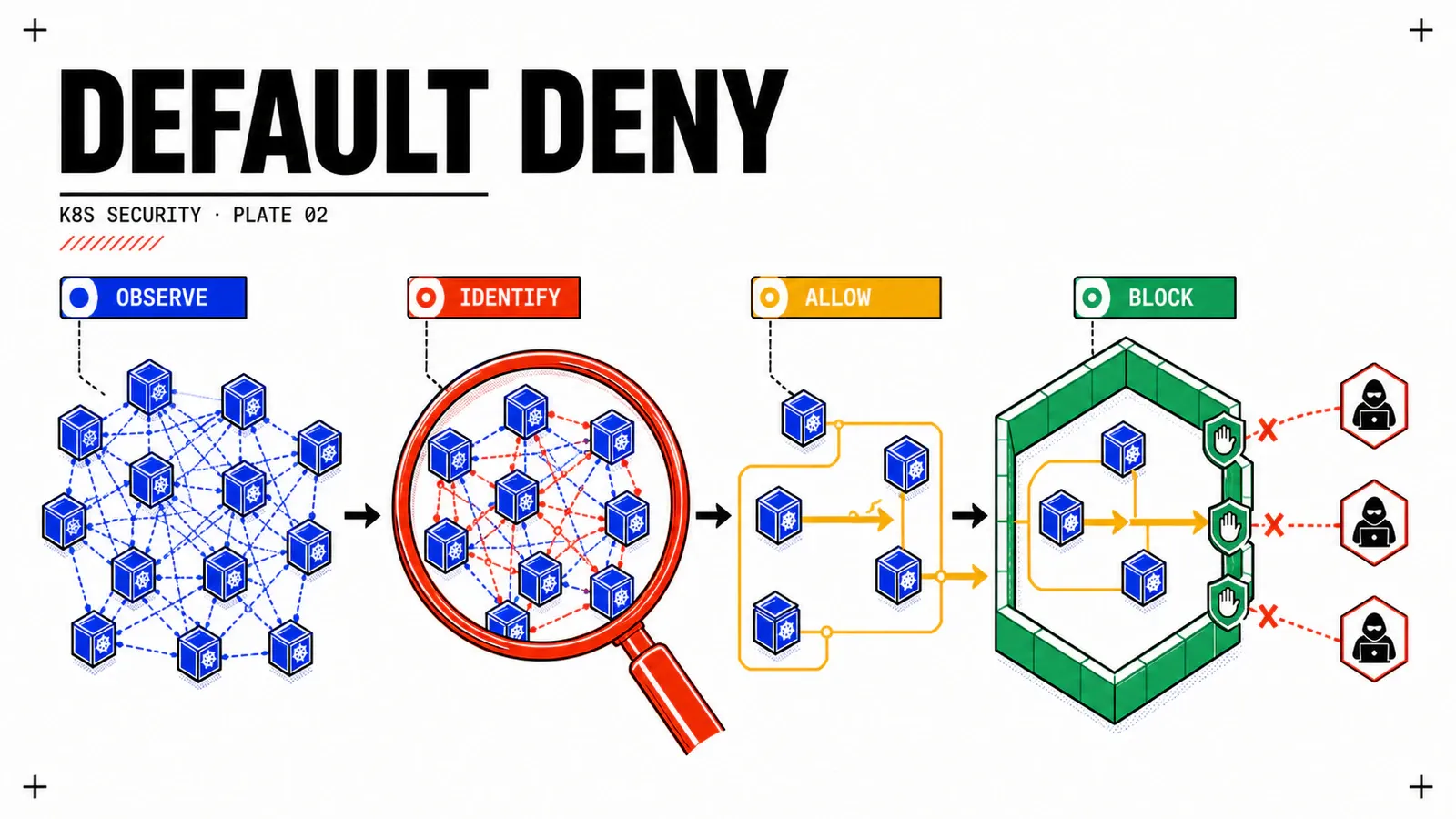
RBAC authorizes API calls. It does not authorize behaviours. A read-only ClusterRole stops no already-running pod from opening a socket to any other pod in the cluster: sa-webshop-app, whose token automount you have just switched off, stays reachable from webshop-web and from any namespace, because nothing in that plane talks about the network. That is a boundary, not a defect — and it is exactly where the next article starts.
What gets decided
Named roles instead of the shared cluster-admin, resources and verbs enumerated, writes only into the roles selected by aggregation.
What it costs
Auditing requires impersonate, which scopes to neither namespace nor resource. Dedicated audit account, right inventoried and dated.
Monday’s move
The five read-only queries, the hunt for kubernetes.io/service-account-token Secrets, and the vSphere Namespace permission matrix.
Next in the series: Network policies and Cilium: building a defensible default-deny, which takes the auditor’s second question — who can talk to whom — and inherits from here the webshop-* namespaces, the service accounts that became selectors, and the applied PSA profile.
Related reading on the blog: Your first VKS cluster on VCF 9 for the platform prerequisite, The new VCF 9 architecture explained to architects for the fleet / instance model, and VCF 9.1: security and resilience for the hardening context.
Get the next one by email
New articles and series, sent when they are published. No other mail.