The new control room switches on its green lamp. TOP is about to put away the old keys when he notices a parcel sitting untouched on the counter. “The light works. Does the order actually arrive?”
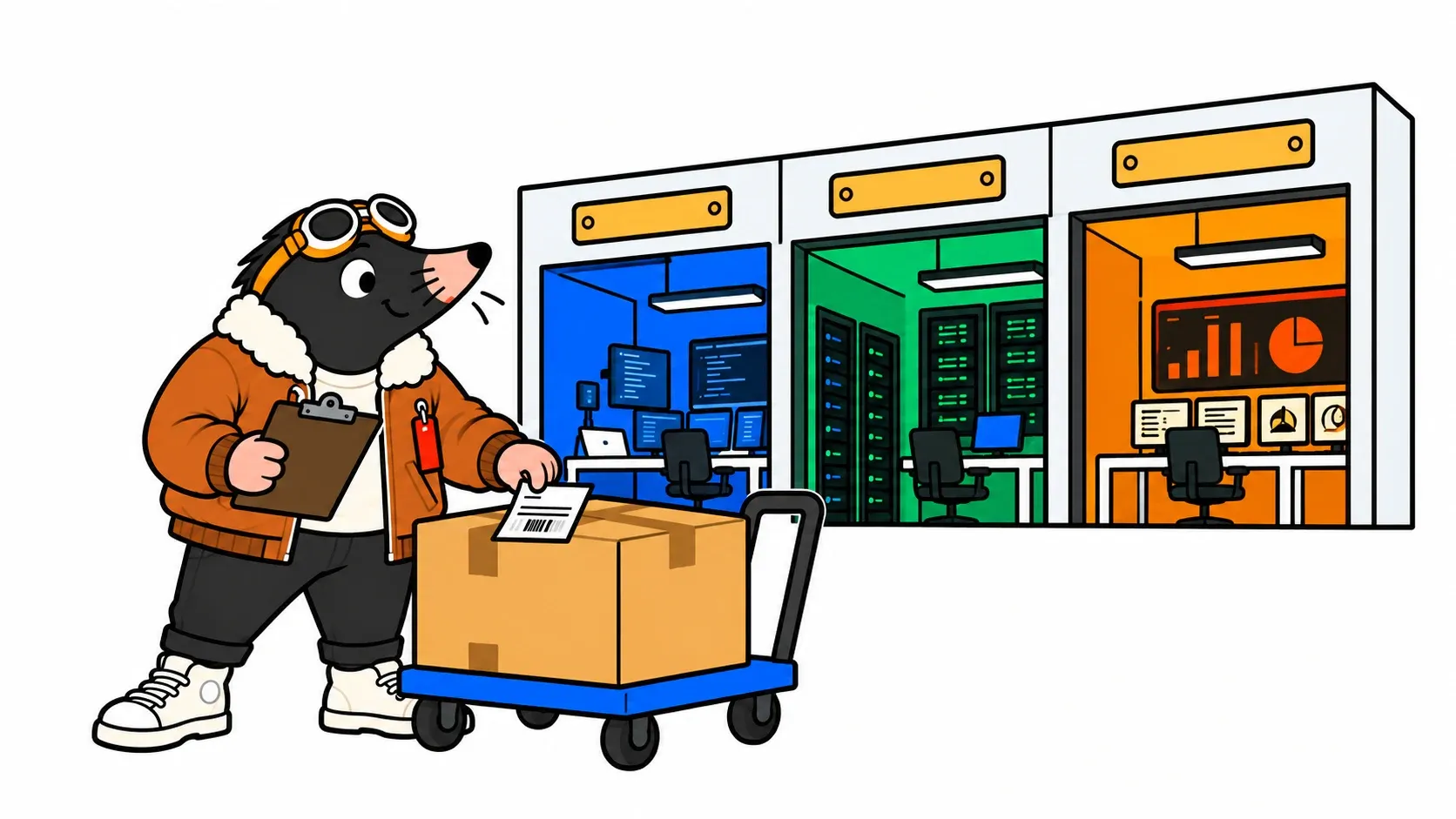
We have drawn the networks and selected a route with prechecks. Now we follow the cutover, identify when user downtime starts and collect the evidence needed to reopen service.
Our fictional platform supplies a VM catalog, IPAM, DNS and an ownership-registration workflow. Sources were checked on 25 October 2026; no production or lab upgrade is claimed here. The data-transfer narrative applies to migration from the older architecture. An environment already on 9.1.0.x uses its patch workflow, not a manual disk-transfer exercise.
The window needs an owner and an exit
- Close new requestsKeep a stable baseline and a usable backup.
- Follow the supported operationObserve tasks without manually rebuilding their orchestration.
- Prove the serviceNetwork, identity, a complete request and a target backup.
Before starting, the change owner knows the available window, decision deadline and time reserved for recovery. Another blog’s duration does not establish a guarantee for your data volume. The last five minutes of maintenance are not enough to design rollback.
Freeze new requests and the automations submitting them. Complete or explicitly handle existing tasks, record their state and inform service consumers. This prevents a request submitted during the freeze from being mistaken for a target regression. Keep baseline evidence and recovery access outside the platform you are stopping.
Execute the plan, not memories of an older wizard
The documented VCF Operations path is Build → Lifecycle → VCF Management → Upgrade. For a migration requiring parameters, Configure prepares the plan. Review its summary, run Run Prechecks, correct failures and rerun validation before selecting Upgrade. Follow progress through tasks. Official procedure.
For patching 9.1.0.x, use the appropriate target and dependencies, including the order described previously. Do not enter a new migration address plan as if starting from Aria. The displayed build, selected component and precheck results must match the approved change record.
Record time, component, workflow ID, stage, outcome and decisions. A long-running task deserves inspection of its subtasks and logs before intervention. Refreshing a browser does not establish workflow state; an interface error does not prove services are down.
What moves underneath
Mohammed Aakhil’s deep dive describes Aria 8.18.x → 9.1 exporting onto Hard disk 2, transferring that disk to the target after source shutdown, then returning it and cleaning up. This disk carries migration data; our walkthrough does not instruct operators to detach it manually. Exact 9.1.1 orchestration remains defined by the workflow and its documentation.
“Blue-green” describes provisioning a new target before cutover. It does not guarantee a migration without interruption. In the technical account, source services stop before the VMs are fully powered off. User downtime can therefore start before the VM shutdown task. Measure the interruption through service access and task timestamps, rather than just vCenter Power Off events.
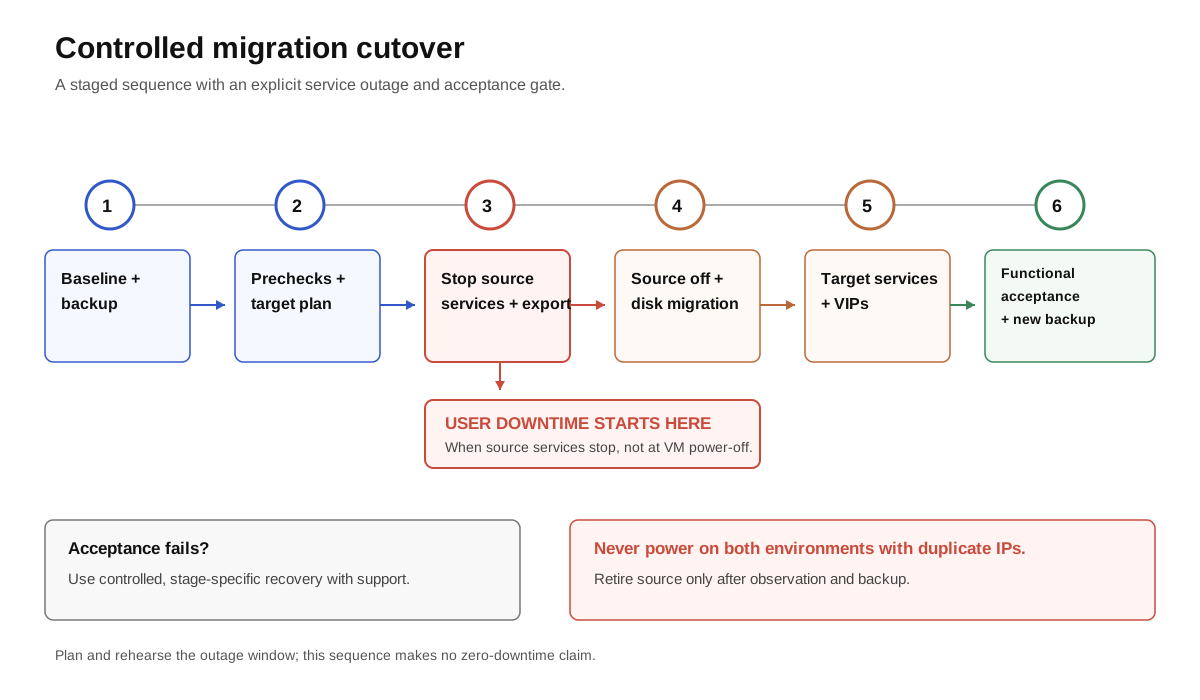
Logical migration timeline from the older architecture. Exact stages and recovery depend on the build and reached state. This is not a sequence of manual commands.
Stopping Automation does not mean every provisioned VM is shut down. It does make some control operations unavailable and may affect consumers relying on them. Map those dependencies before promising an impact limited to new deployments.
Network acceptance starts with address roles
After the operation, inspect the new VMs and their addresses in vCenter, the registered runtime and its version, component status and service health. Compare the inventory with the plan, including lifecycle address reserves.
In our Aria example, old .21, .22 and .23 addresses should appear in their VIP role, not necessarily on the new VM interfaces. Nodes use the new .81 through .85 pool, and runtime endpoint .90 remains separate. For a 9.0.x source, acceptance expects the different behavior explained in episode 1. An Aria example must not become a failure criterion for another source route.
From a consumer host and relevant integration paths, check A/PTR records, certificate-chain validation, the historic Automation name and load balancer path. Compare expected fingerprints and SANs without automatically accepting unexplained changes. Retaining the source certificate does not imply every integration CA was transferred.
An address conflict or DNS problem is not an invitation to improvise a DNS change. Ask who currently answers at the address: the old source, a target VIP, another device or an incorrect DNS record? KB 445657 illustrates occupied VIP prechecks. If an earlier attempt left resources behind, resolve that state through the appropriate procedure rather than blindly reusing the pool.
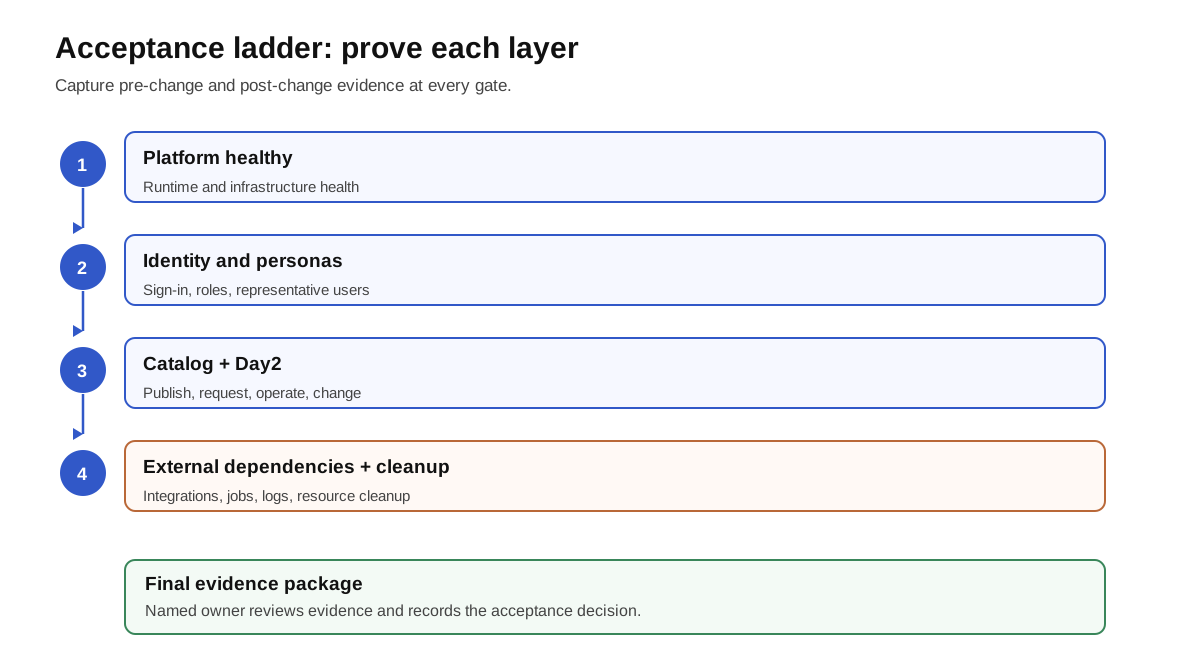
A before/after matrix that exercises the service
Each line repeats the same object or scenario used for the baseline. Expected outcomes belong to the service contract, not merely the console’s status color.
| Scope | Post-upgrade check | Evidence expected |
|---|---|---|
| Version and orchestration | Automation/runtime builds, task, Fleet inventory | Supported pair; completed workflow or explained incident |
| Network access | Historic name, distinct runtime, VIP/LB and TLS | Correct resolution and endpoint from the relevant networks |
| Identity | Regular user, recovery account and roles | Successful authentication and correct permissions |
| Integrations | Connection validation and cloud-account collection | No trust, authentication or collection error |
| Catalog | Small baseline service request | Completed request with expected inputs and placement |
| Existing deployments | Authorized day-two action on a test deployment | Object still managed; result matches baseline |
| Extensibility | Form, blocking subscription, used workflow/ABX action | Business result observed, not just an execution started |
| Service networking | IPAM, DNS and required VM connectivity | Correct reservations and service-contract reachability |
| Test cleanup | Delete only the dedicated test deployment | Resources and reservations released without affecting others |
| Public cloud, when used | Native management state and applicable workflow | Reenabled if agreed; request and action validated |
| Target backup | New job using a supported method | Successful, usable backup associated with the new version |
TOP requests a test VM, verifies its address and ownership registration, performs the reversible action selected before maintenance, then removes that test VM. He also verifies IP and DNS cleanup when the service promises it. A VM removed from vCenter while its IPAM reservation remains orphaned is not a successfully cleaned-up service.
For extensibility, inspect inputs and workflow effects. A blocking subscription can prevent request completion while the portal and pods look healthy. KB 454143 describes a post-migration 9.1.0 example. Its workaround is not a universal 9.1.1 step: compare the build and failure signature first.
For native public-cloud management, use the expected state and reenablement plan from episode 2 and KB 448993. Allow documented synchronization time before judging a Stale status. Do not modify every resource just to force an observation sooner.
Missing evidence requires the right recovery decision
These are our proposed operational decisions, not a promise that the same restore works at every stage.
| Reached state | Proposed response |
|---|---|
| Prechecks fail; source remains operational | Keep source service, correct and reschedule; no invented rollback |
| Source services stopped; export or transfer running/failed | Preserve state and logs; use supported recovery for that stage |
| Target started; orchestration or inventory incomplete | Separate product health from workflow failure; diagnose before concurrent retries |
| Target active; functional acceptance fails | Keep the freeze; choose target remediation or coordinated recovery within the available time |
| New requests already accepted on target | Account for these writes before restoring an older backup |
Collect task ID, timestamps, build, exact error and required logs before intervening. For example, KB 441246 describes an orchestration timeout while the deployed product is operational. Neither “delete everything” nor “ignore the red status” follows from that alone.
Rollback must coordinate data, disks, networking/VIPs and lifecycle inventory. Restoring only an old VM while the target remains active is not that plan. Use the backup/restore procedure and Broadcom Support where necessary for the reached state. KB remediation scripts apply only when versions and signatures match; we do not reproduce an opaque script to run experimentally.
Reopen, observe, then retire the old platform
Lift the freeze according to the local plan, observing early requests, collection and integration failures. Monitor disk space, services and subsequent backup jobs too. Have service owners confirm acceptance; the migration operator cannot attest to every business outcome alone.
Retire old VMs and temporary snapshots after acceptance, observation and approval of the recovery strategy. Retention depends on the local plan; keeping snapshots forever is not backup. Do not delete vIDM while it still supplies authentication. Identity Broker transition and All Apps adoption retain separate change plans.
TOP can put away the keys. His final criterion was not “the building is new,” but “our order has a verified route, and the team knows how to operate it.”
The next episodes separate two further changes: leaving vIDM and retiring Aria Suite Lifecycle while VM Apps services continue, then gradually rebuilding for All Apps.
Sources and acknowledgements
Thank you to Mohammed Aakhil for his 8.18.1 → 9.1 technical deep dive, and to Arun Nukula, Iyaz Khan and Owen Sheehy, whom he credits. His transfer explanation informs this migration narrative; 9.1.1 requirements come from official documentation and linked KBs. Scenes, diagrams and acceptance matrix are our own educational materials.
Get the next one by email
New articles and series, sent when they are published. No other mail.