Finance is not asking for a dashboard. It is asking what the webshop application costs on the vks-fret-01 cluster, and it expects a number that survives a committee. The cluster has been running for eighteen months, the platform is charged back internally to the wld-fret-prod workload domain as a single global line, and nobody can say — without rebuilding a spreadsheet — what webshop-db consumes compared to webshop-web.
This article does not sell a dashboard. It sells reading a calculation model. OpenCost opens no invoice. It queries Prometheus, derives resource quantities averaged over a duration, and multiplies them by a pricing sheet. Everything hangs on that second factor — where the price comes from, what it is worth, and what happens when nobody chose it. A method note first: no lab was run here, no invoice was read. What follows is a framing built on documentation pages, with its gaps named out loud.
TL;DR
- The decision — the first step is not installation, it is choosing the price source. In the cloud OpenCost applies, by default, “the on-demand list pricing”; on premises, a shipped sheet whose provenance the project writes itself:
"description": "Default prices based on GCP us-central1". - The trade-off that costs — reconciliation with your discounted invoice, alerting, governance, federated clusters and support belong to Kubecost, published by Apptio, an IBM Company. On a private platform that reconciliation has no object at all: there is no upstream bill to put alongside.
- Monday morning — write a one-page model note, versioned next to the Helm values file, stating where each unit price comes from, on what date it was set, and which idle and resolution settings produced the figures published internally.
The figure contract of this article
This article publishes zero amounts, zero savings percentages, zero fleet statistics. That is not a collection gap, it is a rule: a cost figure looks like a fact, it gets copied into a spreadsheet, then into a slide, then into a budget decision — and nobody traces it back to its source.
What the article does publish: versions and mechanism states with the page that carries them, names of fields, parameters, endpoints and ports, non-monetary software defaults, governance dates, and formulas quoted from the specification rather than reworded.
What it refuses to quantify: any resource unit price, public cloud or private; any namespace, application or team cost; any gap, any gain, any waste ratio.
A refusal that needs justifying
OpenCost’s Installing On-Premises page publishes a complete default pricing sheet: about ten monetary keys with their values. Those values are documented, attributable and datable — so they would be quotable. This article names them, quotes their published description, and does not reproduce their values. The reason in one sentence: a number printed in an article becomes, in the reader’s hands, the cost basis of their private cluster — without the line saying where it came from. And that line is exactly what this article is about.
What OpenCost computes: a quantity, multiplied by a price
The project’s documentation home publishes its definition: “OpenCost is a vendor-neutral open source project for measuring and allocating cloud infrastructure and container costs.” The FAQ on the same site publishes another one, which does not cover quite the same object: “… for measuring and allocating Kubernetes and cloud infrastructure costs.” Both are published; you quote each with its page, you do not manufacture a third.
The project is Apache 2.0 licensed and free — “No. OpenCost is open source (Apache 2.0) and free to use.” On governance, the CNCF publishes an Incubating maturity, a project accepted on 2022-06-17 and moved to Incubating on 2024-10-25. So it is not a “CNCF standard”: the CNCF publishes no cost measurement standard.
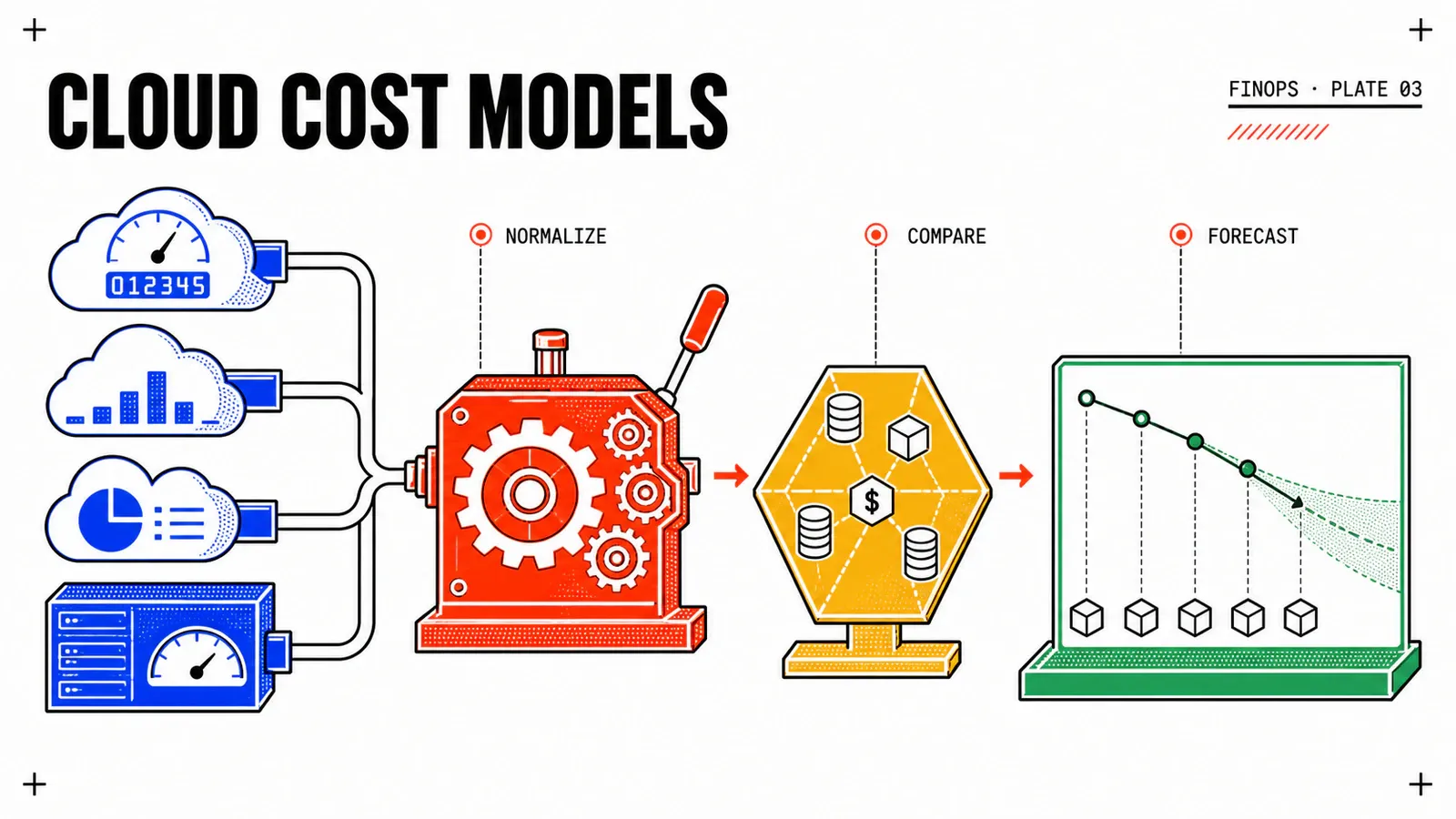
The mechanical point underpinning everything else comes down to two forms published by the specification:
- resource allocation costs = Amount × Duration × HourlyRate;
- usage costs = Amount × UnitRate.
The displayed figure is therefore the product of a measurement and an assumption. The measurement comes from the cluster; the assumption comes from elsewhere.
| Resource | Published quantity | Published price | Published cost |
|---|---|---|---|
| CPU | cores = avg_over_time(cpu) by (node) [cores] |
provider or custom pricing sheet [$/core-hr] |
total cost = cores * duration * price |
| RAM | ram bytes = avg_over_time(GB) by (node) [ram GBs] |
provider or custom pricing sheet [$/GB-hr] |
total cost = ram bytes * duration * price |
| GPU | “The greater of requested resources and used resources measured in cores” | pricing sheet | same quantity × duration × price form |
| Persistent volume | Disk Size = avg_over_time(GB) by (pv) [disk GBs] |
“typically a function of disk class, IOPS, backup size” | same form |
| Network | ingress/egress “across zones, regions, or the wide internet”, in bytes or gigabytes | price per byte | a usage cost, not an allocation cost |
| Load balancer | ingress bytes and number of forwarding rules | pricing sheet | usage and allocation |
The formulas carry price symbols, never values. The published duration is duration = end running - start running [hrs].
Two reading consequences, rarely stated. First, avg_over_time is an average, not a reading: a namespace figure is an approximated integral. Second, network and load balancer do not follow the same rule as CPU — treating “the cost of a namespace” as a homogeneous sum misses that asymmetry.
The rule governing allocation is published as such: “Workload Costs should be understood as max(request, usage)”. On the Kubernetes side, the Resource Management for Pods and Containers page publishes the matching semantics — the request is what the kube-scheduler uses to place the pod, and “it’s possible (and allowed) for a container to use more resource than its request for that resource specifies.” Plainly: a workload that reserves a lot and consumes little carries the cost of its reservation. That is exactly what the next article in the series will go and move.
Then there is the remainder, and it has a name: Cluster Idle Cost = ( Cluster Asset Costs - Workload Costs ), with Cluster Idle % = Idle Cost / Resource Allocation Costs. The specification adds that usage costs are not part of it — “they are always used, the corresponding resource never ‘sits idle.’” Three API parameters govern its treatment, all false by default: includeIdle, shareIdle, idleByNode. Turning on shareIdle raises the displayed cost of every namespace without a single cent of spend having moved. That is not a technical setting, it is an allocation decision — it gets made with the teams.
Where the price comes from: three paths, one of them taken unknowingly
| Path | What it provides | What it assumes |
|---|---|---|
| Provider billing integration | the provider’s costs, exposed by /cloudCost |
a cloud account, a billing export, read permissions |
| Custom pricing sheet | your unit prices applied to the sampled quantities | that someone computed those prices and can say where they came from |
| Defaults | a pre-filled sheet, originating from GCP us-central1 |
nothing — this is what you get by not choosing |
The FAQ’s published sentence is unambiguous: “OpenCost provides real-time monitoring of your Kubernetes cluster and provides the on-demand list pricing for the cloud resources in use by your cluster.” Public, on-demand rate. A reader on a discounted contract, under commitment, or consuming spot capacity is therefore looking at a figure that is not theirs until they wire up their provider’s billing integration.
On premises it is the same trap, worse: the default sheet carries its own provenance, "description": "Default prices based on GCP us-central1". In the cloud, the default price is at least the list price of the resource actually in use; on a VKS cluster, it is the list price of another platform, in another region.
The Configuration page publishes the rationale for the second path — “In some cases users may need to override the pricing provided by their cloud service provider.” — and it is applied through the Helm values file: “Custom pricing may be applied by updating your local OpenCost Helm values file.”
{
  "provider": "custom",
  "description": "REPLACE_WITH_PRICE_SHEET_PROVENANCE",
  "CPU": "REPLACE_WITH_CPU_HOURLY_RATE",
  "spotCPU": "REPLACE_WITH_SPOT_CPU_HOURLY_RATE",
  "RAM": "REPLACE_WITH_RAM_GB_HOURLY_RATE",
  "spotRAM": "REPLACE_WITH_SPOT_RAM_GB_HOURLY_RATE",
  "GPU": "REPLACE_WITH_GPU_HOURLY_RATE",
  "storage": "REPLACE_WITH_STORAGE_GB_HOURLY_RATE",
  "zoneNetworkEgress": "REPLACE_WITH_ZONE_EGRESS_RATE",
  "regionNetworkEgress": "REPLACE_WITH_REGION_EGRESS_RATE",
  "internetNetworkEgress": "REPLACE_WITH_INTERNET_EGRESS_RATE"
}
The key names and the provider: "custom" field are published. The REPLACE_WITH_* stay empty, deliberately: they depend on a lookup only the operator can perform, on their date and their region. The best idea to take from the shipped sheet lies elsewhere: the project writes its own provenance into the description field. An operator who puts their source and their date there makes the model auditable by the next person.
Two gaps to state rather than fill
The exact key path in the Helm values file that carries this sheet was not obtained as an exact quotation during the 2026-08-16 verification pass: this article therefore publishes no guessed key path, it points to the Installing On-Premises page. Likewise, the repository’s releases page rendered dates inconsistent with the campaign date — this article does not write “the current OpenCost version is X.” The only quotable bound comes from a documentation page: “Kubernetes 1.28 is officially supported as of v1.105”.
One last framing point, and it changes the trade-off for a VCF operator: “Cloud Costs are not currently supported for on-prem, but you may configure OpenCost to view costs associated with other cloud service providers.” On vks-fret-01, the /cloudCost plane will therefore carry nothing from the private platform. And there is nothing to reconcile: there is no upstream invoice. Yet reconciliation is precisely the commercial product’s main argument. Here is what the project itself lists as belonging to Kubecost: “more accurate cost numbers for your cluster after reconciling the differences between your published bill with any negotiated discounts”, then “recommendations, governance, alerting, federated clusters, a SaaS platform, and support”. Kubecost is published by Apptio, an IBM Company; its Foundations tier is free — “Unlimited clusters up to 250 cores”, “15-day metric retention”, community support — and no amount is displayed on the pricing page. That fifteen-day retention bounds trend analysis, not measurement: a quarterly comparison need leaves the free tier, or stays in Prometheus, whose retention is your own business.
Reading in the right order: assets before allocation
The published prerequisite is one sentence — “OpenCost requires Prometheus for scraping metrics and data storage” — and no minimum Prometheus version is published. That is not a collection gap: the dedicated Prometheus configuration page does not exist in that documentation tree, it answers 404. You write that as it is rather than inventing a bound.
Two Kubernetes floors coexist within the same project: “Kubernetes 1.21+ and Kubernetes 1.28 is officially supported as of v1.105” on the Setup page, “OpenCost supports a Kubernetes environment above 1.8.” in the FAQ. The reading rule, reusable well beyond OpenCost: when two pages of the same project publish two bounds, keep the more restrictive one and name the page that carries it. Here, 1.21+, Setup page — far below this series’ floor, Kubernetes 1.35, target 1.36. This is not a case against the project, it is a citation method.
Installation lands in a namespace named opencost, the UI ships in the default install, and local access goes through a port-forward. Here again, two commands are published for the same need, on two different pages — the Installation page and the UI page:
# Installation page — API on 9003, UI on 9090
kubectl port-forward --namespace opencost service/opencost 9003 9090

# UI page — same need, different command
kubectl port-forward --namespace opencost service/opencost 9090 9090
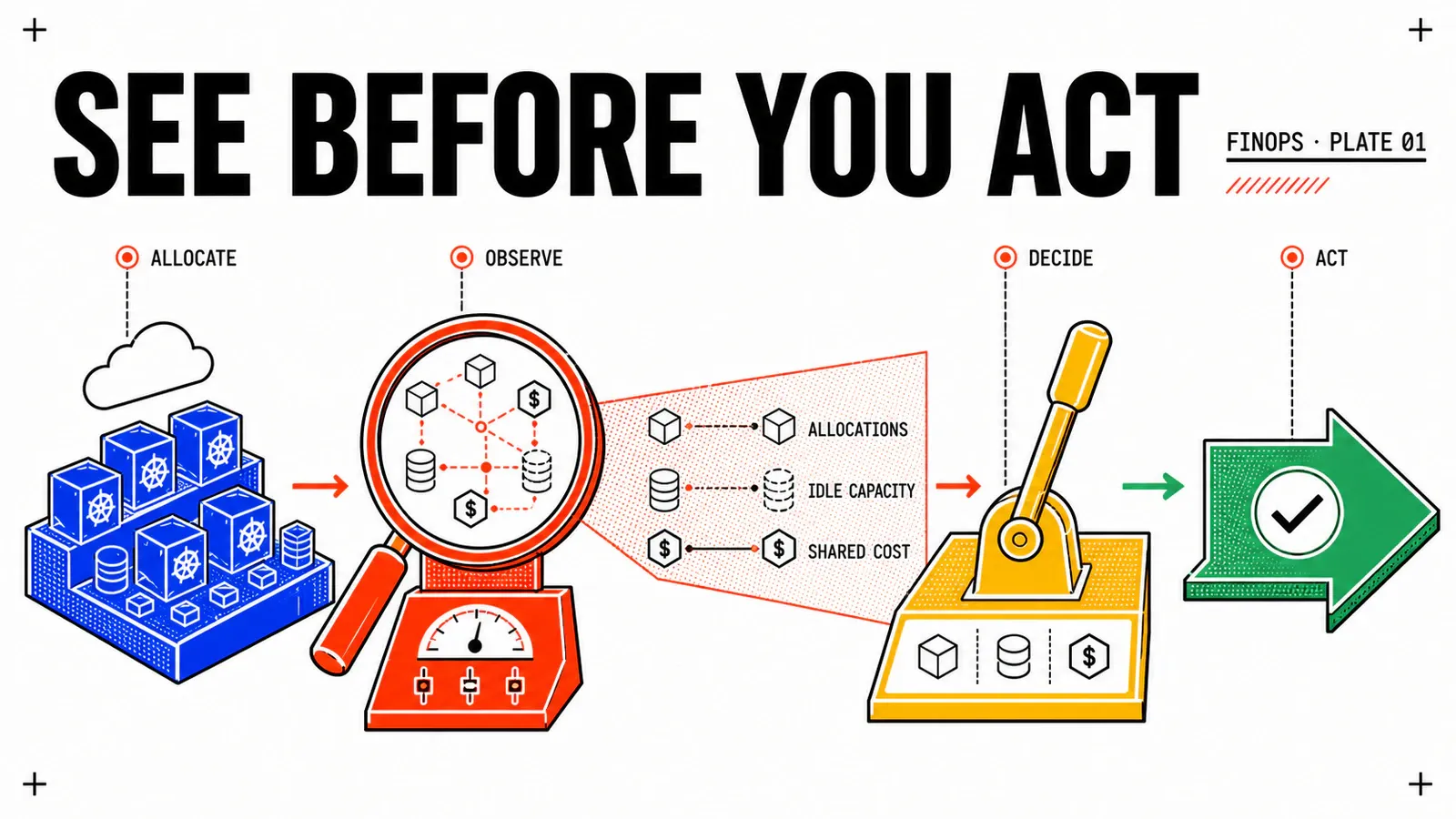
Then comes the central argument of this section: read the assets before the allocation. A breakdown only means something if you first know the total it breaks down. A dashboard that opens on namespaces puts the reader in front of a result without its denominator.
# 1 — the total to break down: nodes, disks, with cpuCost, ramCost, totalCost
curl -G http://localhost:9003/assets -d window=7d

# 2 — the breakdown, example published by the documentation
curl -G http://localhost:9003/allocation \
  -d window=7d \
  -d aggregate=namespace \
  -d resolution=1m

# 3 — see idle and redistribute it: two settings, two results
curl -G http://localhost:9003/allocation \
  -d window=1d \
  -d shareIdle=true \
  -d idleByNode=true
The aggregate parameter accepts cluster, node, namespace, controllerKind, controller, service, pod, container, label:LABEL_NAME and annotation:name. The window parameter accepts words (today, week, lastmonth), durations (30m, 12h, 7d), RFC3339 date pairs and Unix timestamps. As for resolution, its published description is a useful admission: “Smaller values (i.e. higher resolutions) will provide better accuracy, but worse performance […] Larger values will perform better, but at the expense of lower accuracy for short-running workloads. Default is 1m.” The same page carries a section titled “Theoretical error bounds”. Its value table was not obtained as an exact quotation during verification: this article therefore states that the project publishes error bounds, and quotes none of their values. The fact is enough — a cost shown to two decimal places on a thirty-second CronJob is an illusion of precision.
Team attribution goes through label aggregation, and it assumes a convention that predates the deployment:
curl -G http://localhost:9003/allocation \
  -d window=7d \
  -d aggregate=label:REPLACE_WITH_TEAM_LABEL_KEY \
  -d resolution=1m
Careful: the API accepts that aggregation, it does not create the data. If three Deployment out of fifteen carry the label, a response will still come back — and it will be wrong with respect to the question asked. No loaded page publishes what becomes of a workload missing the requested label: there is no basis for claiming it lands in an “unattributed” bucket. The question gets asked, and referred to the lookup.
One check is worth doing outside OpenCost: verifying that Prometheus actually holds the history for the requested window. A window longer than the retention yields a silently partial figure.
# Reconstruction from the metric families named by the OpenCost specification.
# The exact series names depend on the stack in place — to validate on your platform.
count_over_time(
  container_cpu_usage_seconds_total{namespace=~"webshop-.*"}[7d]
)
On VKS: what VCF Operations 9.1 exposes, and what it does not publish
The intuition “VCF says nothing about Kubernetes cost” has been false since VCF 9.1. The release notes publish: “VCF Operations now delivers comprehensive costing capabilities across your entire Kubernetes ecosystem, including nodes, clusters, vSphere namespaces, projects, and organizations.” And also: “VCF Operations now offers powerful tools to implement transparent, granular chargeback models specifically for VMware Kubernetes Service (VKS) nodes in addition to the traditional VM pricing.” The Management Pack for Kubernetes further ships a dashboard tracking “the costs of the clusters, nodes, and namespaces in a single place”.
On the price origin side the difference is structural: VCF Operations consults no rate card, it distributes a cost you entered. Ten cost drivers are published for vCenter infrastructure — Server Hardware: Traditional, Server Hardware: Hyper-Converged, Storage, License, Applications, Maintenance, Labor, Network, Facilities, Additional Cost — and the mechanism fits in one sentence: “The total cost set by you is distributed across resources in the data center.” Hardware depreciates under two published methods, Straight Line and Max of Double or Straight, over a configurable period of two to five years, with a discount for which “The default discount % value is zero.”
| Axis | OpenCost | VCF Operations |
|---|---|---|
| Finest published cost object | down to the container, aggregatable by label | node, cluster, vSphere namespace, project, organization |
| Price origin | pricing sheet applied to sampled quantities | total cost entered, then distributed |
| Published calculation method | yes, in the specification | not found on the loaded pages |
| Upstream invoice to reconcile | exists in public cloud | does not exist on the private platform |
Neither is “better”: they do not answer the same question. And three gaps deserve to be stated rather than dressed up. One: no loaded page publishes the calculation method behind VCF Operations’ Kubernetes costing — this article describes what is exposed, not how it is derived. Two: the published granularity stops at node and vSphere namespace, never pod or container. Three: no loaded Broadcom page names OpenCost, Kubecost or any third-party Kubernetes FinOps tool on VKS — deploying OpenCost on a VKS cluster is a reasonable reconstruction, not a vendor-documented path. Worth noting too: the 9.1 cost configuration pages — pricing cards, VCF Automation chargeback, cost drivers — name no Kubernetes object; only the release notes announce the capability. So you quote the capability as announced, without describing a configuration procedure no page publishes.
That leaves the open question, and it is told as such. It is mechanically possible to derive a $/core-hr and $/GB-hr price from the VCF Operations financial model and place it in OpenCost’s custom sheet — but no page publishes that derivation or endorses it, and it depends on the platform’s utilization rate. That is the third article’s subject. On a VKS cluster, an operator who wants a container-grain figure has to supply the unit price themselves. That is precisely the line this article asks them to write.
Pitfalls
Pitfall number one: publishing a figure before choosing a price
Until the description field of the pricing sheet has been rewritten with a real provenance and a date, OpenCost’s outputs are qualification outputs, not figures publishable internally. A wrong figure published to a committee cannot be uninstalled — while the technical removal itself is two commands: helm uninstall opencost then kubectl delete namespace opencost.
- The figure follows reservations, not consumption.
max(request, usage). A team that optimises its code without touching itsrequestswill see no effect on its displayed cost. - Shared idle moves the cost without moving the spend. A showback published without stating which
shareIdleandidleByNodesettings produced it is incomparable from one month to the next. Freeze those settings, and publish them with every figure. - The values file gets versioned like an application manifest. A unit price change retroactively alters the reading of every series, leaving no trace anywhere else.
- Two pages of the same project may publish two bounds. Kubernetes floors and billing integration lists diverge between the Configuration page and the FAQ. Quote each list with its page; do not build a synthesis that exists on neither.
- A window longer than the Prometheus retention returns a partial result, silently. The check belongs on the Prometheus side, not the OpenCost side.
- The rightsizing that follows will not create savings on its own. Reducing a reservation frees capacity. The saving only exists if a node is removed, not bought, or taken up by another workload.
Conclusion
The right output of this exercise is not a screenshot of a graph: it is a one-page document, versioned next to the values file, answering six questions. Where each unit price comes from and on what date it was set. Which window and which resolution produce the figures published internally. Whether idle is shared, and under which of the three published methods — uniform, proportional, or custom metric. Which label key carries team attribution. Which costs sit outside this model, by name. And who reviews the document, on what cadence.
Before installing
Choose the price source: billing integration, custom sheet, or nothing — and “nothing” means public list rates from a Google Cloud region applied to your private hardware.
After installing
Read assets before allocation, freeze window, resolution and idle handling, and record the price provenance in the description field.
What it does not do
OpenCost reduces nothing and reconciles nothing. It makes a model readable. Knowing how much of that cost is reserved emptiness is the next article’s job.
This first stage answers finance’s first question and stops at a clean boundary: the figure produced is a product — a quantity multiplied by a price you set — and the quantity is max(request, usage). In other words, across the three webshop-* namespaces, part of the displayed cost is not consumption, it is reservation. How much? This article does not say; it says where to read it, and with which settings.
Neighbouring reads on the blog: Prometheus and Grafana on VKS in production for the observability prerequisite, First VKS cluster on VCF 9 for the platform prerequisite, VCF 9.1: self-service Kubernetes for the project and organization model that 9.1 costing now prices, and The new VCF 9 architecture explained to architects for the platform model.
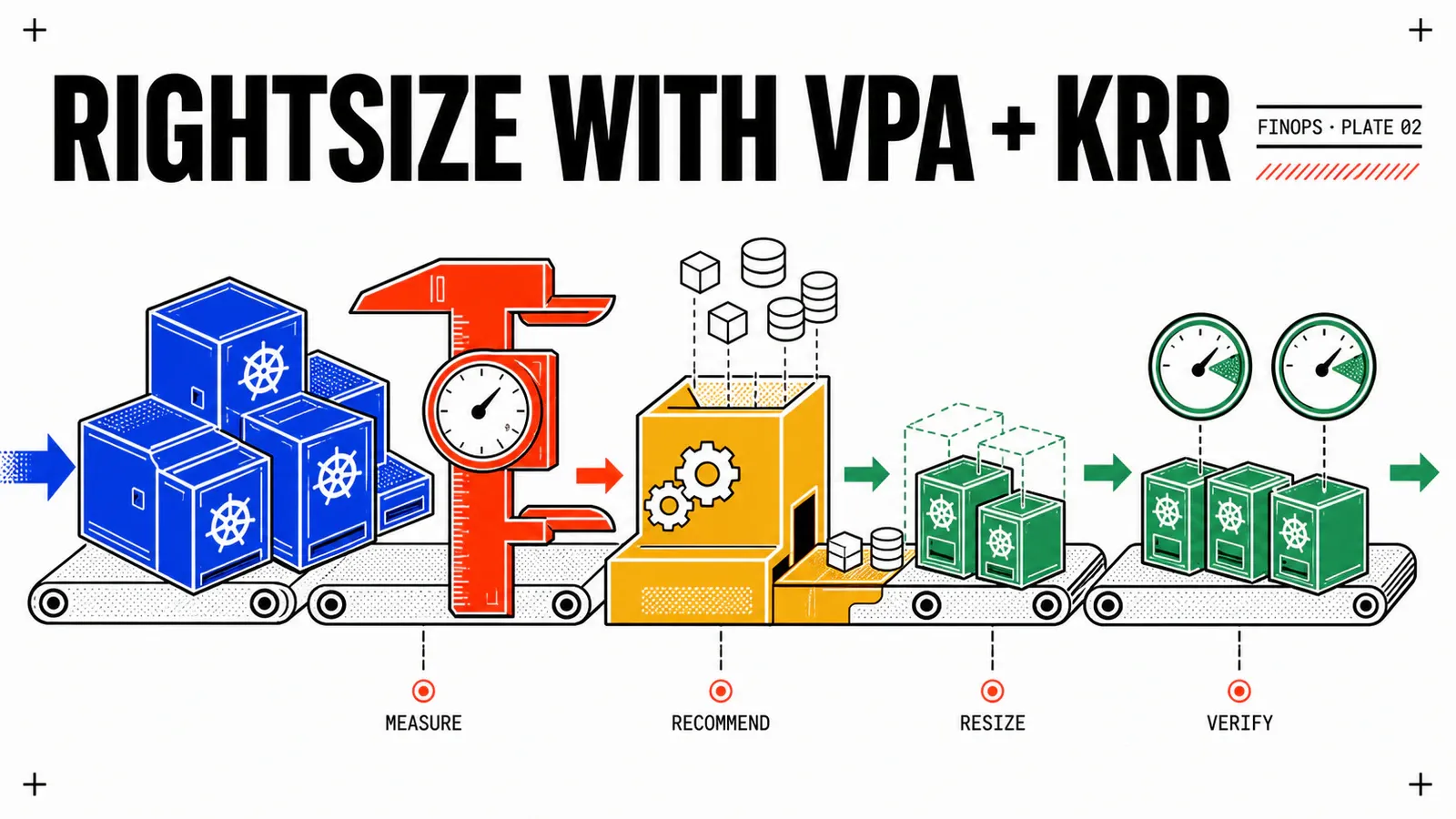
Next in the series: Rightsizing Kubernetes workloads with VPA and KRR.
Get the next one by email
New articles and series, sent when they are published. No other mail.