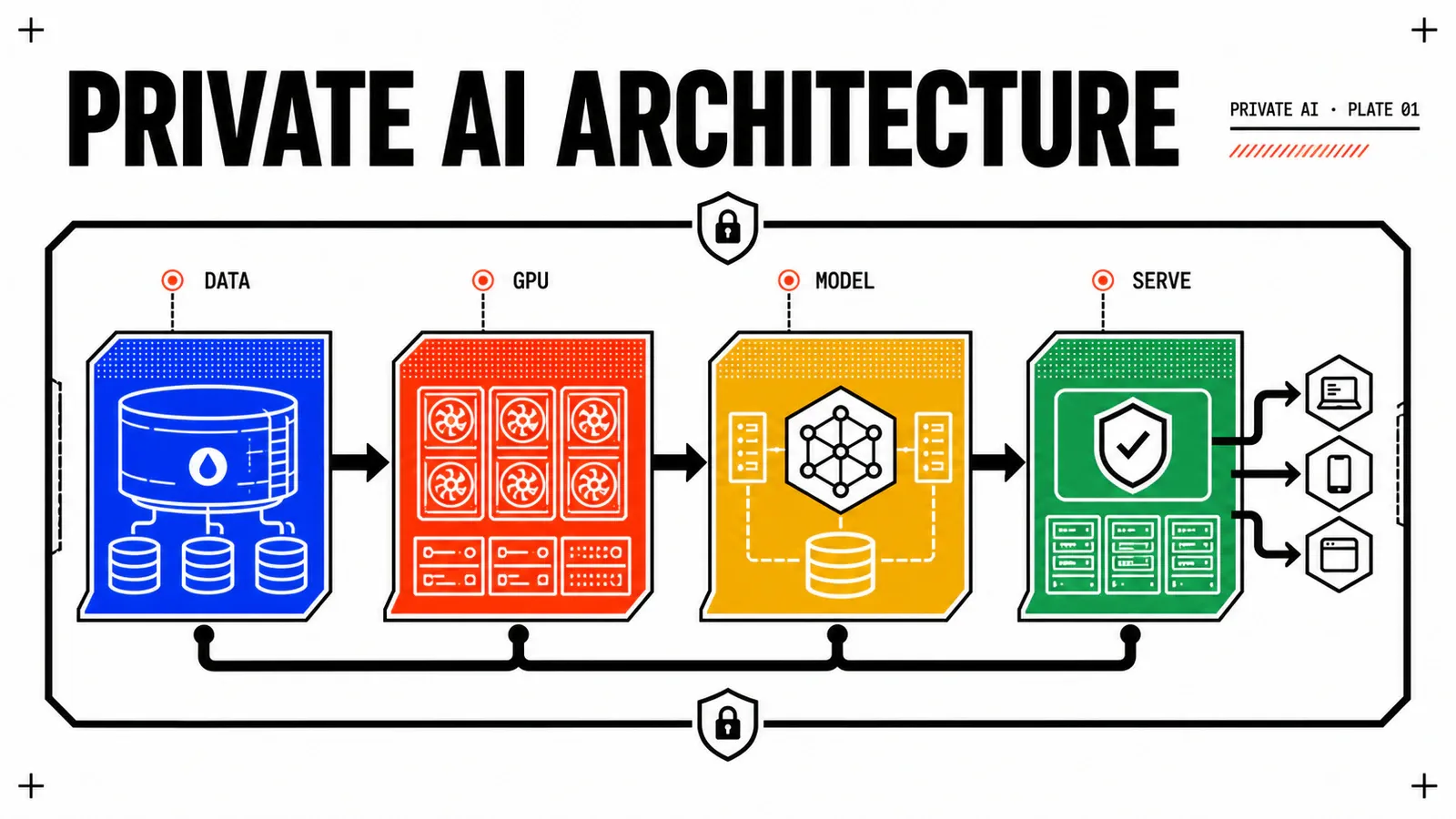
Every CIO is being asked the same question: “Where will our AI workloads run?” Public cloud offers GPUs on tap but bleeds budget and locks data in someone else’s region. The answer Broadcom is pushing is VCF Private AI Foundation — a stack built on VCF 9 that brings GPU pooling, Kubernetes (VKS), vector databases, and Ray-style schedulers under one control plane.
This article walks through that architecture layer by layer. Not the marketing diagram — the real one, with the seams visible: where vSphere meets GPU drivers, how VKS exposes nodes with MIG slices, what NSX does for east-west AI traffic, and which components are mature versus still rough.
TL;DR
- VCF Private AI Foundation stitches GPU pooling, VKS, vector DBs and Ray-like schedulers under one VCF 9 control plane.
- The seams to inspect: vSphere ↔ GPU drivers, VKS ↔ MIG slices, NSX ↔ east-west AI traffic.
- Maturity is uneven — pick which layers to adopt now versus wait on.
The four layers (compute, GPU, K8s, data)
The single most useful thing an architect can do with Private AI Foundation is stop looking at it as a product and start looking at it as four stacked layers with very different ages, very different risk profiles, and very different exit costs.
Layer 1 — compute. vSphere clusters, vSAN or external storage, NSX, SDDC Manager, VCF Operations. There is nothing AI-specific here, and that is precisely the point: the foundation you would build for a database estate is the foundation you build for inference. What changes is the shape of the hosts. GPU-bearing servers are fatter, hungrier and rarer than the rest of your fleet, so they skew your cluster design — PCIe topology and NUMA locality start to matter, power and cooling budgets become a real constraint on host count, and you end up with a small, expensive, non-fungible island inside an otherwise uniform cluster.
Layer 2 — GPU. The host-side driver, the partitioning model (whole-device passthrough, time-sliced vGPU, or MIG), the NVIDIA AI Enterprise entitlement and its license service, and the placement logic that decides which VM lands on which physical card. This is the layer that fails in ways your vSphere team has never seen before.
Layer 3 — Kubernetes. VKS, with GPU-capable node pools, the NVIDIA GPU Operator, the device plugin advertising GPU capacity as a schedulable resource, and the usual platform furniture — ingress, secrets, policy, GitOps. Once the device plugin works, this is ordinary Kubernetes, and everything you already know about it still applies.
Layer 4 — data and models. Object storage for weights and checkpoints, a registry for both container images and model artifacts, a vector store for retrieval, and the pipeline that turns your documents into embeddings. This is the layer with the least VCF-native opinion and the most consequential decisions.
| Layer | What VCF genuinely gives you | What stays your problem |
|---|---|---|
| Compute | Clusters, HA/DRS, storage policies, lifecycle, monitoring | Host BOM, PCIe/NUMA layout, power and cooling |
| GPU | Driver packaging in the ESXi image, vGPU profiles as VM classes | Driver version discipline, NVIDIA licensing, profile strategy |
| Kubernetes | VKS clusters, node pools, CAPI lifecycle, CNI, storage | GPU Operator, taints and tolerations, quota policy |
| Data & models | Storage, networking, a place to run things | Vector DB choice, embedding pipeline, model governance |
Read that table as an adoption order. Layers 1 and 3 you can standardise today with almost no regret risk. Layer 2 is where operational discipline is bought, not configured. Layer 4 is where you should stay deliberately pluggable.
Where vSphere meets the GPU
This is the seam that generates the most support tickets, and it is worth understanding before you sign anything.
You have two fundamentally different ways to give a VM access to a card. Passthrough (DirectPath I/O, or its dynamic variant) hands the whole physical device to a single VM. The hypervisor installs no GPU driver at all; the guest loads the vendor driver as if it were on bare metal. Fidelity is perfect, the software matrix is short, and you lose everything virtualisation gave you: no sharing, awkward or unavailable live migration, and a card that sits idle whenever its VM does. vGPU inserts a mediated device between the card and the guest. The ESXi host runs a vendor driver delivered as a VIB, the guest runs a matching driver, and a licensed profile decides how much framebuffer and how many compute resources that VM sees.
For AI, vGPU is usually the right default, for the plain economic reason that idle accelerators are the fastest way to destroy the business case. Passthrough keeps its place for the outliers: a single large training node, a workload that needs a device feature the mediated path does not expose, or a vendor appliance with its own support matrix.
The version-matching tax
The ESXi host driver and the guest driver are not independent. They must come from compatible branches, and the compatibility window is narrower than most teams assume on day one. This couples two lifecycles that were previously unrelated: your ESXi patching cadence and your guest OS golden images. Patch a host, forget the driver component in the cluster image, and GPU-backed VMs stop powering on — with an error message that points at the VM, not at the host.
The practical answer is to treat driver versions as declared artifacts, not as something an admin installs. Put the vendor addon and driver component into the vSphere Lifecycle Manager cluster image so the host side is part of the desired state. Build guest images in a pipeline that pins the matching guest driver version, and tag both with the same identifier so a mismatch is obvious in inventory rather than at boot time. Verifying the host side is cheap:
# is the vGPU host driver actually present in the running image?
esxcli software vib list | grep -i nvidia

# device mode: shared direct (vGPU) vs passthrough
esxcli graphics device list
esxcli graphics host get

# host-side view of the cards, from the ESXi shell
nvidia-smi
Two more things to size early. First, licensing: the mediated path is entitlement-gated, and the license service has to be reachable from the guests. A network segment that blocks it produces workloads that boot, run degraded or refuse to run, and look like an application problem. Second, live migration: vMotion of vGPU-backed VMs is supported, but the stun time scales with the framebuffer that has to be moved. On large profiles this can push past what your maintenance windows and HA timings tolerate. Measure it on your own hardware, with your own profile sizes, before you promise anyone non-disruptive host patching.
VKS nodes with MIG slices
Multi-Instance GPU carves a supported data-centre card into hardware-isolated instances, each with its own slice of memory, compute units and cache paths. It is not time-slicing: two MIG instances on the same card do not contend for the same SMs. That isolation is what makes it acceptable to put two tenants on one accelerator.
The part architects get wrong is how a sliced card reaches the Kubernetes scheduler. The GPU Operator’s device plugin advertises capacity as an extended resource on the node, and the naming depends on the strategy you choose. In the single strategy the node presents a uniform nvidia.com/gpu count and a pod simply asks for one, unaware that it is getting a fraction. In the mixed strategy each profile becomes its own resource name, and pods request the specific shape they need:
apiVersion: v1
kind: Pod
metadata:
  name: embeddings-worker
spec:
  nodeSelector:
    nvidia.com/gpu.present: "true"
  tolerations:
    - key: nvidia.com/gpu
      operator: Exists
      effect: NoSchedule
  containers:
    - name: serve
      image: registry.internal/embeddings:pinned
      resources:
        limits:
          nvidia.com/mig-1g.10gb: 1   # one slice, not one card
Three consequences follow, and they are all capacity-planning consequences rather than configuration ones.
Slices are not fungible. A node with four small instances cannot satisfy a pod that wants one large one, even though the silicon is idle. The scheduler sees distinct resource classes, so your bin-packing decision is made at host configuration time, before any workload exists. Getting the profile mix wrong shows up as pods stuck Pending on a cluster that monitoring reports as under-utilised.
Node pools must be separated. Give GPU nodes their own machine deployment with the VM class that carries the vGPU profile, and keep it away from your general-purpose pool. Mixing them means the scheduler will happily place a stateless web service on your most expensive hardware. The standard defence is a taint on the GPU pool with a matching toleration on GPU workloads only, plus namespace quotas that cap GPU resources per tenant — otherwise the first team to write a broad replicas value absorbs the whole pool.
You will need more than one pool. Sliced instances suit inference and embedding work, where many small models run concurrently. Distributed training wants whole cards with the interconnect intact, which MIG deliberately does not provide. Plan for at least a sliced inference pool and a whole-GPU pool from the start; retrofitting the split later means reconfiguring hosts and draining nodes.
If you have not stood up a VKS cluster yet, the node pool mechanics are the same ones covered in deploying your first VKS cluster — GPU changes the VM class and the taints, not the model.
What’s mature, what’s still rough
Here is the honest read, and it is the reason this article exists. Most of Private AI Foundation is not new. The compute layer is ordinary VCF, running the same way it runs for your virtual machines today. VKS is ordinary Kubernetes, with a lifecycle model that has been in production long enough to have a real troubleshooting corpus. GPU virtualisation itself has been shipping for years — it grew up in VDI, and the mediated device path is well-trodden. What is genuinely young is the glue: the AI-specific automation that turns those three mature layers into something a data science team can self-serve.
| Component | Maturity | Architect’s call |
|---|---|---|
| vSphere / vSAN / NSX foundation | Mature | Standardise now, no AI caveat |
| VKS clusters and node pools | Mature | Standardise now |
| vGPU / MIG partitioning | Mature technology, demanding operations | Adopt with strict driver lifecycle discipline |
| GPU Operator + device plugin | Widely deployed upstream | Adopt, pin versions, test upgrades |
| East-west segmentation for AI traffic | Mature NSX, new usage patterns | Reuse existing policy model |
| Deep-learning VM images, model catalogues, AI self-service | Young | Pilot, do not standardise yet |
| Vector store and retrieval pipeline | Ecosystem-dependent | Keep pluggable, decide late |
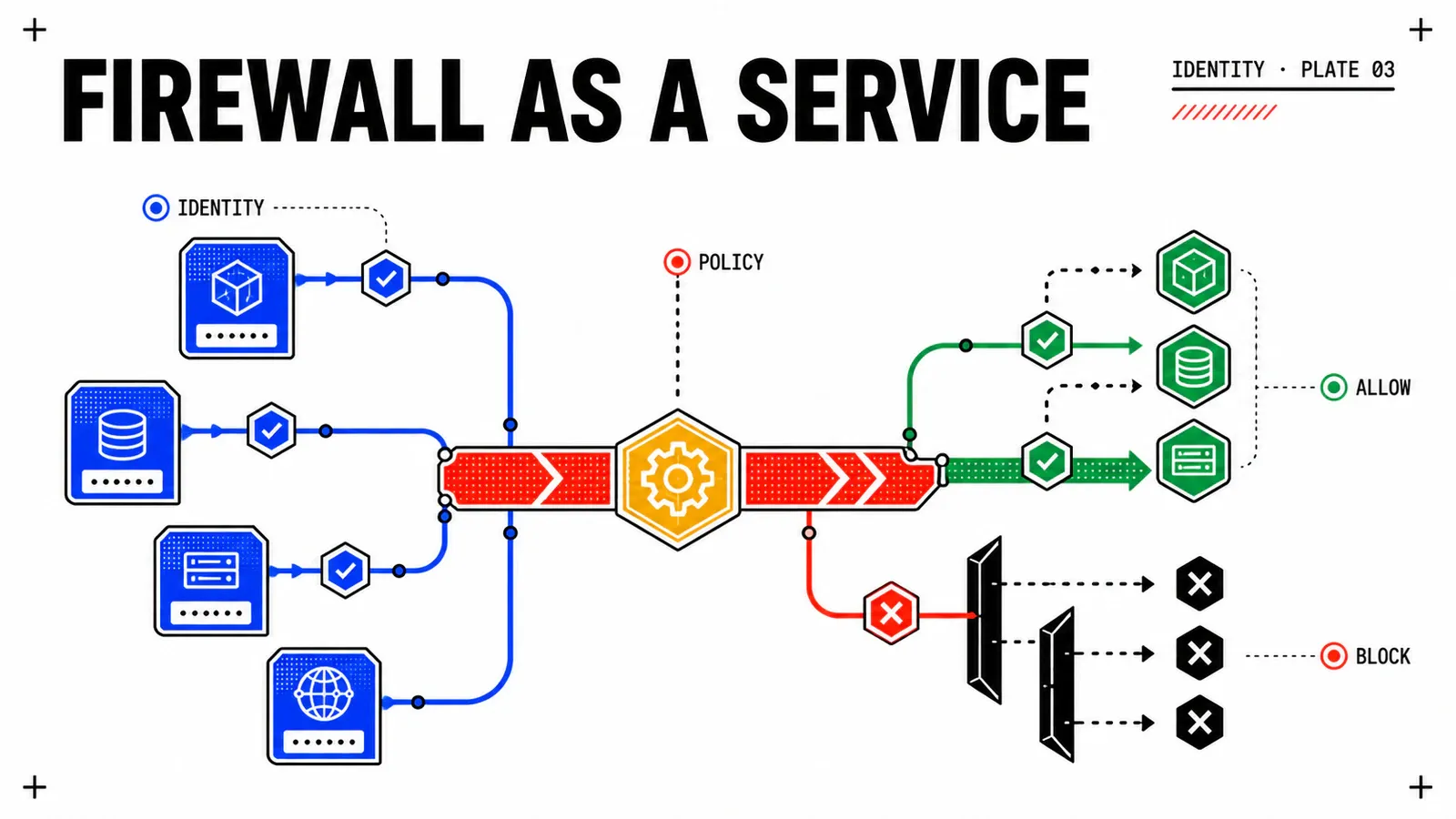
A word on the networking line. NSX distributed firewalling and segmentation are not new, but AI traffic exercises them in a new pattern: heavy, sustained east-west flows between inference pods, the vector store and the object storage holding weights, often crossing tenant boundaries that used to see only north-south traffic. The technology is ready; what usually is not ready is the policy model, because nobody wrote rules for a namespace that talks to a shared retrieval service at high volume. Treat it as a policy design exercise, not a product evaluation.
The younger glue deserves a clear-eyed warning rather than dismissal. Prebuilt deep-learning images, model stores and catalogue-driven provisioning genuinely compress time-to-first-inference, and if your goal this quarter is a credible demonstration, they are worth using. But the documentation moves quickly, field reports are thin, and when something breaks you will be one of the first people to hit it. That is a fine position for a pilot and a bad position for a platform contract with an SLA attached.
Adopt bottom-up, not top-down
Standardise layers 1 to 3, because they are stable and you would build them anyway. Treat the AI-specific automation as an accelerant you can remove without collapsing the design. If your architecture only works because a young catalogue feature works, you have bought a dependency, not a capability.
One last budgeting note that architects are often the last to hear: the NVIDIA software entitlement is a separate cost line from your VCF licensing, and it scales with GPUs rather than with cores. Get that number in front of finance before the design freezes, not after the hardware quote is signed.
Conclusion
Private AI Foundation is best understood as a well-integrated assembly of things you mostly already run, plus a thin and fast-moving layer of AI-specific convenience on top. That framing is not a criticism — it is the reason the stack is adoptable at all. The risk is buying the marketing diagram as a monolith and discovering that the youngest component sets the maturity of the whole design.
Four layers, four risk profiles
Compute and Kubernetes are ordinary VCF. The GPU layer is an operational discipline. The data layer is a decision you should keep reversible.
Drivers are the real seam
Host VIB and guest driver must match. Put both in pipelines, pin the versions, and measure vGPU vMotion stun time on your own hardware.
Plan slices before workloads
MIG profiles are fixed at host level and are not fungible. Separate pools, taint them, quota them, and expect at least one sliced and one whole-GPU pool.
Next step. The following article goes down into layer 2 in detail: GPU pooling with vGPU and MIG in practice — profile selection, mixed-workload scheduling and the pitfalls that only show up under contention. After that comes the vector database layer, where the choices are yours far more than Broadcom’s.
If you are building this on an estate that has no metric baseline yet, do that first. GPU utilisation is the number that justifies or kills the entire private AI business case, and you cannot argue about it retroactively — the observability foundations piece covers the groundwork.
Get the next one by email
New articles and series, sent when they are published. No other mail.